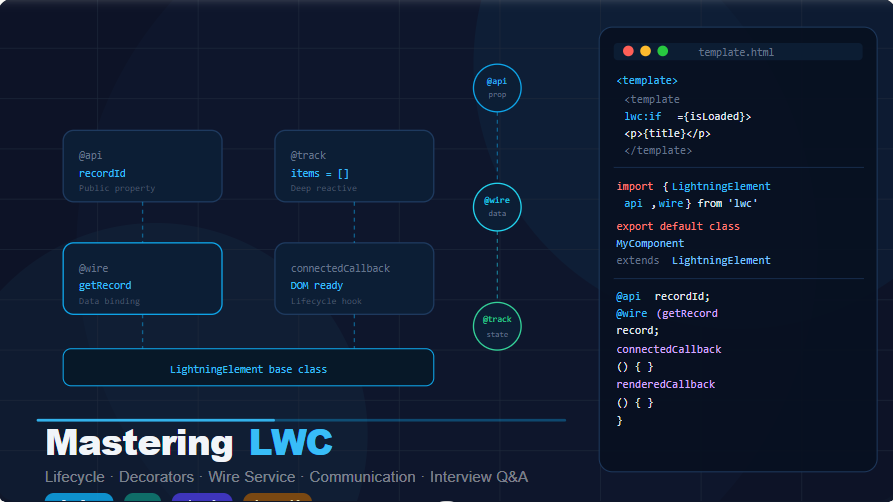

Prepare for success! This post contains the Top FAQs you need to Master Your LWC Interview.
⭐ Basic LWC Questions
⭐ Intermediate LWC Questions
⭐ Advanced & Real-Time Scenario LWC Questions
⭐ Scenario-Based LWC Questions
⭐ Project-Based LWC Questions
⭐ Prepare for Success: Top FAQs to Master Your LWC Interview
Basic LWC Questions
1. What is Lightning Web Component (LWC)?
Answer:
LWC is Salesforce’s modern UI framework built using standard web technologies like JavaScript, HTML, and CSS. It provides fast performance, reusable UI, and better browser compatibility.
Real-life example:
Imagine you’re building a Case Management Dashboard. Each section—Open Cases, SLA Violations, Priority Alerts—can be built as small LWCs. These components load fast, are reusable, and can communicate with each other.
2. How does LWC differ from Aura components?
| Feature | LWC | Aura |
|---|---|---|
| Technology | Modern JS (ES6+), Web Standards | Older proprietary framework |
| Performance | Faster | Slower |
| Learning Curve | Easier (standard JS) | Harder |
| Reusability | High | Moderate |
Real-life example:
An Aura page with 15 components may take 3–5 seconds more to load compared to LWC. After migrating to LWC, the page becomes smooth—like switching from an old phone to a 2025 flagship phone.
3. What are the advantages of using LWC?
✔ Faster performance
✔ Reusable components
✔ Standard JavaScript support
✔ Lightweight & secure
✔ Shadow DOM support
✔ Better testing & debugging
Real-life example:
Your sales team wants a Real-Time Lead Scoring component.
Using LWC, you can quickly build a lightweight UI that updates instantly when data changes—without page reloads.
4. What is the Lightning Data Service (LDS)?
LDS allows components to work with Salesforce data without Apex.
✔ No SOQL
✔ No Apex
✔ Handles sharing rules
✔ Automatic cache & performance optimization
Real-life example:
You are building a Contact Quick View component.
Instead of writing an Apex controller, use <lightning-record-form> or getRecord LDS wire to fetch the Contact.
5. What are decorators in LWC?
Decorators give special meaning to properties and methods.
LWC provides:
- @api → Public property/method
- @track → Reactive private property
- @wire → Connect to Salesforce data
6. What is the purpose of @api decorator?
Used to expose a variable or method to parent components.
Real-life example:
Parent component sends an accountId to child LWC to show related contacts.
Child.js
import { api } from 'lwc';
export default class ContactList extends LightningElement {
    @api accountId;
}
Parent uses:
<c-contact-list account-id={recordId}></c-contact-list>
7. What is the purpose of @track decorator?
@track makes an internal variable reactive, meaning UI updates automatically.
Real-life example:
You have a shopping cart LWC. If the user adds a new item to the array, UI should update instantly.
@track cartItems = [];
❗ NOTE
After LWC 2021 update, all object properties are reactive by default.
But use @track when updating deep nested objects (like obj.prop.name).
8. What is the purpose of @wire decorator?
@wire connects LWC to:
- Salesforce data (LDS)
- Apex methods
It runs reactively, meaning every time parameter changes, wire runs again.
Example: Fetch contacts by AccountId
@wire(getContacts, { accountId: '$recordId' })
contacts;
Real-life scenario: When user switches Account record page, contacts update automatically.
9. What are reactive properties in LWC?
Reactive properties are variables that, when changed, automatically re-render the UI.
In LWC:
- Primitive values → reactive
- Object/Array values → reactive (if reassigned)
- Nested values → use @track
Example:
this.count = this.count + 1; // UI updates
Real-life example:
A counter on a dashboard that updates every time a user refreshes data.
10. Explain lifecycle hooks in LWC.
| Hook | When it runs | Real-Life Example |
|---|---|---|
| constructor() | When component instance is created | Initialize variables |
| connectedCallback() | When component is inserted into DOM | Callout to fetch data |
| renderedCallback() | Every time component re-renders | Apply CSS or scroll to bottom |
| disconnectedCallback() | When component is removed | Clean timers/listeners |
| errorCallback() | Handles errors from child components | Logger service |
Real-life example:
A Chat UI LWC uses renderedCallback() to scroll to the latest message.
11. What is the Shadow DOM in LWC?
Shadow DOM is a private DOM inside a component.
✔ Styles don’t leak outside
✔ Component is secure
✔ Developers cannot accidentally override it
Real-life example:
Your LWC has a custom button style; Shadow DOM ensures Salesforce standard CSS will not override it.
12. What is the difference between Shadow DOM and Light DOM?
| Shadow DOM | Light DOM |
|---|---|
| Private | Public |
| Styles do NOT leak | Styles can leak |
| Better encapsulation | Parent can override styles |
| Used by LWC by default | Optional (use light DOM mode) |
13. How do you handle conditional rendering in LWC?
Use if:true or if:false.
Example:
<template if:true={isLoading}>
    <lightning-spinner></lightning-spinner>
</template>
Real-life scenario: show spinner while fetching data.
14. How do you iterate through a list in LWC?
Use <template for:each>.
Example:
<template for:each={contacts} for:item="con">
    <p key={con.Id}>{con.Name}</p>
</template>
Real-life example: Show all contacts related to an Account.
15. How do you include CSS in LWC?
Use the component .css file.
Example: myComponent.css
.redText {
    color: red;
    font-size: 18px;
}
Use it in HTML:
<p class="redText">Hello</p>
Real-life scenario:
Highlight overdue tasks in red.
Intermediate LWC Questions
1. How do you communicate between parent and child components?
Parent → Child:
Use @api properties/methods.
Example Scenario
You have a Case Dashboard (parent) and a CaseDetail component (child).
Parent sends caseId to child.
Child.js
import { api, LightningElement } from 'lwc';

export default class CaseDetail extends LightningElement {
    @api caseId;
}
Parent.html
<c-case-detail case-id={selectedCaseId}></c-case-detail>
✔ Used when parent controls the data flow.
2. How can a child component pass data back to its parent?
Use Custom Events.
Real-Life Example
Child component selects a Contact, and parent needs the selected Contact Id.
Child.js
handleSelect() {
    const selectedId = this.recordId;
    this.dispatchEvent(new CustomEvent('contactselect', {
        detail: selectedId
    }));
}
Parent.html
<c-contact-list oncontactselect={handleContact}></c-contact-list>
Parent.js
handleContact(event){
    this.selectedContactId = event.detail;
}
✔ Used when child reports something back to parent.
3. How do you communicate between two unrelated components?
Use Lightning Message Service (LMS).
Real-Life Example
You have:
- Component A: Account List
- Component B: Account Map View
When user selects an account in Component A, Component B automatically highlights it — both placed separately on a Lightning Record Page.
They communicate using a message channel.
4. What is the Lightning Message Service (LMS)?
LMS lets components in different DOM hierarchies communicate:
- LWC ↔ LWC
- Aura ↔ LWC
- LWC ↔ VF Page
Works even if components are not parent/child.
5. What are the limitations of LMS?
⚠ Cannot send huge payloads
⚠ Cannot send private or sensitive data
⚠ Works only in Lightning Experience & Communities
⚠ Cannot use LMS inside standalone LWC (like LWR site without Salesforce backend)
6. How do you call Apex methods from LWC?
Two ways:
✔ 1. @wire (Reactive, Automatically Refreshes)
✔ 2. Imperative (Manual call using JS)
Example:
import getAccounts from '@salesforce/apex/AccountController.getAccounts';
7. Differences Between @wire and Imperative Apex Calls
| Feature | @wire | Imperative |
|---|---|---|
| Reactive? | Yes | No |
| Auto-refresh? | Yes (when params change) | No |
| Use cases | Read-only data | Insert, update, delete |
| Error handling | Provided by wire | Manual try/catch |
| Syntax | Declarative | Programmatic |
Real-Life Example
- @wire → Display list of Cases
- Imperative → Close a case on button click
8. Best practices for handling errors in LWC
✔ Use try/catch for imperative calls
✔ Show friendly error messages using ShowToastEvent
✔ Log errors (optional Apex logging)
✔ Avoid exposing system error messages
Example:
try {
    const result = await myApexMethod();
} catch(error) {
    this.showToast('Error', error.body.message, 'error');
}
9. How do you handle events in LWC?
Three ways:
✔ Component Events
(child → parent)
✔ DOM Events
(button click, change)
✔ Custom Events
(dispatchEvent)
Real-Life Example
A Product Selector child component fires an event when a product is selected.
10. How do you navigate between Lightning pages in LWC?
Use NavigationMixin.
Real-Life Example
You click “View Account” and it opens the Account record page.
11. How do you use NavigationMixin?
Import first:
import { NavigationMixin } from 'lightning/navigation';
Use it:
this[NavigationMixin.Navigate]({
    type: 'standard__recordPage',
    attributes: {
        recordId: this.accountId,
        objectApiName: 'Account',
        actionName: 'view'
    }
});
12. How do you import static resources in LWC?
Example: Import a JS library or CSS file.
import chartJS from '@salesforce/resourceUrl/ChartJS';
To load it:
loadScript(this, chartJS);
Real-Life Example
Using Chart.js to show sales trend graphs.
13. What is the use of import statement in LWC?
Used for:
✔ Importing Apex methods
✔ Importing decorators (@api, @wire, @track)
✔ Importing modules (Lightning Navigation)
✔ Importing static resources
✔ Importing labels & schema
14. What is a reactive getter in LWC?
A getter is computed dynamically based on reactive properties.
Real-Life Example
Show account full name from first + last name.
get fullName() {
    return `${this.firstName} ${this.lastName}`;
}
When firstName or lastName changes, getter updates automatically.
15. How do you use template looping and conditional directives?
✔ Looping (for:each)
<template for:each={accounts} for:item="acc">
    <p key={acc.Id}>{acc.Name}</p>
</template>
✔ Conditional Rendering (if:true)
<template if:true={isLoaded}>
    <p>Data Loaded!</p>
</template>
Real-Life Example
- Show spinner while data loads
- Loop through related contacts
Advanced & Real-Time Scenario Questions
1. How do you handle large data sets in LWC for better performance?
Large datasets slow down DOM rendering.
Best practices:
✔ Use pagination (load only 50–200 records at a time)
✔ Use lazy loading (infinite scrolling)
✔ Use @wire with parameters rather than fetching everything
✔ Use lightning-datatable virtualization
✔ Limit fields returned from Apex
✔ Avoid nested loops inside the component
Real-life Example:
You’re building a Case Management Table where a support agent handles 25,000 cases.
Fetching all cases in one call will freeze the UI.
Instead fetch 100 at a time.
2. How can you optimize rendering in LWC?
Techniques:
✔ Minimize reactive property updates
✔ Use getters instead of recomputing in the template
✔ Reduce DOM size
✔ Use <template if:true> for optional blocks
✔ Break large components into smaller reusable LWCs
✔ Avoid unnecessary re-renders
Real-Life Example:
A Dashboard LWC shows:
- 8 charts
- 3 tables
- KPI banners
Split them into child LWCs, so each rerenders independently.
3. How do you handle pagination in LWC?
Pagination Flow:
- Call Apex with
offset+limit - Store results
- Load next set on button click
Real-Life Example:
Show Accounts in a table, 50 at a time.
Apex:
public static List<Account> getAccounts(Integer offsetValue){
    return [
        SELECT Id, Name FROM Account
        ORDER BY Name
        LIMIT 50 OFFSET :offsetValue
    ];
}
4. How do you handle record edits using Lightning Data Service (LDS)?
LDS provides:
updateRecord()createRecord()deleteRecord()
Works without Apex, respects sharing and FLS.
Real-Life Example:
A Contact Quick Edit Panel updates phone/email without Apex.
5. How do you use getRecord, updateRecord, and createRecord in LWC?
getRecord
@wire(getRecord, { recordId: '$recordId', fields: FIELDS })
record;
updateRecord
updateRecord({ fields });
createRecord
createRecord({ apiName: 'Account', fields });
Scenario Example:
Inline update of Case Status when agent closes a case.
6. How do you cache Apex results in LWC?
Use:
✔ @AuraEnabled(cacheable=true)
✔ refreshApex()
Caching improves speed because Salesforce doesn’t call Apex again until data changes.
Real-Life Example:
A Product Price List that rarely changes.
Cache reduces load time from 800ms to 50ms.
7. How do you use session or browser storage in LWC?
Use:
✔ localStorage → persists even after browser close
✔ sessionStorage → persists until tab closes
Example: Saving last selected tab
localStorage.setItem('selectedTab', this.tabName);
Real-Life Example:
User selects “Open Cases” tab.
Next time they open Salesforce, same tab is loaded automatically.
8. How can you integrate LWC with external APIs?
LWC cannot directly make external callouts.
You must use:
✔ Apex
✔ Named Credentials
✔ Remote Site Settings
Real-life Example:
Calling Stripe API to fetch payment details.
Flow:
LWC → Apex → External API → Apex → LWC
9. How do you handle callouts from LWC?
LWC → Apex
Apex → External API (via Named Credential)
Return data to LWC.
Example:
const response = await getPayments({ customerId: this.custId });
10. How do you secure Apex methods exposed to LWC?
✔ Enforce CRUD
✔ Enforce FLS
✔ Enforce sharing
✔ Validate user permissions
✔ Use parameter validation
Example:
if(!Schema.sObjectType.Account.isAccessible()) {
    throw new AuraHandledException('You cannot view accounts');
}
11. Difference between connectedCallback() and renderedCallback()?
| Method | When it Runs | Use Case |
|---|---|---|
| connectedCallback | When component loads | Load data, call Apex |
| renderedCallback | After every render | DOM manipulation, scroll, styling |
Real-Life Example:
- connectedCallback → Fetch case details
- renderedCallback → Scroll chat window to bottom
12. How do you test LWC components?
Using Jest Tests:
- Validate DOM
- Test functions
- Mock Apex
- Test events
- Test user interactions
13. What are Jest tests in LWC?
Jest is the official testing framework for LWC.
You use it to test:
✔ Button clicks
✔ Conditional rendering
✔ Apex wire results
✔ Child → Parent event communication
Real-Life Example:
Test that clicking “Close Case” updates the UI.
14. How do you debug an LWC component?
✔ console.log()
✔ Chrome DevTools
✔ Check Network tab
✔ Use debugger;
✔ Use LDS error messages
Real-Life Example:
Datatable not showing rows → check if fields are spelled correctly in Apex.
15. How do you use Lightning Datatable in LWC?
<lightning-datatable
    key-field="Id"
    data={data}
    columns={columns}>
</lightning-datatable>
Real-Life Example:
Show Opportunity List with Amount, Stage, Close Date.
16. How do you implement inline editing in Lightning Datatable?
✔ Set editable: true in column
✔ Use oncellchange event
✔ Use updateRecord()
Real-Life Example:
Sales rep edits Opportunity Amount directly from the datatable.
17. How do you dynamically style components in LWC?
Use conditional classes:
<div class={dynamicClass}></div>
get dynamicClass() {
    return this.value > 100 ? 'green' : 'red';
}
Real-Life Example:
Highlight deals > ₹1,00,000 in green.
18. How do you use Lightning Record Form, Record Edit Form, and Record View Form?
Record View Form
Read-only record
Record Edit Form
Editable form with custom layout
Record Form
Auto layout + read/edit both
Real-Life Example:
Create a quick Contact form with:
- Record Edit Form (custom UI)
- Record Form (auto UI)
19. How do you show toast messages in LWC?
Use ShowToastEvent.
Example:
import { ShowToastEvent } from 'lightning/platformShowToastEvent';

this.dispatchEvent(
    new ShowToastEvent({
        title: 'Success',
        message: 'Record saved',
        variant: 'success'
    })
);
20. How do you use ShowToastEvent in LWC?
Perfect for:
✔ Success
✔ Errors
✔ Warnings
✔ Info notifications
Real-Life Example:
After saving Opportunity, show:
🟢 “Opportunity Updated Successfully!”
Scenario-Based LWC Questions
1) A parent component needs to refresh its data when a child updates a record — how would you implement this?
Pattern: Child dispatches a CustomEvent (or uses LMS/pubsub for non-hierarchical components). Parent listens and calls refreshApex() (if parent uses a wired Apex or LDS) or re-invokes the imperative call.
Why: refreshApex() re-fetches cached @wire results. Events provide decoupling.
Child (after update):
// child.js
this.dispatchEvent(new CustomEvent('recordupdated', {
  detail: { recordId: updatedId },
  bubbles: true, // optional if parent isn't direct container
  composed: true
}));
Parent (markup):
<c-child onrecordupdated={handleRecordUpdated}></c-child>
Parent (js):
import { refreshApex } from '@salesforce/apex';

@wire(getAccounts) wiredAccounts;

handleRecordUpdated(event) {
  // Option A: refresh the wired cache
  refreshApex(this.wiredAccounts);

  // Option B: if parent used imperative call, call it again:
  // this.loadAccounts();
}
Real-life: A Contact child component edits a contact; parent Account list refreshes to reflect new contact count.
2) How do you implement search functionality with Apex in LWC?
Pattern: Debounce user input → call Apex imperatively (not wired) with search term → show spinner → display results. Use selective fields, SOSL or indexed fields for performance.
Key points:
- Debounce to avoid calling server on every keystroke.
- Prefer SOSL when searching multiple objects/fields.
- Apply LIMIT and return only required fields.
Example (debounce + imperative):
// searchComponent.js
import searchAccounts from '@salesforce/apex/AccountController.searchAccounts';
let delayTimer;

handleKeyup(event) {
  window.clearTimeout(delayTimer);
  const searchKey = event.target.value;
  delayTimer = window.setTimeout(() => {
    this.doSearch(searchKey);
  }, 300); // 300ms debounce
}

async doSearch(term) {
  this.isLoading = true;
  try {
    this.results = await searchAccounts({ searchKey: term });
  } catch (err) {
    this.error = err;
  } finally {
    this.isLoading = false;
  }
}
Apex skeleton:
@AuraEnabled(cacheable=true)
public static List<Account> searchAccounts(String searchKey) {
    if (String.isBlank(searchKey)) return new List<Account>();
    String key = '%' + searchKey.replace('%','\\%') + '%';
    return [SELECT Id, Name FROM Account WHERE Name LIKE :key LIMIT 50];
}
Real-life: Global search box on a Sales leaderboard — debounce to avoid throttling.
3) How would you design an LWC to upload files and show progress?
Two approaches:
A. Use standard lightning-file-upload (simple, recommended)
- Handles upload to Salesforce
ContentVersionautomatically. - No built-in progress API exposed to LWC (but it shows progress UI to the user).
Usage:
<lightning-file-upload
    label="Upload File"
    record-id={recordId}
    onuploadfinished={handleFinish}>
</lightning-file-upload>
B. Custom uploader with progress (when you need control):
- Use
XMLHttpRequestfrom LWC to upload to a public endpoint or to Salesforce using REST/ContentVersion (requires sessionId & correct endpoints) or chunked Apex. - Use
xhr.upload.onprogressto show progress percent.
Simplified example (upload to external endpoint):
handleFilesSelected(event) {
  const file = event.target.files[0];
  const formData = new FormData();
  formData.append('file', file);

  const xhr = new XMLHttpRequest();
  xhr.open('POST', '/your/endpoint'); // external endpoint or Canvas proxy
  xhr.upload.onprogress = (e) => {
    this.progress = Math.round((e.loaded / e.total) * 100);
  };
  xhr.onload = () => { /* handle success */ };
  xhr.onerror = () => { /* handle error */ };
  xhr.send(formData);
}
If uploading to Salesforce ContentVersion via Apex (large files):
- Chunk the file on the client with
FileReader(base64 pieces), send chunks to Apex which assembles them into ContentVersion — update progress after each chunk.
Real-life: A Claims app uploading multi-MB PDFs and showing a progress bar and a cancel button.
4) How would you handle dependent picklists in LWC?
Pattern: Use getPicklistValuesByRecordType / getPicklistValues from lightning/uiObjectInfoApi and filter child picklist options by parent value.
Flow:
- Get object metadata (record type + picklist values).
- Build a map of parent value → list of child options.
- When parent changes, set
childOptionsaccordingly.
Example:
@wire(getObjectInfo, { objectApiName: OPPORTUNITY })
objectInfo;

@wire(getPicklistValuesByRecordType, { objectApiName: OPPORTUNITY, recordTypeId: '$objectInfo.data.defaultRecordTypeId' })
picklistValues;

getStageOptions() { /* read picklistValues for StageName */ }

handleIndustryChange(e) {
  const industry = e.detail.value;
  this.subIndustryOptions = this.map[industry] || [];
}
Real-life: Country → State → City dependent picklists on a customer onboarding form.
5) How do you display data from multiple related objects?
Options:
- Apex SOQL with relationship fields — e.g.
SELECT Id, Name, Account.Name, Account.Owner.Name FROM Contact - Multiple
@wire(getRecord...)calls usinguiRecordApito fetch related records or fields. - Combination: Apex returns a wrapper DTO with parent/child details.
Recommendation: For complex data or performance-sensitive queries, write an Apex method that returns a tailored DTO.
Apex example (single SOQL):
@AuraEnabled(cacheable=true)
public static List<ContactWrapper> getContactsWithAccountInfo() {
  List<Contact> contacts = [SELECT Id, Name, Account.Id, Account.Name FROM Contact LIMIT 100];
  // convert to wrapper or return contacts directly
  return (List<ContactWrapper>) contacts;
}
Real-life: Contact list showing Contact.Owner, Account.AnnualRevenue and custom parent fields in one table.
6) How do you refresh wired data after a record update?
Answer: Use refreshApex() and pass it the wired property reference returned by the @wire (or the function wiredResult).
Example:
import { refreshApex } from '@salesforce/apex';

wiredContacts;

@wire(getContacts) wiredGetContacts(value) {
  this.wiredContacts = value;
  if (value.data) this.contacts = value.data;
}

async handleChildUpdate(evt) {
  await refreshApex(this.wiredContacts);
}
Real-life: After inline edit on a child datatable, call refreshApex so parent charts update.
7) How would you build a reusable modal component in LWC?
Pattern: Create a modal LWC that exposes @api open() and @api close() and uses <slot> for content.
modal.html
<template>
  <section class="slds-modal slds-fade-in-open" if:true={isOpen}>
    <div class="slds-modal__container">
      <header class="slds-modal__header">
        <slot name="header"></slot>
      </header>
      <div class="slds-modal__content">
        <slot></slot>
      </div>
      <footer class="slds-modal__footer">
        <slot name="footer"></slot>
      </footer>
    </div>
  </section>
  <div class="slds-backdrop slds-backdrop_open" if:true={isOpen}></div>
</template>
modal.js
import { LightningElement, api, track } from 'lwc';
export default class Modal extends LightningElement {
  @track isOpen = false;
  @api open() { this.isOpen = true; }
  @api close() { this.isOpen = false; this.dispatchEvent(new CustomEvent('close')); }
}
Usage:
<c-modal onclose={handleClose} lwc:ref="modal">
  <span slot="header">Confirm</span>
  <p>Do you want to delete?</p>
  <div slot="footer">
    <button onclick={confirm}>Yes</button>
  </div>
</c-modal>
Real-life: Confirm delete dialog reused across many objects.
8) How can you pass complex objects between components?
Options:
- For parent → child, pass object directly as an
@apiproperty:<c-child data={complexObj}></c-child>. - For child → parent, dispatch a
CustomEventwithdetailset to the object. Make sure the object is serializable (avoid circular refs). - For unrelated components, use LMS/pubsub or persist to sessionStorage and notify via event.
Example (child → parent with complex object):
this.dispatchEvent(new CustomEvent('itemselected', { detail: JSON.parse(JSON.stringify(this.complexObj)) }));
(Using JSON.stringify/parse ensures serializable clone.)
Real-life: Passing a complex order object (items, totals, discounts) from a line-item component to a checkout parent.
9) How do you make LWC responsive for mobile and desktop?
Techniques:
- Use SLDS utility classes (grid, media).
- Use CSS flexbox and
max-width,min-width. - Use CSS media queries inside the component
.cssfile when necessary. - Break big components into columns that stack on small screens.
- Test on Salesforce1 and desktop.
Example CSS:
.container {
  display: flex;
  gap: 1rem;
}
@media (max-width: 600px) {
  .container {
    flex-direction: column;
  }
}
Real-life: A two-column dashboard converts to a single column on mobile so KPI cards remain readable.
10) How do you handle bulk DML operations in LWC with Apex?
Pattern: Client sends collections of records to Apex, and Apex performs bulkified DML once. If the dataset could be huge, chunk it client-side (e.g., 200-record batches) or use a Queueable/Batchable Apex backend.
Client chunking example:
const chunks = chunkArray(records, 200); // helper splits into arrays of <=200
for (const c of chunks) {
  await updateMany({ recordsJSON: JSON.stringify(c) });
}
Apex:
@AuraEnabled
public static void updateMany(String recordsJSON) {
  List<SObject> list = (List<SObject>) JSON.deserialize(recordsJSON, List<SObject>.class);
  update list; // single DML
}
Real-life: Mass update of 10k leads — chunk to batches of 200 and queue them server-side.
11) How do you show spinner during server-side operations?
Pattern: Use an isLoading boolean reactive property and <template if:true={isLoading}> <lightning-spinner size="medium"/> </template>.
Example:
<template if:true={isLoading}>
  <lightning-spinner alternative-text="Loading"></lightning-spinner>
</template>
this.isLoading = true;
try {
  await doServerCall();
} finally {
  this.isLoading = false;
}
Real-life: Show spinner while saving multi-row edits.
12) How do you handle optimistic UI updates in LWC?
Pattern: Update the UI immediately to reflect change, start the server call, and rollback if server fails.
Steps:
- Save previous state.
- Update local state for immediate UI feedback.
- Call Apex.
- On error, restore previous state and show toast.
Example skeleton:
const prev = [...this.data];
this.data = updateLocal(this.data, change); // optimistic update
try {
  await callApexToUpdate(change);
  showToast('Saved');
} catch(err) {
  this.data = prev; // rollback
  showToast('Error', 'Save failed', 'error');
}
Real-life: Sales rep edits opportunity amount — reflect immediately, persist in background.
13) How do you implement infinite scroll in datatable?
Pattern: Datatable doesn’t natively support infinite scroll, so you implement a container around it or use virtualization. Typical approach:
- Render rows up to N.
- Listen to scroll event on the container.
- When near bottom, call Apex for next page (use OFFSET/LIMIT or cursor-based pagination).
- Append new rows to
data.
Important: Use server-side paging and avoid client-side OFFSET for very large sets; prefer indexed WHERE clauses or cursor (lastId) patterns.
Simplified logic:
handleScroll(e) {
  if (nearBottom && !this.loadingMore) {
    this.loadMoreData();
  }
}
Real-life: A support agent scrolls through thousands of cases; load the next chunk as they scroll.
14) How do you dynamically import modules in LWC?
Pattern: Use JavaScript dynamic import() for lazy-loading local utility modules or libraries that were included as static resources (with loadScript for resource scripts). Dynamic import helps reduce initial bundle size.
Example (ES module in bundle):
async loadUtil() {
  const util = await import('c/myUtil');
  util.doSomething();
}
For third-party libraries in static resources:
import { loadScript } from 'lightning/platformResourceLoader';
await loadScript(this, myLibUrl); // then use global or exported object
Real-life: Load Chart.js only when user opens the analytics panel.
15) How do you handle governor limits in LWC with Apex?
Principles:
- Bulkify Apex methods; accept lists.
- Use
@AuraEnabled(cacheable=true)for read-only and caching. - Minimize SOQL calls — move logic to single query.
- Use selective filters and indexes in WHERE clauses.
- Use Batchable/Queueable for large async work.
- Use client-side pagination to reduce rows retrieved.
Examples:
- Instead of calling Apex per row in a loop, send a list of IDs and process them in one Apex call.
- Use
Limits.getLimitQueries()/Limits.getQueries()in Apex during development to monitor.
Real-life: Avoid performing a SOQL query for each table row; query all needed records with relationships in one go and map them client-side.
Final tips — interview talking points
- Always mention security: enforce FLS/CRUD in Apex when you accept data from LWC.
- Emphasize user experience: spinners, optimistic UI, and error toasts.
- Show you know tradeoffs:
lightning-file-uploadvs custom upload,@wirevs imperative calls. - Use SLDS and test on mobile (Salesforce1).
Project-Based Questions
1) Describe an LWC you built in your project — what challenges did you face?
Project: “Customer 360” — a lightning page that shows Account summary, related Contacts, Opportunities, Notes, and a mini timeline. I built an LWC called account360 that composed small children: kpi-cards, related-table, timeline, and quick-actions.
Responsibilities
- Compose data from multiple related objects (Account, Contact, Opportunity, custom objects).
- Inline editing in tables, file upload for notes, and a “quick close” action that updates multiple records.
Key challenges & how I solved them
- Slow initial load — original monolith fetched all data at once. Solution: split into child LWCs and lazy-load sections (only load Opportunities after KPI cards finished). Used
Promise.allfor parallel calls where safe and@wire(cacheable=true)for data that rarely changes. - Cross-component updates — child updated Contact count but parent KPI didn’t refresh. Solution: child dispatched a
CustomEventwith detail and parent usedrefreshApex()on wired data. For pages where components were unrelated, used LMS (message channel). - Large related lists — Opportunities > 50K for some accounts. Solution: server-side pagination with cursor-style paging (lastSeenId + indexed WHERE clause) and UI infinite scroll only for the first 2000 records; elsewhere we provided filtering and exports.
- File uploads — users uploaded big PDFs. Solution: used chunked upload to
ContentVersionvia Apex, with progress bar updated after each chunk and retry on transient failure. - Security — needed to enforce FLS/CRUD. Solution: server-side validation in Apex and UI-level disabling of actions based on
UserPermissions. - Testing & maintainability — created Jest tests for rendering and mocked Apex; component library documented and used storybook-like demos.
Result: Load time cut from ~4.5s to ~1.2s for primary content, and user satisfaction improved (fewer support tickets).
2) How did you optimize a slow LWC component?
Symptoms: long TTI (time to interactive), heavy rerenders, repetitive Apex calls.
Steps taken
- Profile & measure — Chrome DevTools (Performance) and Salesforce Lightning Inspector to find long tasks and network waterfall.
- Split component — moved large template into smaller child LWCs so re-renders would be scoped.
- Convert synchronous loops to virtual rendering — reduced DOM nodes and used conditional
<template if:true>for rarely used sections. - Cache read-only queries — changed Apex methods to
@AuraEnabled(cacheable=true)and usedrefreshApex()when necessary. - Debounce inputs — avoided unnecessary server calls during typing (300ms debounce).
- Lazy load heavy assets — dynamic import of Chart module and
loadScript()for Chart.js only when chart tab opened. - Batch operations — replaced multiple single-record updates with single bulk Apex calls (lists).
- Minimize event bubbling — replaced broad
bubbles: trueevents with targeted events where possible.
Concrete code: (debounce input)
let timer;
handleSearch(event) {
  clearTimeout(timer);
  timer = setTimeout(() => { this.searchTerm = event.target.value; this.invokeSearch(); }, 300);
}
Result: CPU main-thread time reduced ~60%, and perceived responsiveness improved.
3) How did you handle large volume records (50K+) in an LWC datatable?
Constraints: Must allow agents to view/filter/sort and perform bulk actions, but not load 50K on client.
Pattern used
- Server-side filtering & pagination — never fetch everything. Use indexed fields in WHERE clauses. Prefer cursor-based pagination (WHERE createdDate > lastSeenDate OR Id > lastSeenId) for consistent paging.
- Limit fields — return only the columns needed for datatable (avoid SELECT *).
- Chunked data fetch — page size 50–200; allow user to
Export Allwhich triggers a background Batchable job. - Virtualization / windowing — for very long scrolls, append pages only when user reaches bottom (infinite scroll) and optionally destroy older pages to conserve memory.
- Bulk actions via Apex — send selected Ids as a list to Apex which performs one bulk DML.
Apex paging example (cursor approach)
@AuraEnabled(cacheable=true)
public static List<Opportunity> getPage(Id lastId, Integer pageSize) {
  String q = 'SELECT Id, Name, Amount FROM Opportunity WHERE Id > :lastId ORDER BY Id LIMIT :pageSize';
  return Database.query(q);
}
(In practice use a deterministic cursor like CreatedDate + Id for stable pagination.)
UI considerations
- Show total count only if you can retrieve it cheaply (or provide an estimate).
- Provide filtering UI to reduce result set earlier.
- For exports, queue a Batchable job and provide notification when complete.
Result: UI remained snappy; bulk operations completed within governor limits; agents could process thousands of records reliably.
4) How did you design a reusable component library in LWC?
Goal: Shareable primitives and patterns to speed dev and ensure consistency.
Components included
modal,confirm-dialogdatatable-wrapper(standardized columns & inline editing handlers)record-form(wrapper aroundlightning-record-formwith consistent error handling)file-uploader(chunked upload with progress)kpi-card,badge,pill
Design principles
- Single responsibility for each component.
- @api surface: explicit public properties and methods.
- Slots for content injection (header/footer).
- Accessibility: aria, keyboard support.
- Theming: SLDS + CSS vars to allow brand overrides.
- Documentation: README for each component with usage examples, published to an internal dev portal (simple storybook pages).
- Versioning & governance: semantic version tags and changelog; breaking changes require deprecation cycle.
Folder structure example
lwc/
  primitives/
    modal/
    kpiCard/
    datatableWrapper/
  patterns/
    account360/
    leadManager/
  utils/
    dateUtils/
    fetchWrapper/
  styles/
    variables.css
Distribution
- Use Git submodules or npm private packages for shared utilities; components live in the monorepo for easy refactor.
5) How do you structure your LWC folder for a large-scale app?
Recommended structure
/lwc
  /common  (shared primitives: buttons, modal, toast wrapper)
  /layout  (grid, containers)
  /services (api wrappers, pubsub, message channels)
  /pages   (page-level compositions)
  /features
     /accounts
       accountList/
       accountDetail/
     /opportunities
Other practices
- Utils for formatters and small helpers.
- Constants for shared labels and keys.
- Naming conventions:
featureName-componentNameif needed to avoid collisions. - Testing folders:
__tests__close to component for Jest. - Documentation: each major feature includes a markdown file describing public APIs and events.
6) How do you handle API errors gracefully in LWC?
Principles
- Catch and parse Apex errors (both wire and imperative).
- Show user-friendly messages using
ShowToastEvent. - Log critical errors (Apex logger or external logging service) without exposing internal stack traces.
- Retry strategies for idempotent operations (exponential backoff).
- Disable UI while operation pending to prevent duplicates.
- Fallbacks: if 3rd party fails, provide degraded experience (cached data or read-only fallback).
Example error handling (imperative)
try {
  const res = await myApex({ params });
} catch (error) {
  const msg = (error && error.body && error.body.message) || 'Unexpected error';
  this.dispatchEvent(new ShowToastEvent({ title: 'Error', message: msg, variant: 'error' }));
  // log server side optionally
}
User experience: show clear action (e.g., “Retry” button), and the reason in plain language.
7) How do you integrate LWC with Apex for CRUD operations?
Patterns
- Read: prefer
@AuraEnabled(cacheable=true)and@wire(getRecord/getList)for read-only. - Create/Update/Delete: use imperative Apex methods or
createRecord/updateRecord/deleteRecordfromlightning/uiRecordApiwhere possible. - Bulk: accept lists in Apex and perform single DML operation.
- Validation & security: validate inputs in Apex, enforce FLS/CRUD checks, and use custom exceptions for business errors.
CRUD example (update many)
// LWC
await updateMany({ recordsJSON: JSON.stringify(this.modifiedRows) });

// Apex
@AuraEnabled
public static void updateMany(String recordsJSON) {
  List<Account> recs = (List<Account>) JSON.deserialize(recordsJSON, List<Account>.class);
  // server-side validation...
  update recs;
}
UX: use spinner, optimistic update pattern, and toast on completion or rollback on failure.
8) How do you refresh the UI after a DML operation?
Approaches based on how data was loaded
- If data came from @wire(cacheable=true) → use
refreshApex(wiredProperty). - If using uiRecordApi (getRecord) → call
getRecordNotifyChange([{recordId}])or rely on LDS. - If data held locally → update local state (arrays/objects) and let reactivity re-render.
- If components are unrelated → send LMS message so all subscribers refresh.
Example
import { refreshApex } from '@salesforce/apex';

@wire(getAccounts) wiredAccounts;

async save() {
  await saveApex({ data });
  await refreshApex(this.wiredAccounts);
}
9) How do you implement sorting, filtering, and searching in LWC datatable?
Approach
- Server-side sorting & filtering for large datasets. Pass sortField, sortDirection, filterCriteria to Apex for indexed WHERE and ORDER BY.
- Client-side for small sets (≤ 200 rows): sort/filter arrays in JS for snappier UX.
- Debounce search input and combine filters into a single Apex call.
Server-side example
// LWC call
const res = await getPagedData({ page: this.page, pageSize: this.pageSize, sortField: this.sortBy, sortDir: this.sortDir, filters: JSON.stringify(this.filters) });

// Apex should build a safe dynamic query (use binding) or use SOSL for text search
Sorting handler
handleSort(event) {
  this.sortBy = event.detail.fieldName;
  this.sortDir = event.detail.sortDirection;
  this.loadData(); // imperatively call Apex with new sort
}
UX Tips
- Show sort icons and active filters.
- Persist filter state in URL or localStorage for user convenience.
10) What’s your favorite feature in LWC and why?
Favorite feature: Shadow DOM + standard web component model (and the composability it enables).
Why
- Encapsulation: CSS and markup won’t leak — I can build components that “just work” on any page.
- Performance: lightweight, closer to vanilla web standards, smaller runtime than Aura.
- Interoperability: easy to integrate with modern JS (dynamic imports, modules), and to interop with other frameworks if needed.
- Developer experience: modern JS (ES6+), decorators, and simple lifecycle hooks make patterns predictable and testable.
Interview angle: explain that Shadow DOM lets you ship UI primitives that won’t break because of surrounding page styles — huge win in large orgs with many teams.
Closing — what to say in an interview
- Start with the problem or business context. (“Users complained the Account page took 4–5s to load.”)
- Explain your approach and why you chose it (tradeoffs).
- Give metrics when possible (load time reduced by X, reduced API calls by Y).
- Mention testing, security, and maintainability.
- Offer follow-ups: “I can show a code snippet or short demo of the
account360component.”
✨Looking for real interview questions, real answers, and real success stories?
You’re one click away from leveling up your Salesforce career.
🔗 www.trailheadtitanshub.com
Learn from real interviews. Prepare like a pro.