🔍 Introduction
In the Salesforce world, Apex Triggers are the backbone of automation at the database level.
They allow developers to perform actions before or after data manipulation events such as insert, update, or delete.
Whether you’re preparing for Salesforce Developer interviews, building real-time automation, or migrating logic from Flows to code — mastering Apex Triggers is a must-have skill in 2025.
In this post, you’ll learn everything you need to know — from syntax to best practices — plus real-world examples and interview-ready insights.
⚙️ What Is an Apex Trigger?
An Apex Trigger is a piece of code that executes automatically in response to a specific event on a Salesforce object.
In simpler words:
“A trigger is like a workflow rule — but written in Apex and with much more power and flexibility.”
🔁 Trigger Events in Salesforce
Triggers can fire before or after certain database operations.
Here’s a quick reference table 👇
| Trigger Event | When It Executes | Common Use Case |
|---|---|---|
before insert | Before the record is inserted | Modify field values before saving |
before update | Before the record is updated | Prevent invalid field updates |
before delete | Before the record is deleted | Restrict deletion based on logic |
after insert | After record is inserted | Create related records automatically |
after update | After record is updated | Update related objects |
after delete | After record is deleted | Cleanup or cascade deletions |
after undelete | After record is restored from Recycle Bin | Recreate relationships |
🧩 Basic Trigger Syntax
Here’s how a basic trigger looks in Apex:
trigger AccountTrigger on Account (before insert, after update) {
    if(Trigger.isBefore && Trigger.isInsert){
        // Logic before account insert
    }
    if(Trigger.isAfter && Trigger.isUpdate){
        // Logic after account update
    }
}
⚡ Trigger Context Variables
Context variables provide access to records and trigger state information during execution.
| Variable | Description |
|---|---|
Trigger.new | List of new records |
Trigger.old | List of old records |
Trigger.newMap | Map<Id, new record> |
Trigger.oldMap | Map<Id, old record> |
Trigger.isBefore / Trigger.isAfter | Identifies trigger timing |
Trigger.isInsert, Trigger.isUpdate, etc. | Identifies event type |
Trigger.size | Number of records in the trigger context |
💡 Real-Time Example: Auto Create Task on Opportunity Closed Won
Scenario:
Whenever an Opportunity is marked Closed Won, we want to automatically create a follow-up Task for the sales rep.
trigger OpportunityTrigger on Opportunity (after update) {
    List<Task> taskList = new List<Task>();
    for(Opportunity opp : Trigger.new){
        if(opp.StageName == 'Closed Won' &&
           Trigger.oldMap.get(opp.Id).StageName != 'Closed Won'){
            taskList.add(new Task(
                Subject = 'Follow up with customer',
                WhatId = opp.Id,
                Status = 'Not Started',
                Priority = 'High'
            ));
        }
    }
    if(!taskList.isEmpty())
        insert taskList;
}
✅ This is a common real-time use case asked in interviews.
🧠 Apex Trigger Best Practices (2025 Edition)
Following best practices keeps your org efficient, scalable, and error-free.
✅ 1. One Trigger Per Object
Keep logic separated into handler classes to avoid confusion and ensure maintainability.
✅ 2. Bulkify Everything
Always assume multiple records.
Avoid using DML or SOQL inside for loops.
✅ 3. Use Collections
Work with List, Set, and Map for efficiency.
✅ 4. Handle Recursion
Use static variables or frameworks to prevent infinite loops.
✅ 5. Use Context Variables
They help control flow and avoid repetitive logic.
✅ 6. Write Unit Tests
Ensure ≥75% code coverage and verify business logic using System.assert().
✅ 7. Async Apex for Post-Processing
Move heavy operations to @future, Queueable, or Batch Apex.
🧱 Trigger Framework Example (Handler Pattern)
A clean and modular way to organize triggers:
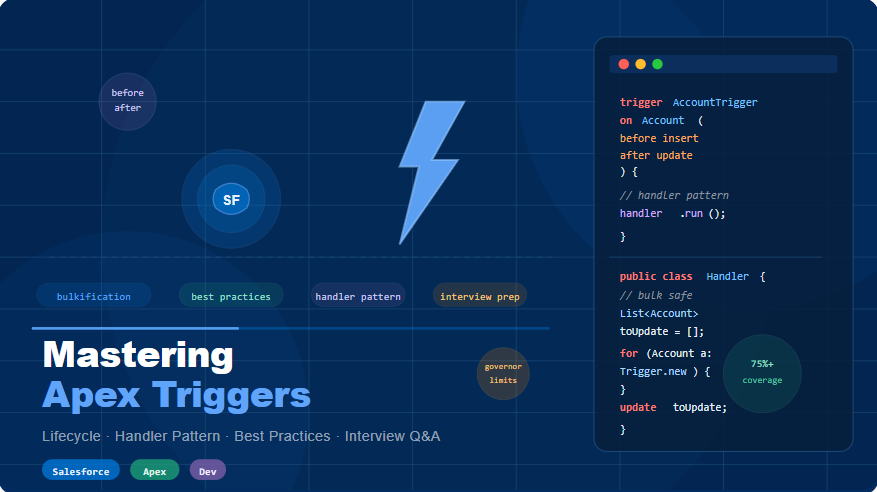
trigger AccountTrigger on Account (before insert, after update) {
    AccountTriggerHandler handler = new AccountTriggerHandler();
    if(Trigger.isBefore && Trigger.isInsert)
        handler.beforeInsert(Trigger.new);
    if(Trigger.isAfter && Trigger.isUpdate)
        handler.afterUpdate(Trigger.new, Trigger.oldMap);
}
Handler Class:
public class AccountTriggerHandler {
    public void beforeInsert(List<Account> accList){
        for(Account acc : accList){
            acc.Description = 'Created via Trigger';
        }
    }
    public void afterUpdate(List<Account> newList, Map<Id, Account> oldMap){
        // Additional post-update logic here
    }
}
✅ Makes testing, debugging, and maintenance much easier.
🧪 Test Class Example
Writing proper test classes ensures code quality and deployment readiness.
@isTest
private class AccountTriggerTest {
    @isTest static void testBeforeInsert() {
        Account acc = new Account(Name='Test Account');
        insert acc;

        Account inserted = [SELECT Description FROM Account WHERE Id=:acc.Id];
        System.assertEquals('Created via Trigger', inserted.Description);
    }
}
🧾 Common Interview Scenarios
| Scenario | What It Tests |
|---|---|
| Prevent duplicate records | SOQL + Validation logic |
| Auto-create child records | After Insert |
| Prevent recursive updates | Static variable handling |
| Update related records | After Update |
| Async operations | Future / Queueable Apex |
| Cascade delete | After Delete |
🔍 Real-World Tip
If your Trigger logic feels too large — it probably belongs in a Handler class.
Keep your Trigger thin, your logic modular, and your code bulkified.
🧭 Key Takeaways
- Use one trigger per object
- Keep triggers bulk-safe and modular
- Always write unit tests
- Use async methods for complex post-DML logic
- Learn to debug recursion and context behavior
📚 Bonus: Interview & Project Resources
🔥 Practice with real recruiter-level questions:
👉 Salesforce Interview Mega-Pack — 1000+ Real Questions & Answers
🚀 Build end-to-end Salesforce Projects (with LWC + Trigger + Flow):
👉 Sales Cloud Project for Developers — Hands-On Implementation
🏁 Conclusion
Mastering Apex Triggers isn’t just about syntax — it’s about writing scalable, maintainable, and efficient automation logic.
With the right framework, bulkification strategy, and testing habits, you’ll not only ace interviews but also handle complex enterprise implementations like a pro.