
🧠 Salesforce Developer Interview Preparation – Part 1
💼 Salesforce Admin Interview Questions & Answers (2025 Updated)
1. What is Salesforce?
Answer:
Salesforce is a cloud-based Customer Relationship Management (CRM) platform that helps businesses manage sales, marketing, customer service, and automation.
It includes products like Sales Cloud, Service Cloud, Marketing Cloud, and Experience Cloud.
2. What are Objects in Salesforce?
Answer:
Objects are like database tables that store data.
- Standard Objects: Predefined by Salesforce (e.g., Account, Contact, Opportunity)
- Custom Objects: Created by users for specific business needs.
3. What is a Profile in Salesforce?
Answer:
A Profile defines user permissions—what they can view, edit, create, or delete.
Examples: System Administrator, Standard User.
4. What is a Permission Set?
Answer:
A Permission Set is a collection of additional permissions assigned to users without changing their profile.
Used for giving extra access temporarily or for specific features.
5. Difference Between Role and Profile
| Feature | Profile | Role |
|---|---|---|
| Controls | Object & Field Access | Record Visibility (Sharing Rules) |
| Users Assigned | One per user | One per user (optional) |
| Example | Read-Only Profile | Sales Manager Role |
6. What are Record Types?
Answer:
Record Types allow you to define different page layouts and picklist values for different business processes.
Example: Small Business vs Enterprise Sales Opportunities.
7. What is a Page Layout?
Answer:
Page Layout controls the UI presentation of records—fields, sections, buttons, and related lists visible to users.
🔐 Security & Access Control
8. What are Organization-Wide Defaults (OWD)?
Answer:
OWD defines the default record-level access for users who don’t own the record.
- Private
- Public Read Only
- Public Read/Write
- Controlled by Parent
9. What are Sharing Rules?
Answer:
Sharing Rules extend access beyond OWD based on roles or public groups.
Used when OWD is Private but selective sharing is needed.
10. What is a Role Hierarchy?
Answer:
Role Hierarchy ensures that users higher up can see records owned by users below them.
Example: Sales Manager can view Sales Rep’s Opportunities.
⚙️ Automation Tools
11. What is a Workflow Rule?
Answer:
A Workflow Rule automates actions (email alerts, field updates, tasks) when a record meets specific conditions.
12. Workflow vs Process Builder
| Feature | Workflow Rule | Process Builder |
|---|---|---|
| Actions | Field Update, Email Alert, Task | All Workflow Actions + Create Record, Post to Chatter |
| Complexity | Simple | Advanced |
| Future Scope | Being Replaced by Flow | Recommended |
13. What is a Flow in Salesforce?
Answer:
Flow automates complex business processes using clicks, not code.
It can create/update records, make decisions, and send notifications — replacing Workflow and Process Builder.
📊 Data Management & Reporting
14. What is Data Loader?
Answer:
A client application used for importing, updating, exporting, or deleting data in bulk (up to 5 million records).
15. What are Validation Rules?
Answer:
Validation Rules ensure data integrity by restricting invalid data entry.
Example:
Ensure that Phone Number is mandatory before saving.
16. What is a Report in Salesforce?
Answer:
A Report organizes data in rows and columns.
Types:
- Tabular
- Summary
- Matrix
- Joined
17. What is a Dashboard?
Answer:
A Dashboard visually represents multiple reports using charts and metrics to monitor KPIs.
👥 Collaboration & Approvals
18. What are Queues?
Answer:
Queues group users to share workload, e.g., Case Queue for support agents.
19. What are Public Groups?
Answer:
Collections of users, roles, and other groups used in sharing rules, approvals, or workflows.
20. What is an Approval Process?
Answer:
Automates record approval workflows.
Example: A discount must be approved by a manager before closing an Opportunity.
🧩 Real-Time Scenarios
Scenario 1 – Different Picklist Values for Sales and Support
Answer:
Use Record Types to define unique picklist values for each team.
Scenario 2 – User Can’t See an Opportunity
Answer:
Check:
- OWD Settings
- Role Hierarchy
- Profile Permissions
- Sharing Rules
✅ Final Admin Interview Tips
- Understand the concept — don’t memorize.
- Use real examples.
- Practice in a Developer Org.
- Speak with structure and confidence.
⚙️ Salesforce Developer Interview Preparation – Part 2
🚀 Scenario-Based Salesforce Administrator Questions & Answers (Using Flow)
Scenario 1 – Profile vs Permission Set
Question:
A user needs edit access to Contacts, but their Profile only allows read access. How will you fix this without changing their Profile?
Answer:
✅ Create a Permission Set with “Edit” access on Contact.
✅ Assign it to the user.
✅ This provides extra access without modifying the Profile.
Why Not Change the Profile?
Profiles apply to many users — changing it affects everyone. Permission Sets offer granular, flexible access.
Scenario 2 – Missing Record Access
Question:
A sales rep cannot see an Opportunity record owned by another team. How will you troubleshoot?
Answer:
Check the following sequentially:
1️⃣ OWD → If set to Private, records aren’t visible.
2️⃣ Role Hierarchy → Ensure the rep’s manager is higher in hierarchy.
3️⃣ Sharing Rules → Create rules to share Opportunities with relevant roles.
4️⃣ Manual Sharing → Record owner can manually share it.
Best Practice:
Use Role Hierarchy and Sharing Rules — avoid manual sharing in the long term.
Scenario 3 – Restricting Field Editing
Question:
A manager wants only Sales Managers to edit the “Discount” field on Opportunities. How do you achieve this?
Answer:
✅ Use Field-Level Security (FLS) to hide the Discount field for unauthorized profiles.
✅ Or use a Validation Rule to restrict edits:
AND(
  ISCHANGED(Discount__c),
  NOT($Profile.Name = "Sales Manager")
)
This prevents edits unless the logged-in user’s Profile is Sales Manager.
Scenario 4 – Automating Lead Follow-Up with Flow
Question:
When a new Lead is created, send an email reminder to the Lead Owner after 3 days if not contacted. How do you set this up?
Answer (Using Flow):
1️⃣ Create a Record-Triggered Flow on Lead.
2️⃣ Entry Criteria:
- Lead Status = “New”
- Lead Owner ≠ null
3️⃣ Add a Scheduled Path: Delay for 3 days.
4️⃣ Add an Email Alert Action to the Lead Owner.
5️⃣ Activate the Flow.
Why Flow over Workflow?
- Flow supports scheduled actions and complex logic.
- Workflow & Process Builder are deprecated.
- Flow is the future of Salesforce automation.
Scenario 5 – Report Access Issue
Question:
A user says they can’t see a shared report. How do you fix this?
Answer:
1️⃣ Check Report Folder Permissions (Viewer, Editor, Manager).
2️⃣ Check Object Permissions – ensure access to all objects in the report.
3️⃣ Verify Field-Level Security for fields used in report filters.
Scenario 6 – Preventing Duplicate Records
Question:
Users are creating duplicate Accounts with the same name. How do you prevent it?
Answer:
✅ Create a Matching Rule on Account Name.
✅ Create a Duplicate Rule – choose “Block” or “Allow but Alert”.
✅ Optionally, add a Validation Rule for naming format consistency.
Best Practice:
Use Duplicate Rules (standard tool) — avoid using triggers unless logic is very complex.
Scenario 7 – Conditional Picklist Values
Question:
The Stage field in Opportunities should show different values for Sales Reps and Sales Managers. How do you do it?
Answer:
1️⃣ Create two Record Types — one for Reps, one for Managers.
2️⃣ Assign different picklist values to each Record Type.
3️⃣ Map appropriate Profiles to each Record Type.
Scenario 8 – Automating Discount Approval
Question:
When a discount exceeds 20%, a manager must approve before closing the deal. How do you configure this?
Answer (Using Approval Process):
1️⃣ Entry Criteria: Discount > 20%
2️⃣ Approver: Sales Manager
3️⃣ Final Actions:
- If Approved → Update Status = “Approved”
- If Rejected → Send email to Sales Rep
This ensures every high-discount deal follows the defined approval hierarchy.
Scenario 9 – User Cannot Log In
Question:
A user reports login failure. How do you troubleshoot?
Answer:
1️⃣ Check Login History for errors like wrong password or IP restriction.
2️⃣ Verify Profile Login Hours (may be restricted).
3️⃣ Check Trusted IP Ranges.
4️⃣ Ensure MFA (Multi-Factor Authentication) setup is complete.
Scenario 10 – Importing Large Data
Question:
You need to import 10,000 Contacts from Excel. Which tool do you use?
Answer:
✅ Use Data Loader — supports up to 5 million records, allows field mapping, and error logging.
✅ If < 50,000 records, Data Import Wizard can be used (simpler UI).
💡 Flow + Admin Scenario Summary
| Scenario | Recommended Tool |
|---|---|
| Add Permissions | Permission Set |
| Missing Record Access | OWD + Role Hierarchy + Sharing Rules |
| Field Restriction | FLS / Validation Rule |
| Scheduled Email | Record-Triggered Flow |
| Duplicate Records | Duplicate Rule |
| Approval Workflow | Approval Process |
| Login Issue | Login History + IP Ranges |
| Data Import | Data Loader |
🏁 Pro Tips for Flow & Automation Interviews
✅ Always mention Flow is the future of Salesforce automation.
✅ Use record-triggered or scheduled paths for real-world scenarios.
✅ Discuss best practices (no hardcoding, use fault paths).
✅ Give one small example from your project if possible.
💻 Salesforce Developer Interview Preparation – Part 3
🧠 Apex Basic & Intermediate Interview Questions (2025 Edition)
1. What is Apex in Salesforce?
Answer:
Apex is Salesforce’s server-side programming language similar to Java.
It is used to implement complex business logic that cannot be done with clicks.
Developers use it for:
✔ Writing Triggers & Classes
✔ Building Integrations (REST/SOAP)
✔ Handling Asynchronous Jobs (Batch, Queueable, Future)
✔ Writing Test Classes
2. Key Features of Apex
✅ Object-Oriented
✅ Integrated with Database (SOQL/SOSL)
✅ Enforced by Governor Limits
✅ Asynchronous Capabilities
✅ Built-in Exception Handling
✅ Event-driven Trigger Execution
3. Apex Data Types
| Type | Examples |
|---|---|
| Primitive | Integer, Boolean, Double, Date, String |
| sObject | Account, Contact, Custom__c |
| Collections | List, Set, Map |
| Enum | Constant values list |
4. Apex Class & Method Example
Example:
public class MyGreeting {
    public String greet(String name) {
        return 'Hello, ' + name + '!';
    }
}
💡 Classes group related logic, and methods perform specific actions.
5. Apex Class vs Trigger
| Feature | Apex Class | Apex Trigger |
|---|---|---|
| Purpose | Execute business logic | Automate record-level events |
| Execution | Manually called | Auto-fired on DML |
| Bulk Handling | Manual | Automatic |
| Example Use | Utility, API calls | Before/After Insert, Update |
6. Apex Collections Example
List<String> names = new List<String>{'A', 'B', 'C'};
Set<Integer> numbers = new Set<Integer>{1, 2, 3};
Map<Integer, String> cityMap = new Map<Integer, String>{1 => 'Delhi', 2 => 'Pune'};
👉 List = Ordered, allows duplicates
👉 Set = Unordered, unique
👉 Map = Key-value storage
7. What is SOQL? How is it different from SQL?
Answer:
SOQL (Salesforce Object Query Language) retrieves records from Salesforce objects.
Example:
List<Contact> cons = [SELECT Id, Name, Email FROM Contact WHERE LastName='Singh'];
🟢 SOQL works on Salesforce objects
🔴 Does not support traditional SQL joins — uses relationship queries instead.
8. SOQL vs SOSL
| Feature | SOQL | SOSL |
|---|---|---|
| Used For | Query specific objects | Search across multiple objects |
| Format | Structured query | Full-text search |
| Example | SELECT Name FROM Contact | FIND ‘John’ IN ALL FIELDS RETURNING Contact(Name) |
9. What Are Governor Limits in Apex?
Answer:
Salesforce enforces Governor Limits to prevent misuse of shared resources.
| Limit Type | Value |
|---|---|
| SOQL Queries | 100 per transaction |
| DML Statements | 150 per transaction |
| CPU Time | 10,000 ms |
| Heap Size | 6 MB (sync) / 12 MB (async) |
✅ Always bulkify your code and combine DMLs to avoid hitting limits.
10. “With Sharing” vs “Without Sharing”
public with sharing class AccountHelper { } // Enforces user’s sharing rules
public without sharing class AdminClass { } // Runs in system mode
💡 With Sharing → Respects user visibility
💡 Without Sharing → Ignores sharing rules
💡 Inherited Sharing → Inherits from the caller class (recommended for reusability)
🔄 Intermediate Apex Interview Section
11. What is an Apex Trigger?
Answer:
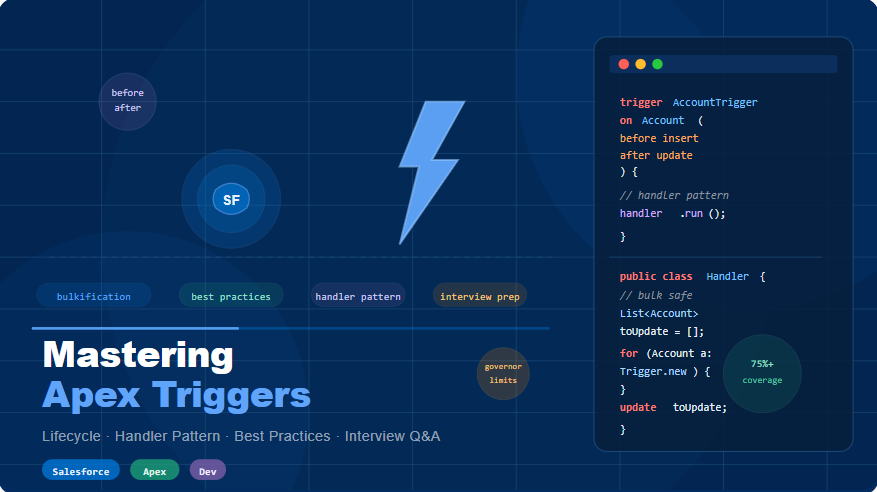
A Trigger is a piece of Apex code that runs before or after DML operations (insert, update, delete).
Example:
trigger AccountTrigger on Account (before insert, after update) {
    if (Trigger.isBefore) {
        for (Account acc : Trigger.new) {
            acc.Name = 'Verified - ' + acc.Name;
        }
    }
}
12. Difference Between Before & After Triggers
| Trigger Type | Execution | Use Case |
|---|---|---|
| Before Trigger | Before saving record | Modify record values |
| After Trigger | After saving record | Create related records |
13. Trigger Context Variables
| Variable | Description |
|---|---|
| Trigger.new | New records in Insert/Update |
| Trigger.old | Old records before Update/Delete |
| Trigger.isInsert | True if Insert event |
| Trigger.isUpdate | True if Update event |
| Trigger.isBefore / isAfter | Determines execution timing |
14. Recursive Trigger & How to Avoid It
Problem:
Trigger keeps calling itself → infinite loop.
Solution Using Static Variable:
public class TriggerHelper {
    public static Boolean hasRun = false;
}

trigger AccountUpdateTrigger on Account (before update) {
    if (!TriggerHelper.hasRun) {
        TriggerHelper.hasRun = true;
        // Business logic here
    }
}
15. What Are Future Methods?
Answer:
A Future Method runs asynchronously — used for callouts or background processing.
public class FutureExample {
    @future(callout=true)
    public static void sendToAPI(String data) {
        System.debug('Processing data: ' + data);
    }
}
✅ Runs in a separate thread
✅ Can make HTTP callouts
✅ Cannot return a value
16. Queueable Apex Example
Answer:
Queueable Apex allows async jobs with chaining and complex object passing.
public class MyQueueableJob implements Queueable {
    public void execute(QueueableContext context) {
        System.debug('Running Queueable Job...');
    }
}
To execute:
ID jobId = System.enqueueJob(new MyQueueableJob());
💡 Can chain jobs & monitor in “Apex Jobs”.
17. Batch Apex Example
Answer:
Used for processing large data volumes asynchronously.
global class AccountBatch implements Database.Batchable<sObject> {
    global Database.QueryLocator start(Database.BatchableContext BC) {
        return Database.getQueryLocator('SELECT Id, Name FROM Account');
    }
    global void execute(Database.BatchableContext BC, List<Account> scope) {
        for(Account acc : scope) acc.Name = 'Updated';
        update scope;
    }
    global void finish(Database.BatchableContext BC) {
        System.debug('Batch Completed!');
    }
}
Run Batch:
Database.executeBatch(new AccountBatch(), 100);
18. Future vs Queueable vs Batch Apex
| Feature | Future | Queueable | Batch |
|---|---|---|---|
| Type | Async | Async | Async (bulk) |
| Chaining | ❌ No | ✅ Yes | ✅ Yes |
| Large Data | ❌ No | ❌ No | ✅ Yes |
| Callouts | ✅ Yes | ✅ Yes | ✅ Yes |
19. Database.insert() vs insert DML
Database.SaveResult[] results = Database.insert(accList, false);
for (Database.SaveResult sr : results) {
    if (!sr.isSuccess()) System.debug(sr.getErrors()[0].getMessage());
}
✅ insert → Stops at first error
✅ Database.insert() → Allows partial success
20. Synchronous vs Asynchronous Apex
| Type | Execution | Used For | Examples |
|---|---|---|---|
| Synchronous | Immediate | Quick tasks | Triggers, Controllers |
| Asynchronous | Background | Long tasks | Future, Queueable, Batch |
21. Avoiding Governor Limits Example
❌ Bad Code:
for (Contact c : contacts) {
    Account acc = [SELECT Id, Name FROM Account WHERE Id = :c.AccountId];
}
✅ Optimized Version:
Set<Id> accIds = new Set<Id>();
for (Contact c : contacts) accIds.add(c.AccountId);
Map<Id, Account> accMap = new Map<Id, Account>(
    [SELECT Id, Name FROM Account WHERE Id IN :accIds]
);
Always query in bulk and use maps for lookups.
22. @TestVisible Annotation
Answer:
Makes private variables visible to test classes.
public class MyClass {
    @TestVisible private static Integer counter = 0;
}
23. Custom Metadata vs Custom Settings
| Feature | Custom Metadata | Custom Settings |
|---|---|---|
| Deployable | ✅ Yes | ❌ No |
| Limit | Does not count | Counts toward limits |
| Use Case | Config data across orgs | Static app data |
24. @isTest vs Test.startTest() / stopTest()
@isTest
private class MyTestClass {
    @isTest
    static void testLogic() {
        Test.startTest();
        // call async job
        Test.stopTest();
    }
}
💡 Use startTest() & stopTest() for isolating limits in test execution.
25. Exception Handling in Apex
try {
    Account acc = [SELECT Id FROM Account WHERE Name='Test'];
} catch (Exception e) {
    System.debug('Error: ' + e.getMessage());
}
✅ Use Try-Catch
✅ Create Custom Exceptions for better control
✅ Log errors to custom objects if required
🧩 Key Takeaways for Apex (Basic + Intermediate)
- Always bulkify triggers
- Enforce FLS & CRUD manually
- Use @future, Queueable, Batch for async processing
- Write test classes covering at least 75% code coverage
🧩 Salesforce Developer Interview Preparation – Part 4
🚀 Advanced & Expert-Level Apex Questions (With Real-World Examples)
26. How Does Apex Enforce Security (CRUD, FLS, Sharing Rules)?
Answer:
Apex runs in system mode, so it doesn’t automatically respect user security.
We must manually enforce CRUD and FLS before performing DML or queries.
Example – Enforcing CRUD & FLS:
if (Schema.sObjectType.Account.isAccessible()) {
    List<Account> accs = [SELECT Id, Name FROM Account];
}

if (Schema.sObjectType.Account.fields.Name.isAccessible()) {
    Account acc = [SELECT Name FROM Account LIMIT 1];
}
Enforcing Sharing Rules:
public with sharing class AccountHandler {
    public static void fetchAccounts() {
        List<Account> accList = [SELECT Id, Name FROM Account];
    }
}
💡 Use:
with sharing→ Enforces record visibilitySchema.sObjectType→ Enforces CRUDSecurity.stripInaccessible()→ Removes unauthorized fields from SOQL results
27. Types of Apex Triggers
✔ Before Triggers: Modify values before saving.
✔ After Triggers: Perform actions after saving (e.g., create related records).
Examples:
✅ Before Insert – Prevent Duplicate Account
trigger AccountBeforeInsert on Account (before insert) {
    for (Account acc : Trigger.new) {
        if ([SELECT COUNT() FROM Account WHERE Name = :acc.Name] > 0)
            acc.addError('Duplicate Account Name not allowed');
    }
}
✅ After Insert – Auto Create Contact
trigger AccountAfterInsert on Account (after insert) {
    List<Contact> conList = new List<Contact>();
    for (Account acc : Trigger.new)
        conList.add(new Contact(LastName = acc.Name, AccountId = acc.Id));
    insert conList;
}
28. Apex Trigger Context Variables
| Variable | Description |
|---|---|
Trigger.new | New records in Insert/Update |
Trigger.old | Old records before update/delete |
Trigger.isInsert | Checks if Insert operation |
Trigger.isBefore | Runs before DML |
Trigger.isAfter | Runs after DML |
29. Custom Exception Example
Answer:
Used for handling specific business logic exceptions.
public class DiscountException extends Exception {}

public class DiscountHandler {
    public static void validateDiscount(Decimal discount) {
        if (discount > 50)
            throw new DiscountException('Discount cannot exceed 50%');
    }
}
💡 Benefit: Increases readability & maintainability of code.
30. What is a Wrapper Class?
A Wrapper class combines multiple data types or objects into one structure.
public class AccountWrapper {
    public Account acc { get; set; }
    public Boolean isSelected { get; set; }

    public AccountWrapper(Account acc, Boolean selected) {
        this.acc = acc;
        this.isSelected = selected;
    }
}
👉 Commonly used in LWC or Visualforce to manage record selections or complex UIs.
31. Platform Events in Apex
Used for real-time event-driven communication between systems.
Steps:
1️⃣ Create a Platform Event (e.g., Order_Received__e)
2️⃣ Publish it via Apex
3️⃣ Subscribe using Apex Trigger or LWC
Example:
Order_Received__e eventMsg = new Order_Received__e(Status__c = 'New Order');
Database.SaveResult sr = EventBus.publish(eventMsg);
💡 Used for real-time notifications, integrations, or system syncs.
32. Queueable vs Batch Apex
| Feature | Queueable | Batch |
|---|---|---|
| Execution | Single Job | Runs in batches |
| Chaining | ✅ Yes | ✅ Via finish() |
| Large Data | ❌ No | ✅ Yes |
| Example | Background Processing | Bulk Data Jobs |
33. @AuraEnabled Annotation
Exposes Apex methods to LWC or Aura Components.
public with sharing class AccountController {
    @AuraEnabled(cacheable=true)
    public static List<Account> getAccounts() {
        return [SELECT Id, Name FROM Account];
    }
}
💡 Use cacheable=true for read-only methods to improve LWC performance.
34. Calling a REST API from Apex
public class APIHandler {
    public static void fetchExternalData() {
        HttpRequest req = new HttpRequest();
        req.setEndpoint('https://api.example.com/data');
        req.setMethod('GET');
        HttpResponse res = new Http().send(req);
        System.debug(res.getBody());
    }
}
💡 Requires Remote Site Settings or Named Credentials.
35. Database.Stateful vs Database.Batchable
| Feature | Database.Stateful | Database.Batchable |
|---|---|---|
| Purpose | Retains state across batches | Executes each batch independently |
| Use Case | Cumulative total, logging | Processing large data |
36. Collections Recap
List<String> names = new List<String>{'A', 'B'};
Set<String> ids = new Set<String>{'X', 'Y'};
Map<Id, Account> accMap = new Map<Id, Account>([SELECT Id, Name FROM Account]);
💡 Always use Sets in WHERE IN clauses for better performance.
37. Handling Callout Limits
✅ Use Queueable/Future for async callouts
✅ Combine requests to reduce round trips
✅ Use Continuation class for long callouts (>10 seconds)
38. Apex Email Service Example
global class EmailHandler implements Messaging.InboundEmailHandler {
    global Messaging.InboundEmailResult handleInboundEmail(
        Messaging.InboundEmail email, Messaging.InboundEnvelope env
    ) {
        Messaging.InboundEmailResult result = new Messaging.InboundEmailResult();
        System.debug('Received Email: ' + email.subject);
        return result;
    }
}
💡 Used for inbound email processing or automated email notifications.
39. Dynamic SOQL Example
String searchKey = 'Edge';
String query = 'SELECT Id, Name FROM Account WHERE Name LIKE \'%' + searchKey + '%\'';
List<Account> accList = Database.query(query);
💡 Use Database.query() when the fields or filters are dynamic.
40. Polymorphic SOQL Example
Some fields (like WhoId, WhatId) can refer to multiple objects.
SELECT Id, WhatId, What.Name FROM Task
💡 WhatId could be Account, Opportunity, or Case depending on the task.
🧠 Expert-Level Apex Questions
41. Apex Transaction Model
All DML operations in Apex occur as one transaction.
If one fails, the entire transaction rolls back.
Example:
Savepoint sp = Database.setSavepoint();
try {
    Account acc = new Account(Name='Test');
    insert acc;

    Contact con = new Contact(LastName='NoName', AccountId=acc.Id);
    insert con;

    throw new DmlException('Force rollback');
} catch (Exception e) {
    Database.rollback(sp);
}
42. With Sharing vs Without vs Inherited Sharing
| Keyword | Description |
|---|---|
| with sharing | Enforces sharing rules |
| without sharing | Ignores sharing rules |
| inherited sharing | Inherits from caller (recommended best practice) |
43. Preventing Concurrent Updates
Account acc = [SELECT Id, Name FROM Account WHERE Id = :recordId FOR UPDATE];
acc.Name = 'Updated Name';
update acc;
💡 “FOR UPDATE” locks the record to prevent other users from modifying it until the transaction completes.
44. Handling Large Data Volumes (LDV)
Use:
- Batch Apex (200 records per batch)
- Asynchronous Jobs
- Indexed Fields
- Avoid SELECT *
Example Batch:
global class LDVBatch implements Database.Batchable<sObject> {
    global Database.QueryLocator start(Database.BatchableContext bc) {
        return Database.getQueryLocator('SELECT Id FROM Account WHERE CreatedDate = LAST_N_DAYS:30');
    }
    global void execute(Database.BatchableContext bc, List<Account> accList) {
        for(Account acc : accList) acc.Name = 'Updated';
        update accList;
    }
    global void finish(Database.BatchableContext bc) {
        System.debug('Batch Completed!');
    }
}
45. Future vs Queueable vs Batch – Summary
| Feature | Future | Queueable | Batch |
|---|---|---|---|
| Async Type | Simple | Advanced | Bulk |
| Chaining | ❌ | ✅ | ✅ |
| Callouts | ✅ | ✅ | ✅ |
| Use Case | Simple API | Complex Async | Millions of records |
46. Continuation Class (for Long-Running Callouts)
public class LongRunningCallout {
    @AuraEnabled
    public static Object makeCallout() {
        Continuation con = new Continuation(120);
        HttpRequest req = new HttpRequest();
        req.setEndpoint('https://api.weather.com');
        req.setMethod('GET');
        con.addHttpRequest(req);
        return con;
    }
}
💡 Used when an API response may take longer (up to 2 minutes).
47. Monitoring Apex Logs
Use Developer Console or:
System.debug('SOQL Used: ' + Limits.getQueries());
System.debug('DML Statements: ' + Limits.getDMLStatements());
💡 Always include debug logs in complex asynchronous processes.
48. Transaction Finalizer Example
public class MyQueueableJob implements Queueable, Finalizer {
    public void execute(QueueableContext qc) {
        System.debug('Queueable Running...');
    }
    public void execute(FinalizerContext fc) {
        System.debug('Finalizer Executed.');
    }
}
💡 Finalizers run after Queueable execution — even if it fails.
49. Handling Bulk API Callouts
✅ Use Database.AllowsCallouts=true in Batch Apex
✅ Use Platform Events for async integration
✅ Use Continuation for parallel processing
50. Custom Metadata vs Custom Settings
| Feature | Custom Metadata | Custom Settings |
|---|---|---|
| Deployable | ✅ Yes | ❌ No |
| Counts Toward Limits | ❌ No | ✅ Yes |
| Use Case | Configurable Metadata | Static Org Data |
51. Apex Performance Optimization
✅ Bulkify SOQL & DML
✅ Use caching (@AuraEnabled(cacheable=true))
✅ Avoid nested loops & recursive triggers
✅ Use Query Plan Tool
✅ Limit debug logs in production
52. Debugging Apex Efficiently
- Use Developer Console Logs
- Add
System.debug()checkpoints - Enable Debug Mode in Setup
- Use Log Inspector for detailed trace
53. What Are Skinny Tables?
Salesforce automatically creates Skinny Tables to improve query performance.
They store frequently accessed fields in a single table — reducing joins.
💡 You can’t create or edit them manually.
54. Implementing OAuth in Apex
HttpRequest req = new HttpRequest();
req.setEndpoint('https://login.salesforce.com/services/oauth2/token');
req.setMethod('POST');
req.setBody('grant_type=password&client_id=xxx&client_secret=yyy');
HttpResponse res = new Http().send(req);
System.debug(res.getBody());
💡 Commonly used in API Integrations for authentication.
✅ Expert Tips for Apex Interviews
🔥 Always explain “why” not just “what” in Apex questions.
🔥 Use Governor Limits awareness in every answer.
🔥 Show real-world understanding of Trigger Frameworks, Async Apex, and Security Enforcement.
🔥 Keep code bulkified, secure, and modular.
⚡ Salesforce Developer Interview Preparation – Part 5
💻 Lightning Web Components (LWC) Interview Questions (2025 Updated)
🌱 Basic LWC Questions
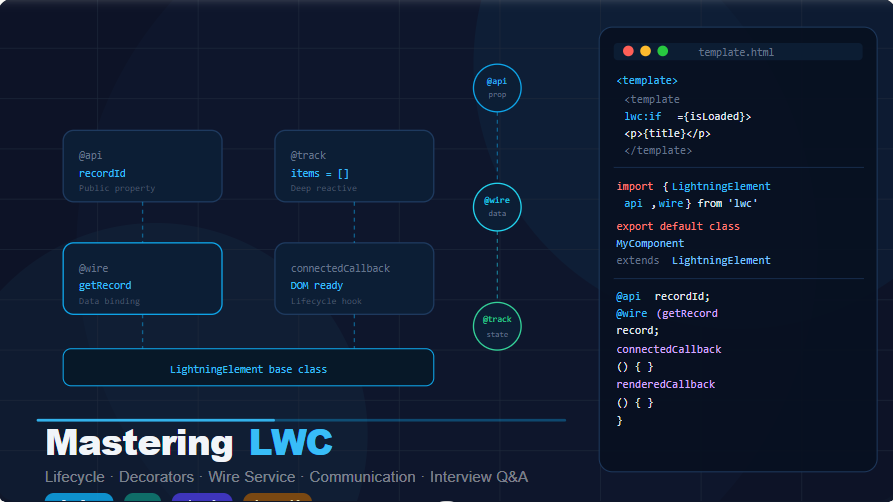
1. What is LWC and how is it different from Aura?
Answer:
LWC (Lightning Web Components) is Salesforce’s modern web framework built using HTML, JavaScript, and CSS.
It runs natively in browsers without heavy frameworks like Aura.
| Feature | LWC | Aura |
|---|---|---|
| Performance | ⚡ Faster (uses native browser engine) | Slower (proprietary JS engine) |
| Language | Modern JavaScript (ES6+) | Aura framework |
| DOM | Uses Shadow DOM | Uses Locker Service |
| Reusability | Easy inside Aura | Limited |
💡 LWC is lightweight, secure, and future-focused.
2. What are the key advantages of LWC?
✅ Uses standard web technologies
✅ Faster rendering (native browser execution)
✅ Better security via Shadow DOM
✅ Reusable components
✅ Improved debugging (browser dev tools)
3. What are the main files in an LWC component?
Each component contains:
1️⃣ .html → UI structure
2️⃣ .js → JavaScript logic
3️⃣ .js-meta.xml → Visibility and configuration
Example:
myComponent.html
myComponent.js
myComponent.js-meta.xml
4. What does the .js-meta.xml file do?
Answer:
Controls component visibility & where it can be used.
Example:
<?xml version="1.0" encoding="UTF-8"?>
<LightningComponentBundle xmlns="http://soap.sforce.com/2006/04/metadata">
    <apiVersion>59.0</apiVersion>
    <isExposed>true</isExposed>
    <targets>
        <target>lightning__RecordPage</target>
        <target>lightning__AppPage</target>
    </targets>
</LightningComponentBundle>
5. What is the Shadow DOM in LWC?
Answer:
Shadow DOM isolates component styles and structure from the global DOM — ensuring:
✅ No CSS leakage
✅ Strong encapsulation
✅ Consistent UI across apps
Example:
<template>
  <p class="text">Isolated CSS inside LWC</p>
</template>
6. What are lifecycle hooks in LWC?
Answer:
Lifecycle hooks are special methods that run automatically at certain points.
| Hook | When it runs | Use Case |
|---|---|---|
| constructor() | When component is created | Initialize variables |
| connectedCallback() | When added to DOM | Fetch data, start timers |
| renderedCallback() | After render | DOM manipulation |
| disconnectedCallback() | When removed | Clean up |
Example:
connectedCallback() {
  console.log('Component loaded');
}
7. How do you pass data from parent → child?
Use @api decorator.
Parent Component:
<c-child-comp message="Hello from parent"></c-child-comp>
Child Component:
import { api, LightningElement } from 'lwc';
export default class ChildComp extends LightningElement {
  @api message;
}
8. How do you send data from child → parent?
Use Custom Events.
Child:
const evt = new CustomEvent('notify', { detail: 'Data from child' });
this.dispatchEvent(evt);
Parent:
<c-child-comp onnotify={handleNotify}></c-child-comp>
Parent JS:
handleNotify(event) {
  console.log(event.detail);
}
9. What are decorators in LWC?
| Decorator | Purpose |
|---|---|
| @api | Exposes property/method to parent |
| @track | Makes reactive (now mostly implicit) |
| @wire | Connects to Apex or Lightning Data Service |
10. Event Handling Example
HTML:
<lightning-button label="Click" onclick={handleClick}></lightning-button>
JS:
handleClick() {
  console.log('Button clicked!');
}
⚙️ Intermediate LWC Questions
11. Calling Apex using @wire
Apex:
public with sharing class ContactController {
  @AuraEnabled(cacheable=true)
  public static List<Contact> getContacts() {
    return [SELECT Id, Name, Email FROM Contact LIMIT 10];
  }
}
LWC:
import { LightningElement, wire } from 'lwc';
import getContacts from '@salesforce/apex/ContactController.getContacts';

export default class ContactList extends LightningElement {
  @wire(getContacts) contacts;
}
HTML:
<template if:true={contacts.data}>
  <template for:each={contacts.data} for:item="c">
    <p key={c.Id}>{c.Name} - {c.Email}</p>
  </template>
</template>
💡 Use cacheable=true for faster, read-only data fetches.
12. Calling Apex Imperatively
LWC JS:
import getContacts from '@salesforce/apex/ContactController.getContacts';

getContacts()
  .then(result => { this.contacts = result; })
  .catch(error => { console.error(error); });
💡 Use imperative call for user-triggered actions (e.g., button clicks).
13. @wire vs Imperative Calls
| Feature | @wire | Imperative |
|---|---|---|
| Execution | Auto | Manual |
| Cacheable | ✅ Yes | ❌ No |
| Best For | Static, reactive data | Button-click or custom logic |
14. Using Lightning Data Service (No Apex Needed)
<lightning-record-form
  record-id="003XXXXXXXXXXXX"
  object-api-name="Contact"
  layout-type="Full">
</lightning-record-form>
✅ Automatically enforces CRUD, FLS, and Sharing Rules
✅ No Apex needed for standard CRUD operations
15. Navigation using NavigationMixin
Example:
import { NavigationMixin } from 'lightning/navigation';
export default class NavigateExample extends NavigationMixin(LightningElement) {
  navigateToRecord() {
    this[NavigationMixin.Navigate]({
      type: 'standard__recordPage',
      attributes: { recordId: '001XXXXXXXX', actionName: 'view' }
    });
  }
}
16. Styling in LWC
✅ Component-specific CSS → myComp.css
✅ Global Salesforce Styling → SLDS classes
Example:
p { color: blue; font-size: 16px; }
Or use:
<p class="slds-text-color_success">Success Text</p>
17. Communicating Between Sibling Components
Use Lightning Message Service (LMS).
Message Channel (meta.xml):
<LightningMessageChannel xmlns="http://soap.sforce.com/2006/04/metadata"
    fqn="MyMessageChannel">
</LightningMessageChannel>
Publisher JS:
import { publish, MessageContext } from 'lightning/messageService';
import MY_MESSAGE_CHANNEL from '@salesforce/messageChannel/MyMessageChannel';

@wire(MessageContext) messageContext;

sendMessage() {
  const msg = { data: 'Hello from Publisher' };
  publish(this.messageContext, MY_MESSAGE_CHANNEL, msg);
}
Subscriber JS:
import { subscribe, MessageContext } from 'lightning/messageService';
@wire(MessageContext) messageContext;

connectedCallback() {
  subscribe(this.messageContext, MY_MESSAGE_CHANNEL, message => {
    console.log(message.data);
  });
}
🚀 Advanced LWC Questions
21. How does LWC handle Salesforce Security?
LWC doesn’t enforce security by default — it relies on Apex.
Apex Example:
@AuraEnabled
public static List<Contact> getContacts() {
  List<Contact> cons = [SELECT Id, Name, Email FROM Contact];
  return (List<Contact>) Security.stripInaccessible(AccessType.READABLE, cons);
}
💡 Always use Security.stripInaccessible() and with sharing in Apex.
22. Types of Events in LWC
| Type | Description |
|---|---|
| Standard | Built-in browser events (click, change) |
| Custom | User-defined (new CustomEvent()) |
| Lightning | Framework events (LMS, navigation) |
23. Platform Events in LWC
Example:
import { subscribe } from 'lightning/empApi';
connectedCallback() {
  subscribe('/event/Order_Received__e', -1, event => {
    console.log('Received Event:', event);
  });
}
💡 Enables real-time updates across Salesforce and external systems.
24. External System Integration via Apex
Apex:
@AuraEnabled
public static String getData() {
  HttpRequest req = new HttpRequest();
  req.setEndpoint('https://api.example.com/data');
  req.setMethod('GET');
  HttpResponse res = new Http().send(req);
  return res.getBody();
}
LWC:
import getData from '@salesforce/apex/IntegrationHandler.getData';
connectedCallback() {
  getData().then(res => console.log(res));
}
25. Creating Reusable LWC Components
Generic Card Component:
<template>
  <lightning-card title={title}>
    <slot></slot>
  </lightning-card>
</template>
import { api, LightningElement } from 'lwc';
export default class GenericCard extends LightningElement {
  @api title;
}
Usage:
<c-generic-card title="User Info">
  <p>Reusable Content Here</p>
</c-generic-card>
26. Composition vs Inheritance
| Concept | Description | Example |
|---|---|---|
| Composition | Combine components | <c-child></c-child> |
| Inheritance | Extend another class | class B extends A {} |
💡 Salesforce recommends composition over inheritance.
27. State Management in LWC
✅ Use properties (this.propertyName)
✅ Use LMS for global state sharing
Example:
count = 0;
increment() { this.count++; }
28. connectedCallback vs renderedCallback
| Hook | Runs When | Use Case |
|---|---|---|
| connectedCallback | Added to DOM | Fetch data |
| renderedCallback | After each render | DOM manipulation |
29. Debugging LWC
✅ Use console.log()
✅ Use Chrome DevTools
✅ Enable Debug Mode (Setup → Debug Mode for User)
✅ Wrap logic in try…catch for Apex calls
Example:
try {
  console.log(this.data);
} catch (error) {
  console.error('Error:', error);
}
💡 Pro Interview Tips for LWC
🔥 Mention LWC uses standard web components → future-proof tech.
🔥 Always enforce security via Apex (CRUD, FLS).
🔥 Use @wire for reactive, cacheable calls; imperative for manual.
🔥 Show understanding of LMS, NavigationMixin, and Composition patterns.
🔥 Keep UI modular, logic reusable, and code clean.
🌐 Salesforce Developer Interview Preparation – Part 6
🔗 Salesforce Integration: REST, SOAP, Platform Events & Real-Time Scenarios (2025 Updated)
💡 What is Salesforce Integration?
Definition:
Salesforce Integration connects Salesforce with external applications, databases, or services to share data and automate business processes.
Examples:
✅ Connecting Salesforce with WhatsApp to send notifications
✅ Integrating Salesforce with Google Maps to display customer locations
✅ Syncing Salesforce data with ERP systems like SAP
⚙️ Why is Integration Important?
- Eliminates manual data entry
- Keeps systems synchronized
- Enables real-time automation
- Improves customer experience across platforms
🧩 Types of Salesforce Integrations
| Type | Purpose | Example |
|---|---|---|
| Data Integration | Sync data between systems | Salesforce ↔ MySQL |
| Process Integration | Automate cross-system workflows | E-commerce order → Salesforce Opportunity |
| UI Integration | Embed interfaces | Google Maps in Salesforce |
| Security Integration | Handle authentication | SSO using OAuth 2.0 |
⚙️ Ways to Integrate Salesforce
1️⃣ API-Based Integrations
APIs allow Salesforce to talk with external systems.
a. REST API
- Lightweight & uses JSON
- Best for web and mobile apps
- Supports CRUD operations
Example Endpoint:
https://yourInstance.salesforce.com/services/data/v59.0/sobjects/Account
b. SOAP API
- XML-based, highly structured
- Used in legacy enterprise systems (like .NET, Java)
c. Other APIs
| API | Purpose |
|---|---|
| Bulk API | Handle millions of records |
| Streaming API | Real-time updates |
| Metadata API | Deploy customizations |
2️⃣ Middleware-Based Integration
Middleware acts as a bridge between Salesforce and external systems.
Popular Middleware Tools:
- MuleSoft (Salesforce’s official integration platform)
- Boomi (Cloud-based, low-code integration)
- Zapier (No-code automation for Gmail, Slack, etc.)
💡 Middleware simplifies integrations — no deep coding required.
3️⃣ Salesforce Connect (External Objects)
- Access real-time data stored outside Salesforce
- Uses OData (Open Data Protocol)
- Data is not stored inside Salesforce
Example Use Case:
View live SAP Orders in Salesforce without importing the data.
4️⃣ Platform Events (Event-Driven Integration)
- Used for real-time data sync between systems
- Publish/Subscribe model
Example:
When a new order is created in Salesforce → send a message to SAP instantly.
OrderEvent__e eventMsg = new OrderEvent__e(Status__c='New Order');
EventBus.publish(eventMsg);
🔒 Salesforce Integration Authentication Methods
| Authentication Type | Description | Example |
|---|---|---|
| OAuth 2.0 | Standard web authorization | REST API access token |
| JWT (JSON Web Token) | Server-to-server authentication | Backend integration |
| SAML | Single Sign-On | Login with corporate credentials |
🚀 Real-World Example – Salesforce Integration with WhatsApp (via Twilio)
Goal: Automatically send a WhatsApp message when a new Lead is created.
Steps:
1️⃣ Create a Twilio account and get the API endpoint.
2️⃣ Add the API URL in Remote Site Settings.
3️⃣ Create an Apex Trigger:
trigger LeadTrigger on Lead (after insert) {
    for(Lead l : Trigger.new) {
        WhatsAppService.sendMessage(l.Phone, 'New Lead Created: ' + l.Name);
    }
}
Apex Service Class:
public class WhatsAppService {
    public static void sendMessage(String phone, String message) {
        HttpRequest req = new HttpRequest();
        req.setEndpoint('https://api.twilio.com/whatsapp/send');
        req.setMethod('POST');
        req.setBody('{"to":"' + phone + '","message":"' + message + '"}');
        HttpResponse res = new Http().send(req);
        System.debug('Response: ' + res.getBody());
    }
}
💡 This is an event-driven integration — no manual trigger needed.
🔐 1. REST API Integration (Step-by-Step)
Step 1: Enable API Access
- Go to Setup → Profiles → System Administrator → API Enabled ✅
Step 2: Create a Connected App
- Setup → App Manager → New Connected App
- Enable OAuth Settings
- Callback URL:
https://login.salesforce.com/services/oauth2/callback - Select Scope →
Full Access (full) - Save & note Consumer Key and Consumer Secret
Step 3: Get Access Token (via Postman)
POST URL:
https://login.salesforce.com/services/oauth2/token
Body:
grant_type=password
client_id=YOUR_CLIENT_ID
client_secret=YOUR_CLIENT_SECRET
username=YOUR_USERNAME
password=YOUR_PASSWORD+SECURITY_TOKEN
💡 Response returns an access_token — used for all subsequent API calls.
Step 4: Fetch Data via REST API
GET Request:
https://yourInstance.salesforce.com/services/data/v59.0/sobjects/Account
Headers:
Authorization: Bearer <access_token>
Content-Type: application/json
✅ Response: JSON list of Account records.
Step 5: Insert Data via REST API
POST Request:
https://yourInstance.salesforce.com/services/data/v59.0/sobjects/Account
Body:
{
  "Name": "TechCorp Solutions",
  "Phone": "9876543210",
  "Industry": "Technology"
}
✅ Response returns record Id.
Step 6: Update or Delete via REST API
PATCH (Update):
https://yourInstance.salesforce.com/services/data/v59.0/sobjects/Account/001XXXXXXXXXXX
{ "Phone": "1234567890" }
DELETE:
https://yourInstance.salesforce.com/services/data/v59.0/sobjects/Account/001XXXXXXXXXXX
🧠 2. Apex REST API (Exposing Salesforce as an API)
Example: Allow an external system to create Accounts in Salesforce.
@RestResource(urlMapping='/createAccount/')
global class AccountAPI {
    @HttpPost
    global static String createAccount(String name) {
        Account acc = new Account(Name=name);
        insert acc;
        return 'Account Created with ID: ' + acc.Id;
    }
}
✅ Accessible at:
https://yourInstance.salesforce.com/services/apexrest/createAccount/
💬 3. Salesforce to External System (Callout Integration)
Example: Salesforce fetches data from an external Weather API.
public class WeatherService {
    public static String getWeather(String city) {
        String url = 'https://api.openweathermap.org/data/2.5/weather?q=' + city + '&appid=YOUR_API_KEY';
        HttpRequest req = new HttpRequest();
        req.setEndpoint(url);
        req.setMethod('GET');
        HttpResponse res = new Http().send(req);
        return res.getBody();
    }
}
💡 Add the domain in Remote Site Settings before making the callout.
🧭 4. External → Salesforce (Inbound Call)
External systems can push data into Salesforce using Apex REST Endpoints.
Example:
@RestResource(urlMapping='/leadSync/')
global class LeadSync {
    @HttpPost
    global static String syncLead(String name, String email) {
        Lead l = new Lead(LastName=name, Company='External', Email=email);
        insert l;
        return 'Lead Created: ' + l.Id;
    }
}
✅ External systems send POST requests → Salesforce auto-creates Leads.
⚙️ 5. SOAP API Integration Example
SOAP Request Example:
<soapenv:Envelope xmlns:soapenv="http://schemas.xmlsoap.org/soap/envelope/"
                  xmlns="urn:partner.soap.sforce.com">
   <soapenv:Header>
      <SessionHeader>
         <sessionId>YOUR_ACCESS_TOKEN</sessionId>
      </SessionHeader>
   </soapenv:Header>
   <soapenv:Body>
      <query>
         <queryString>SELECT Name FROM Account LIMIT 1</queryString>
      </query>
   </soapenv:Body>
</soapenv:Envelope>
✅ Salesforce responds with XML data.
⚡ 6. Platform Events for Real-Time Sync
Example: Notify an external system when an Opportunity is Closed Won.
Platform Event: Opportunity_Closed__e
Apex Trigger:
trigger OpportunityTrigger on Opportunity (after update) {
    for(Opportunity opp : Trigger.new) {
        if(opp.StageName == 'Closed Won') {
            Opportunity_Closed__e eventMsg = new Opportunity_Closed__e(OpportunityId__c = opp.Id);
            EventBus.publish(eventMsg);
        }
    }
}
✅ The external system subscribes to /event/Opportunity_Closed__e.
🔒 7. Authentication & Security (OAuth 2.0 Flow)
Request:
POST https://login.salesforce.com/services/oauth2/token
Body:
grant_type=password
client_id=YOUR_CLIENT_ID
client_secret=YOUR_CLIENT_SECRET
username=YOUR_USERNAME
password=YOUR_PASSWORD+TOKEN
Response:
{
  "access_token": "00D5g00000abc123!AQo...",
  "instance_url": "https://yourInstance.salesforce.com"
}
Use access_token for secure API calls.
🧩 Summary Table
| Integration Type | Direction | Technology Used | Real Example |
|---|---|---|---|
| REST API | Bi-Directional | JSON | Web/Mobile integration |
| SOAP API | Bi-Directional | XML | ERP integration |
| Platform Events | Real-Time | Pub/Sub | Order updates |
| Apex Callouts | Outbound | Apex HTTP | Weather API |
| Apex REST | Inbound | REST Endpoint | External lead sync |
| Salesforce Connect | Real-Time Access | OData | SAP orders |
| Middleware | Bidirectional | Mulesoft/Zapier | Multi-system sync |
🧠 Interview-Pro Tips
✅ Always mention Named Credentials for secure API access.
✅ Use @future(callout=true) or Queueable Apex for async callouts.
✅ Explain Platform Events for real-time scenarios.
✅ Show awareness of Governor Limits during integrations.
✅ Highlight error handling & retries for reliability.
🔥 Final Note:
Salesforce Integration mastery proves you can connect Salesforce with the enterprise ecosystem — a crucial skill for top-tier developer roles at companies like Deloitte, TCS, Accenture, and Amex.
📚 More Resources for You
🚀 Trusted by 2000+ learners to crack interviews at TCS, Infosys, Wipro, EY, and more.
Here are some resources to go deeper:
🔗 100 Scenarios (1–4 YOE)
🔗 100 Scenarios (4–8 YOE)
🔗 LWC Q&A (Real Answers Explained)
🔗 600+ Qs from Recruiter Calls
🔗 TCS, Infosys, EY Interview Qs
🔗 Salesforce Project – Hindi + English