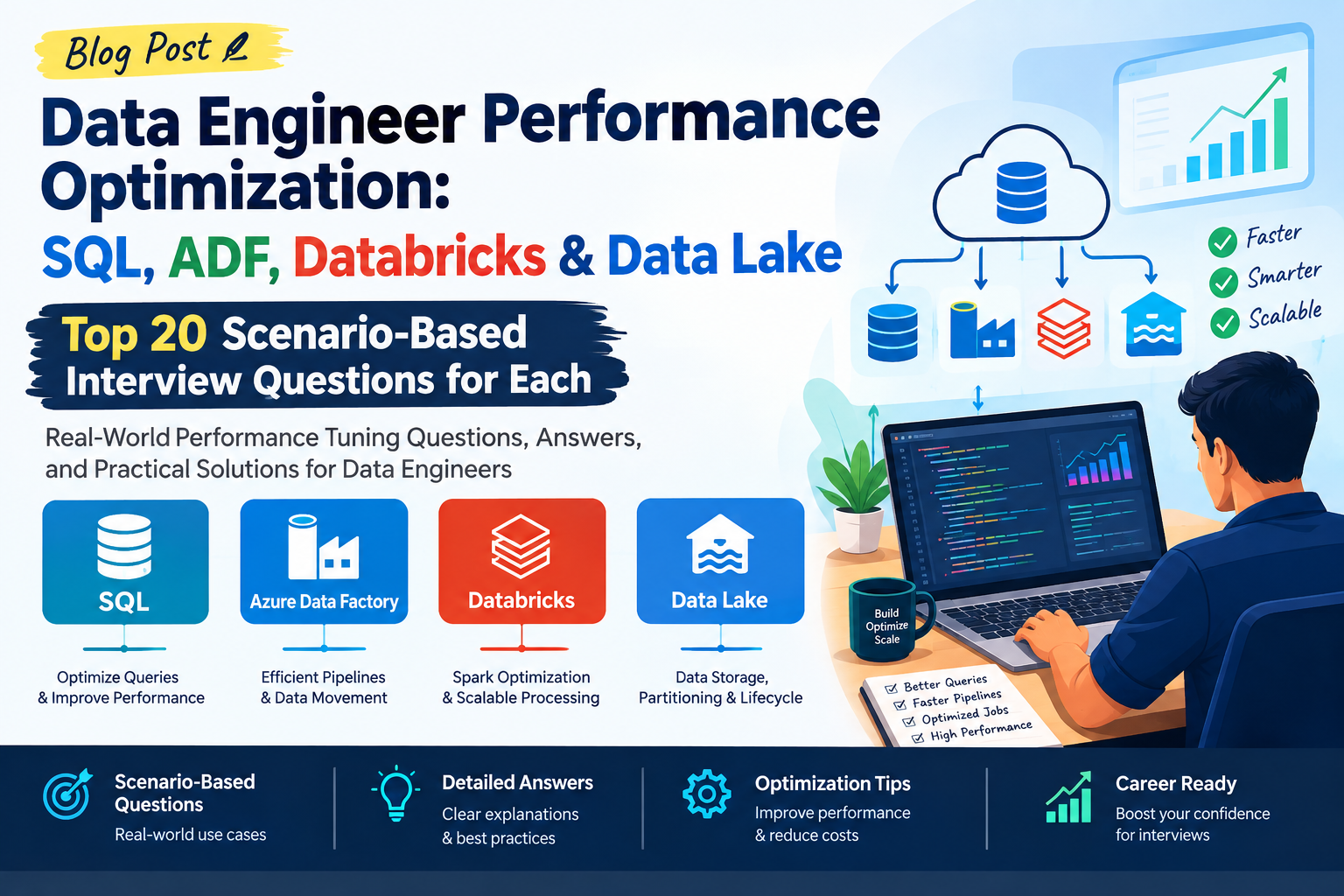
Data Engineer Performance Optimization: SQL
Top 20 Scenario-Based Interview Questions — Detailed Answers
Below are 20 real-world SQL performance optimization scenarios designed for Data Engineer interviews, especially for 2–5 years of experience.
1. A query is taking 10 minutes to execute. How would you optimize it?
Answer:
I would not immediately rewrite the query. First, I would identify where the time is being spent.
My approach would be:
- Check the execution plan.
- Identify full table scans.
- Check whether appropriate indexes exist.
- Review JOIN conditions.
- Check filtering conditions.
- Look for unnecessary columns in
SELECT. - Check expensive operations such as
DISTINCT,ORDER BY, andGROUP BY. - Check whether statistics are outdated.
- Review data volume and query selectivity.
- Test the optimized query against the original.
For example:
SELECT *
FROM Orders
WHERE CustomerID = 1001;
If the table contains millions of records and CustomerID is frequently filtered, an index could significantly improve performance:
CREATE INDEX idx_orders_customer
ON Orders(CustomerID);
The important point in an interview is to say:
I use the execution plan to find the bottleneck before making optimization changes.
2. Your query is performing a Full Table Scan. What would you check?
A full table scan means the database is reading a large portion or all of the table.
I would check:
- Is there an index on the filtering column?
- Is the index actually usable?
- Is the filter selective?
- Are functions being applied to indexed columns?
- Is there an implicit datatype conversion?
- Is the table small enough that a scan is actually cheaper?
- Are statistics up to date?
Example:
SELECT *
FROM Customers
WHERE YEAR(CreatedDate) = 2026;
Applying YEAR() to the column may prevent efficient index usage.
Better:
SELECT *
FROM Customers
WHERE CreatedDate >= '2026-01-01'
  AND CreatedDate < '2027-01-01';
This makes the filtering condition more index-friendly.
3. A JOIN between two large tables is very slow. How would you optimize it?
First, I would examine the JOIN execution plan.
Example:
SELECT *
FROM Orders o
JOIN Customers c
    ON o.CustomerID = c.CustomerID;
I would check:
- Indexes on JOIN columns
- Data types of JOIN columns
- Number of rows being joined
- Filtering before the JOIN
- Duplicate records
- Join type
- Statistics
If only active customers are required, filtering earlier can reduce the JOIN dataset:
SELECT o.OrderID, c.CustomerName
FROM Orders o
JOIN Customers c
    ON o.CustomerID = c.CustomerID
WHERE c.Status = 'Active';
For very large datasets, I would also consider partitioning, clustering, data distribution, or pre-aggregated tables depending on the platform.
4. How would you optimize a query using SELECT *?
I would replace SELECT * with only the required columns.
Instead of:
SELECT *
FROM Sales;
Use:
SELECT
    SaleID,
    CustomerID,
    SaleAmount,
    SaleDate
FROM Sales;
Benefits include:
- Less data read
- Less network transfer
- Lower memory consumption
- Better readability
- Potentially better index utilization
For Data Engineering pipelines, this becomes particularly important when processing millions or billions of records.
5. A query contains multiple nested subqueries and is slow. What would you do?
I would first understand what each subquery is doing.
For example:
SELECT *
FROM Orders
WHERE CustomerID IN (
    SELECT CustomerID
    FROM Customers
    WHERE Country = 'India'
);
Depending on the database optimizer, a JOIN may be more appropriate:
SELECT o.*
FROM Orders o
JOIN Customers c
    ON o.CustomerID = c.CustomerID
WHERE c.Country = 'India';
However, I would not blindly replace every subquery with a JOIN.
I would compare both execution plans and choose the version with the better execution characteristics.
6. When would you use EXISTS instead of IN?
Suppose I only need to check whether a related record exists.
Instead of:
SELECT *
FROM Customers c
WHERE c.CustomerID IN (
    SELECT CustomerID
    FROM Orders
);
I could use:
SELECT *
FROM Customers c
WHERE EXISTS (
    SELECT 1
    FROM Orders o
    WHERE o.CustomerID = c.CustomerID
);
EXISTS can be beneficial when the database can stop searching once it finds the first matching row.
But the actual performance depends on:
- Database engine
- Data distribution
- Indexes
- Query optimizer
So in an interview, I would say:
I would compare execution plans rather than assuming EXISTS is always faster than IN.
7. Your query uses DISTINCT and is slow. How would you investigate it?
DISTINCT requires the database to eliminate duplicate rows, which can involve sorting or hashing.
Example:
SELECT DISTINCT CustomerID
FROM Orders;
I would ask:
Why are duplicates occurring?
If duplicates are caused by an incorrect JOIN, I would fix the JOIN instead of adding DISTINCT.
Bad approach:
SELECT DISTINCT ...Better approach:
-- Fix the JOIN or filtering logicDISTINCT should solve a genuine business requirement, not hide a query-design problem.
8. How would you optimize GROUP BY on a huge table?
Suppose we have:
SELECT CustomerID, SUM(Amount)
FROM Orders
GROUP BY CustomerID;
For billions of records, this can be expensive.
I would consider:
- Filtering unnecessary records first
- Appropriate indexes/clustering
- Partition pruning
- Pre-aggregation
- Materialized views
- Summary tables
- Distributed processing where applicable
For example:
SELECT CustomerID, SUM(Amount)
FROM Orders
WHERE OrderDate >= '2026-01-01'
GROUP BY CustomerID;
Filtering before aggregation reduces the number of rows that need to be processed.
9. An ORDER BY is making your query slow. What would you do?
Sorting a huge result set can be expensive.
Example:
SELECT *
FROM Orders
ORDER BY OrderDate DESC;
If I only need the latest 100 records:
SELECT TOP 100 *
FROM Orders
ORDER BY OrderDate DESC;
Or, depending on the database:
SELECT *
FROM Orders
ORDER BY OrderDate DESC
LIMIT 100;
I would also investigate whether an appropriate index or clustering strategy can support the ordering efficiently.
10. How do indexes improve SQL performance?
Indexes allow the database to locate rows without scanning the entire table.
Example:
CREATE INDEX idx_customer_email
ON Customers(Email);
Now:
SELECT *
FROM Customers
WHERE Email = 'test@example.com';
may be significantly faster.
But indexes are not free.
They can:
- Consume storage
- Increase INSERT cost
- Increase UPDATE cost
- Increase DELETE cost
- Require maintenance
Therefore, I would create indexes based on actual query patterns rather than indexing every column.
11. What is a composite index, and how can it improve performance?
A composite index contains multiple columns.
Example:
CREATE INDEX idx_orders_customer_date
ON Orders(CustomerID, OrderDate);
This can help queries such as:
SELECT *
FROM Orders
WHERE CustomerID = 1001
  AND OrderDate >= '2026-01-01';
The column order matters.
An index on:
(CustomerID, OrderDate)is generally more useful for filtering beginning with CustomerID than an index beginning with OrderDate.
12. Your query uses a function on an indexed column. Is that a problem?
Potentially, yes.
Example:
SELECT *
FROM Customers
WHERE UPPER(Name) = 'ASHUTOSH';
Applying a function to the column can prevent the optimizer from efficiently using a normal index, depending on the database.
Another example:
WHERE YEAR(OrderDate) = 2026could be rewritten as:
WHERE OrderDate >= '2026-01-01'
AND OrderDate < '2027-01-01';
The general principle is:
Avoid unnecessary transformations on columns used for filtering when they prevent efficient access paths.
13. What is partition pruning?
Partition pruning means the database reads only the partitions relevant to the query instead of scanning the entire partitioned table.
Suppose a sales table is partitioned by date.
Query:
SELECT *
FROM Sales
WHERE SaleDate >= '2026-08-01'
AND SaleDate < '2026-09-01';
If the database can identify the relevant date partition, it doesn’t need to scan historical partitions.
This can dramatically improve performance for large Data Warehouse tables.
14. How would you optimize a query on a 5-billion-row fact table?
I would use a structured approach.
Step 1 — Reduce data scanned
Filter as early as possible.
Step 2 — Partition
Partition based on a commonly filtered column such as:
Date
Region
Business Unit
depending on the workload.
Step 3 — Optimize joins
Ensure appropriate distribution/indexing/clustering.
Step 4 — Avoid unnecessary columns
Don’t use:
SELECT *Step 5 — Pre-aggregate
If users repeatedly request monthly sales:
Raw Fact Table
       ↓
Monthly Aggregate
       ↓
Dashboard
Step 6 — Analyze execution plan
I would identify:
- Scan volume
- Join strategy
- Sort operations
- Data shuffling
- Spill to disk
- Skew
15. What is data skew and how does it affect SQL performance?
Data skew happens when data is distributed unevenly.
Suppose a distributed system partitions data by CustomerID.
If one customer has 50% of all records, one processing node may receive a huge amount of data while others receive very little.
This creates a bottleneck.
Example:
Node 1 → 10 million rows
Node 2 → 11 million rows
Node 3 → 9 million rows
Node 4 → 500 million rows  ← Skew
Possible solutions include:
- Choosing a better distribution key
- Salting
- Pre-aggregation
- Broadcast joins where appropriate
- Repartitioning
16. What is a broadcast join and when would you use it?
A broadcast join is useful in distributed processing when one dataset is relatively small.
Example:
Large Orders Table
        +
Small Customer Dimension
Instead of moving the huge table across nodes, the small table can be replicated to the workers.
Conceptually:
Small Dimension
   ↓
Node 1
Node 2
Node 3
Node 4

Large Fact → Process locally
This can avoid expensive data shuffling.
However, I would only broadcast a dataset when it is small enough to fit safely in worker memory.
17. A query performs multiple JOINs and generates millions of intermediate rows. What would you do?
I would examine the intermediate result after every major JOIN.
For example:
A
JOIN B
JOIN C
JOIN D
A many-to-many relationship may unexpectedly multiply rows.
I would check:
- JOIN cardinality
- Duplicate keys
- Missing join conditions
- Filtering strategy
- Required columns
- Whether some joins can be eliminated
I might filter or aggregate before joining:
WITH CustomerSales AS (
    SELECT CustomerID, SUM(Amount) AS TotalSales
    FROM Orders
    GROUP BY CustomerID
)
SELECT ...
FROM Customers c
JOIN CustomerSales s
    ON c.CustomerID = s.CustomerID;
This can dramatically reduce the data involved in the final JOIN.
18. How would you optimize a query containing a CTE?
A CTE improves readability, but it does not automatically mean better performance.
Example:
WITH SalesData AS (
    SELECT CustomerID, SUM(Amount) AS TotalSales
    FROM Orders
    GROUP BY CustomerID
)
SELECT *
FROM SalesData
WHERE TotalSales > 10000;
I would check the execution plan.
Depending on the database engine, the CTE may be:
- Inlined
- Materialized
- Recomputed
If the same expensive result is used multiple times, I may consider:
- Temporary tables
- Materialized views
- Precomputed summary tables
The key point:
CTEs are primarily a query-organization feature; their performance depends on the database optimizer and implementation.
19. A dashboard query runs every few seconds and repeatedly scans a huge table. How would you optimize it?
I would avoid repeatedly processing raw data if the dashboard only needs aggregated information.
For example:
5 Billion Row Fact Table
          ↓
Daily/Monthly Aggregate
          ↓
Dashboard
Possible solutions:
- Materialized views
- Aggregate tables
- Incremental processing
- Caching
- Partitioning
- Proper indexing/clustering
For example, instead of calculating:
SUM(SalesAmount)over billions of rows every time, maintain a summary table:
Date | Region | TotalSalesand query that smaller dataset.
20. Production SQL query suddenly becomes slow. What would you check?
This is a very common Data Engineer interview scenario.
I would investigate systematically:
1. Execution plan
Check whether the plan changed.
2. Data volume
Has the table grown significantly?
3. Statistics
Are table/index statistics outdated?
4. Indexes
Was an index removed or changed?
5. Blocking
Is another transaction blocking the query?
6. Resource utilization
Check:
- CPU
- Memory
- Disk I/O
- Network
- Warehouse/cluster utilization
7. Data skew
Especially in distributed systems.
8. Recent code changes
Check whether the SQL or upstream pipeline changed.
9. Concurrent workloads
Another large ETL job may be consuming resources.
10. Query plan regression
Sometimes the optimizer chooses a different plan after data or statistics change.
My interview answer would be:
I would first compare the current execution plan with the previously good plan, identify the changed bottleneck, and then validate the fix with production-like data before deploying it.
🔥 Quick SQL Performance Optimization Checklist
Before an interview, remember this sequence:
Slow Query
    ↓
Execution Plan
    ↓
Table Scan?
    ↓
Indexes / Clustering
    ↓
JOIN Performance
    ↓
Filtering
    ↓
Aggregation
    ↓
Sorting
    ↓
Data Skew
    ↓
Partition Pruning
    ↓
Statistics
    ↓
Resource Utilization
    ↓
Retest & Compare
⭐ 5 Interview Lines Worth Remembering
1. Don’t optimize blindly — check the execution plan first.
2. Reduce the amount of data processed as early as possible.
3. Indexes improve reads but can increase write and storage costs.
4. In distributed SQL engines, always think about shuffle, partitioning, and data skew.
5. The fastest query is often the query that doesn’t process unnecessary data in the first place.
Data Engineer Performance Optimization: Azure Data Factory (ADF)
Top 20 Scenario-Based Interview Questions with Detailed Answers
These are designed for real Data Engineer interviews, especially around ADF pipelines, Copy Activity, Integration Runtime, Mapping Data Flows, SQL sources, ADLS, Databricks, and production troubleshooting.
1. An ADF pipeline takes 2 hours to complete. How would you optimize it?
I would first identify which activity is consuming most of the execution time rather than optimizing everything.
My approach:
- Check pipeline and activity run duration.
- Identify the slowest activity.
- Check Copy Activity throughput.
- Review source and sink performance.
- Check Integration Runtime configuration.
- Check DIU usage for Copy Activity.
- Review partitioning and parallelism.
- Check whether activities are unnecessarily sequential.
- Look for bottlenecks in SQL queries or APIs.
- Check whether Mapping Data Flow is overused.
For example:
ADF Pipeline
   |
   +-- Lookup       5 sec
   |
   +-- Copy         90 min  ← Bottleneck
   |
   +-- Data Flow    20 min
   |
   +-- Stored Proc  5 min
I would focus on the Copy Activity first.
Interview tip: Don’t say “increase DIUs” immediately. First identify the bottleneck.
2. ADF Copy Activity is taking too long to copy data from Azure SQL to ADLS. What would you check?
I would check both the source and sink.
Source side
- SQL query performance
- Indexes
- Number of rows
- Partitioning
- Network throughput
- Source database CPU
ADF side
- Integration Runtime
- DIUs
- Parallel copies
- Partition options
Sink side
- File format
- File size
- Number of files
- Storage throughput
For example, instead of:
SELECT *
FROM Sales;
I would only retrieve required columns:
SELECT
    SaleId,
    CustomerId,
    SaleDate,
    Amount
FROM Sales;
I would also consider partitioning the source query by a suitable column such as SaleDate or an integer key.
3. How would you improve ADF Copy Activity performance?
I would optimize it across four areas:
1. Source
Make sure the source query is optimized.
2. Integration Runtime
Use an appropriate Azure IR or Self-hosted IR configuration.
3. Parallelism
Configure parallel copy where the source and sink can handle it.
4. Partitioning
For large relational sources, use partitioned reads where supported.
Conceptually:
100 Million Rows
       |
       +---- Partition 1
       +---- Partition 2
       +---- Partition 3
       +---- Partition 4
       |
       ↓
     ADLS
Instead of:
100 Million Rows
       |
       ↓
One Sequential Read
However, excessive parallelism can overload the source system.
4. What is DIU in ADF and how does it affect performance?
DIU stands for Data Integration Unit.
It represents a combination of compute, memory, and network resources used by ADF Copy Activity.
If a Copy Activity is under-resourced, increasing DIUs may improve throughput.
But I would not assume:
2x DIU = 2x performancebecause the actual bottleneck could be:
- Source database
- Sink
- Network
- API throttling
- Query execution
- File system limitations
For example:
ADF
 ↓
Source SQL
 ↓
Network
 ↓
ADLS
If SQL is the bottleneck, increasing ADF DIUs won’t necessarily help.
5. Your source contains 1 billion rows. How would you load it efficiently using ADF?
I would avoid a single massive sequential copy.
I would use partitioned extraction.
For example:
1 Billion Rows

Partition 1 → IDs 1–100M
Partition 2 → IDs 100M–200M
Partition 3 → IDs 200M–300M
...
Or use a date-based strategy:
2020
2021
2022
2023
2024
2025
2026
Then execute suitable partitions in parallel.
I would also use incremental loading for future runs instead of repeatedly copying the full dataset.
6. How would you implement incremental loading in ADF?
I would use a watermark column such as:
LastModifiedDateor:
IDSuppose the previous successful watermark is:
2026-08-21 23:59:59ADF can retrieve it from a control table and use it in the source query:
SELECT *
FROM Customer
WHERE LastModifiedDate > @LastWatermark
AND LastModifiedDate <= @CurrentWatermark;
Pipeline flow:
Control Table
     ↓
Get Last Watermark
     ↓
Calculate Current Watermark
     ↓
Copy Incremental Data
     ↓
Validate
     ↓
Update Watermark
This avoids repeatedly processing billions of historical records.
7. Your ADF pipeline has 20 Copy Activities running sequentially. How would you optimize it?
I would determine whether those activities actually depend on each other.
If they are independent:
Copy 1
Copy 2
Copy 3
Copy 4
I could execute them in parallel:
             ┌── Copy 1
             ├── Copy 2
Start ───────┼── Copy 3
             └── Copy 4
But I would consider:
- Source capacity
- Sink capacity
- Integration Runtime capacity
- API/database throttling
- Concurrent pipeline limits
Parallelism should be controlled, not maximized blindly.
8. How would you handle a large number of files in ADLS using ADF?
Suppose ADLS contains:
5 million small filesThis can create metadata and processing overhead.
I would investigate:
- File size
- File format
- Number of partitions
- Whether files can be consolidated
- Whether downstream processing supports optimized formats
For analytical workloads, I would generally prefer appropriately sized Parquet/Delta files over millions of tiny files.
Conceptually:
Before:

1 MB
1 MB
1 MB
1 MB
...
Millions of files

After:

256 MB
256 MB
256 MB
...
The exact target size depends on the downstream engine and workload.
9. ADF pipeline has too many activities. How would you optimize the design?
I would distinguish between necessary orchestration and unnecessary activity overhead.
For example, instead of:
Lookup
Lookup
Lookup
Copy
Lookup
Copy
Lookup
Copy
I might consolidate metadata retrieval or parameterize a reusable pipeline.
A common design is:
Metadata Table
      ↓
Lookup
      ↓
ForEach
      ↓
Parameterized Child Pipeline
This creates a metadata-driven framework.
Benefits:
- Less duplicated logic
- Easier maintenance
- Reusable pipelines
- Easier onboarding of new tables
10. How would you optimize a ForEach activity in ADF?
Suppose I have:
100 tablesand each table can be loaded independently.
Instead of:
ForEach
  ├── Table 1
  ├── Table 2
  ├── Table 3
  └── ...
running sequentially, I can configure controlled parallelism.
Conceptually:
Batch 1 → 10 tables
Batch 2 → 10 tables
Batch 3 → 10 tables
...
But I would avoid setting concurrency extremely high.
If the source database supports only 20 concurrent queries, configuring 100 parallel copies may make the overall pipeline slower.
11. ADF Mapping Data Flow is very slow. How would you troubleshoot it?
I would examine:
- Cluster startup time
- Data volume
- Partitioning
- Transformations
- Joins
- Aggregations
- Skew
- Sink configuration
- Integration Runtime sizing
I would use the Data Flow monitoring and performance details to identify expensive stages.
For example:
Source → 2 min
Join → 35 min       ← Bottleneck
Aggregate → 10 min
Sink → 5 min
Then I would focus on the Join.
Possible improvements:
- Filter before joining
- Select only required columns
- Reduce dataset size
- Optimize partitioning
- Address skew
- Broadcast a small dataset where appropriate
12. A Mapping Data Flow contains a large JOIN. How would you optimize it?
Suppose:
Sales = 500 GB
Customer = 2 GB
I wouldn’t necessarily treat both datasets equally.
I would:
- Filter unnecessary rows.
- Select only required columns.
- Check join keys.
- Analyze partitioning.
- Look for skew.
- Consider broadcasting the smaller dataset if appropriate.
- Validate the physical execution.
Conceptually:
500 GB Sales
       +
2 GB Customer
       ↓
Optimized Join
is preferable to joining two unnecessarily large datasets with many unused columns.
13. How do you handle API throttling in ADF?
Suppose an API allows only:
100 requests/minutebut my ForEach is sending:
500 requests/minuteThe API may return:
429 Too Many RequestsI would control concurrency and implement retry/backoff where appropriate.
I would also consider:
- Batch API requests
- Pagination
- Retry policies
- Wait activities when necessary
- Reducing unnecessary API calls
- Incremental extraction
The key is to respect the source system’s limits rather than simply increasing ADF parallelism.
14. Your ADF pipeline frequently fails due to transient errors. How would you improve reliability and performance?
I would distinguish between transient and permanent failures.
Transient examples:
- Temporary network issue
- Service unavailable
- Throttling
- Temporary database connection failure
I would configure appropriate:
Retry
Retry interval
Timeout
For permanent failures:
Invalid SQL
Invalid credentials
Bad schema
Invalid file path
retrying repeatedly doesn’t solve the problem.
I would also implement:
Failure
   ↓
Capture Error
   ↓
Log Metadata
   ↓
Retry if transient
   ↓
Alert if final failure
15. How would you optimize ADF when the source is an on-premises SQL Server?
I would pay particular attention to the Self-hosted Integration Runtime (SHIR).
I would evaluate:
- SHIR machine CPU
- Memory
- Network bandwidth
- Number of concurrent jobs
- Source SQL performance
- Data compression
- Parallel copy configuration
For high-volume workloads, I may scale out the Self-hosted IR by adding multiple nodes.
Architecture:
On-Prem SQL Server
       ↓
Self-hosted IR
   ┌───┴───┐
Node 1   Node 2
   └───┬───┘
       ↓
      ADLS
The exact configuration depends on workload and bottleneck analysis.
16. ADF is loading data into Azure SQL Database slowly. What would you check?
I would investigate the sink.
Potential issues:
- Too many indexes
- Constraints
- Triggers
- Small batch sizes
- Excessive transactions
- Database CPU/DTU/vCore utilization
- Locking
- Poor target table design
- Incorrect write method
For bulk loads, I would consider an approach appropriate for the target workload rather than row-by-row operations.
I would also verify whether the target database is adequately sized.
17. How would you optimize ADF pipelines for cost as well as performance?
Performance optimization isn’t always:
“Use more compute.”
I would optimize the balance between runtime and cost.
For example:
Option A
Runtime: 60 min
Cost: High

Option B
Runtime: 70 min
Cost: Much lower
If the SLA is 90 minutes, Option B may be better.
I would consider:
- Incremental loading
- Right-sized Integration Runtime
- Avoiding unnecessary Data Flows
- Reusing pipelines
- Reducing unnecessary data movement
- Scheduling workloads appropriately
- Eliminating redundant processing
18. Your pipeline runs successfully but takes longer every day. Why?
This usually indicates data growth or workload growth.
For example:
Day 1 → 10 min
Day 30 → 35 min
Day 90 → 2 hours
I would check:
Data growth
Are we processing more records?
Full load problem
Are we reprocessing historical data?
File growth
Are there millions of files?
Query degradation
Is the source query becoming slower?
Partitioning
Is partition pruning still working?
Resource capacity
Is the Integration Runtime becoming saturated?
The long-term solution may be moving from full loads to incremental processing.
19. How would you design a high-performance metadata-driven ADF pipeline?
I would create a configuration/control table.
Example:
TableName
SourceSchema
SourceTable
TargetPath
LoadType
WatermarkColumn
PrimaryKey
IsActive
ADF workflow:
              Metadata Table
                    ↓
                 Lookup
                    ↓
                ForEach
                    ↓
          Parameterized Pipeline
                    ↓
             Incremental Copy
                    ↓
              Validation
                    ↓
               Audit Log
For example, instead of creating:
Pipeline_Customer
Pipeline_Product
Pipeline_Order
Pipeline_Invoice
I could create one reusable framework.
This improves:
- Maintainability
- Scalability
- Development speed
- Standardization
- Monitoring
20. Production ADF pipeline suddenly becomes slow. How would you troubleshoot it?
This is one of my favorite interview scenarios.
I would follow a structured troubleshooting process.
Step 1 — Identify the slow activity
Check:
Pipeline Run
   ↓
Activity Run
   ↓
Duration
Step 2 — Compare with previous successful runs
For example:
Yesterday → 25 minutes
Today → 2 hours
Step 3 — Check source
Look for:
- Database CPU
- Slow queries
- Blocking
- Increased data volume
- API throttling
Step 4 — Check ADF
Review:
- DIUs
- Integration Runtime
- Queue time
- Copy throughput
- Parallelism
Step 5 — Check sink
Look for:
- Storage performance
- Database capacity
- File generation
- Write bottlenecks
Step 6 — Check recent changes
For example:
Pipeline change
Source schema change
Query change
Infrastructure change
Data volume increase
Step 7 — Optimize and validate
I would test the change with representative data and compare:
Before:
2 hours

After:
25 minutes
I would also ensure that the optimization doesn’t overload the source or significantly increase cost.
🔥 ADF Performance Optimization Cheat Sheet
Remember this framework during interviews:
ADF Slow
   ↓
Identify Slow Activity
   ↓
Source Bottleneck?
   ↓
Sink Bottleneck?
   ↓
Integration Runtime?
   ↓
DIU / Compute?
   ↓
Partitioning?
   ↓
Parallelism?
   ↓
Incremental Load?
   ↓
Data Flow Join / Shuffle?
   ↓
Data Skew?
   ↓
File Size / Small Files?
   ↓
Retry / Throttling?
   ↓
Cost vs Performance
   ↓
Test → Compare → Deploy
⭐ 10 ADF Interview Points to Remember
- Don’t increase DIUs blindly. Find the bottleneck first.
- Use incremental loads instead of repeatedly processing full datasets.
- Use parallelism carefully—too much can overload the source.
- Optimize the source query before blaming ADF.
- Use partitioning for large-volume extraction where appropriate.
- Avoid unnecessary Mapping Data Flows when Copy Activity can perform the movement.
- Watch for data skew and expensive joins in Data Flows.
- Avoid millions of unnecessary small files in data lakes.
- Use metadata-driven pipelines to improve scalability and maintainability.
- Always evaluate performance, reliability, and cost together.
Data Engineer Performance Optimization: Databricks
Top 20 Scenario-Based Interview Questions with Detailed Answers
These questions focus on real-world Databricks performance optimization across Apache Spark, Delta Lake, PySpark, joins, partitioning, caching, shuffles, AQE, Photon, file sizes, cluster sizing, and production troubleshooting.
1. A Databricks job that normally takes 30 minutes suddenly takes 2 hours. How would you troubleshoot it?
I would first identify where the performance degradation happened instead of immediately increasing the cluster size.
My approach:
- Compare the current run with previous successful runs.
- Open the Spark UI.
- Identify the slowest stage.
- Check for increased input data.
- Look for data skew.
- Check shuffle read/write.
- Check task duration.
- Look for executor failures or spills.
- Check whether the query plan changed.
- Review recent code, data, or cluster configuration changes.
For example:
Previous Run
Stage 1 → 3 min
Stage 2 → 8 min
Stage 3 → 10 min

Current Run
Stage 1 → 4 min
Stage 2 → 1 hr 40 min  ← Bottleneck
Stage 3 → 15 min
I would focus on Stage 2 first.
Interview answer:
I would use Spark UI and the physical execution plan to identify the bottleneck before changing cluster size or code.
2. A PySpark job is performing a huge JOIN and is very slow. How would you optimize it?
First, I would check the size of both datasets.
Suppose:
Sales       → 500 GB
Customer    → 500 MB
If the customer dataset is sufficiently small, a broadcast join may eliminate an expensive shuffle.
from pyspark.sql.functions import broadcast

result = sales.join(
    broadcast(customer),
    "CustomerID"
)
I would also:
- Filter before joining.
- Select only required columns.
- Check for duplicate keys.
- Analyze data skew.
- Check shuffle size.
- Review the physical plan.
Instead of:
sales.join(customer, "CustomerID")I might use:
sales_filtered = sales.filter("SaleDate >= '2026-01-01'")

customer_small = customer.select(
    "CustomerID",
    "CustomerName"
)

result = sales_filtered.join(
    broadcast(customer_small),
    "CustomerID"
)
The important point is that broadcast joins should only be used when the smaller dataset is safely small enough for executor memory.
3. What is a shuffle in Spark, and why does it affect performance?
A shuffle occurs when Spark needs to redistribute data across partitions.
Common operations that cause shuffles include:
GROUP BY
JOIN
DISTINCT
ORDER BY
REPARTITION
For example:
df.groupBy("CustomerID").sum("Amount")Spark may need to move all records for the same CustomerID to the same partition.
Conceptually:
Before

Executor 1 → Customer A, B, C
Executor 2 → Customer A, D
Executor 3 → Customer B, C

             ↓ Shuffle

Executor 1 → Customer A
Executor 2 → Customer B
Executor 3 → Customer C
Shuffles can cause:
- Network transfer
- Disk I/O
- Memory pressure
- Longer stage execution
- Spill to disk
So I always look at shuffle metrics when troubleshooting slow Spark jobs.
4. Your Spark job has data skew. How would you identify and fix it?
Data skew occurs when some partitions contain dramatically more data than others.
Example:
Partition 1 → 10 MB
Partition 2 → 12 MB
Partition 3 → 15 MB
Partition 4 → 900 GB  ← Skew
The fourth task becomes a straggler.
How I identify it
I check Spark UI for:
- One or a few tasks taking much longer.
- Uneven task input sizes.
- Large shuffle partitions.
- Executor imbalance.
Possible solutions
1. Salting
Add a random salt to highly skewed keys.
2. Broadcast join
If the other side is small enough.
3. Pre-aggregation
Reduce the amount of data before the JOIN.
4. Better partitioning
Choose a more appropriate partition key.
5. Adaptive Query Execution
AQE can help mitigate some skew-related problems.
5. What is Adaptive Query Execution (AQE), and how does it improve performance?
Adaptive Query Execution allows Spark to optimize parts of the query plan using runtime statistics.
Instead of relying entirely on estimates made before execution, Spark can adapt based on actual data.
AQE can help with things such as:
- Coalescing shuffle partitions
- Handling skewed joins
- Changing join strategies
- Reducing unnecessary partitions
Conceptually:
Initial Plan
     ↓
Execute
     ↓
Runtime Statistics
     ↓
Adaptive Optimization
     ↓
Better Plan
For example, if the initial plan creates hundreds of tiny shuffle partitions, AQE can potentially coalesce them.
In Databricks, I would check the runtime configuration and query plan rather than assuming AQE alone will solve every performance issue.
6. A Databricks job creates thousands of small files. Why is this a problem?
The small file problem can significantly affect data lake performance.
Suppose a job produces:
1,000,000 files × 1 MBinstead of:
4,000 files × 250 MBThe first approach creates significant file and metadata overhead.
Problems include:
- Slow file listing
- More metadata operations
- More task scheduling overhead
- Poor read performance
- Increased storage overhead
I would address this using appropriate strategies such as:
- Optimizing file layout
- Repartitioning before writes
- Delta Lake optimization capabilities
- Avoiding unnecessary partition explosion
The correct file size depends on workload, data format, and platform configuration, so I wouldn’t blindly target one fixed number.
7. How would you optimize Delta Lake tables?
I would look at both physical layout and query patterns.
Important areas include:
1. File optimization
Reduce unnecessary small files.
2. Data skipping
Organize data so queries can eliminate irrelevant files.
3. Partitioning
Use partitioning only when it provides meaningful pruning benefits.
4. Z-ordering / clustering
For supported workloads, organize data around commonly filtered columns.
5. VACUUM
Remove obsolete files according to an appropriate retention policy.
6. Incremental processing
Avoid repeatedly rewriting the entire dataset.
A typical analytical flow might look like:
Raw Data
   ↓
Delta Table
   ↓
Optimized File Layout
   ↓
Data Skipping / Clustering
   ↓
Faster Queries
8. When should you partition a Delta table?
I would partition a table when the partition column:
- Is commonly used in filters.
- Has reasonable cardinality.
- Allows effective partition pruning.
- Doesn’t create huge numbers of tiny partitions.
For example:
year
month
date
may be reasonable depending on the workload.
But partitioning by:
CustomerIDcould be problematic if there are millions of customers.
Instead of asking:
“Can I partition this table?”
I ask:
“Will partitioning significantly reduce the amount of data scanned without creating too many small files?”
9. A Delta table is 5 TB and queries are scanning too much data. What would you do?
I would investigate whether data skipping and file layout are effective.
Suppose users frequently run:
SELECT *
FROM Sales
WHERE CustomerID = 1001
AND SaleDate >= '2026-01-01';
I would consider:
- Appropriate partitioning.
- Clustering/data organization.
- Optimizing file sizes.
- Selecting only required columns.
- Filtering as early as possible.
- Avoiding unnecessary full-table operations.
I would use the query profile to determine:
Table Size       → 5 TB
Files Available  → 100,000
Files Read       → 95,000
If almost the entire table is being read, I would investigate why pruning isn’t effective.
10. Your DataFrame contains billions of rows. How would you optimize it?
My first principle is:
Reduce the amount of data as early as possible.
Instead of:
df = spark.read.table("sales")

result = df.filter(
    "SaleDate >= '2026-01-01'"
)
I would push filtering as close to the source as practical.
I would also:
- Select only required columns.
- Avoid unnecessary transformations.
- Use partition pruning.
- Optimize joins.
- Avoid unnecessary
collect(). - Avoid unnecessary caching.
- Control partition counts.
Example:
df = (
    spark.read.table("sales")
    .select("CustomerID", "SaleDate", "Amount")
    .filter("SaleDate >= '2026-01-01'")
)
11. What is the difference between repartition() and coalesce()?
This is a very common Spark interview question.
repartition()
Usually causes a shuffle and can increase or decrease the number of partitions.
df = df.repartition(200)It is useful when you need to redistribute data more evenly.
coalesce()
Usually avoids a full shuffle when reducing partitions.
df = df.coalesce(20)It is commonly useful when reducing the number of partitions before writing.
Simple comparison
repartition()
    ↓
Redistribute data
    ↓
Shuffle

coalesce()
    ↓
Reduce partitions
    ↓
Usually less shuffle
I wouldn’t use either blindly; the right choice depends on the workload.
12. Your Spark job is suffering from excessive partitions. What would you do?
Too many partitions can cause:
- Too many tasks
- Task scheduling overhead
- Many tiny files
- Excessive metadata operations
Suppose:
Input → 10 GB
Partitions → 100,000
That may create unnecessary overhead.
I would examine:
- Input file sizes
- Number of source files
- Shuffle partition count
- Task duration
- Output file count
Then adjust partitioning appropriately.
The goal is not:
Maximum number of partitions.
The goal is:
Enough partitions to parallelize work efficiently without creating excessive overhead.
13. Your Spark job has too few partitions. What problem can this cause?
Too few partitions can prevent Spark from fully using available cluster resources.
Suppose:
Cluster → 20 executors
Partitions → 4
Only a small number of tasks can run simultaneously.
The cluster may look underutilized.
Conceptually:
20 Executors
      ↓
Only 4 Tasks
      ↓
Most Executors Idle
I would inspect the Spark UI and compare:
- Number of tasks
- Executor utilization
- Task duration
- Partition sizes
Then increase parallelism where appropriate.
14. When should you cache or persist a DataFrame?
I would cache only when the same expensive DataFrame is reused multiple times.
Example:
df = expensive_transformation()

df.cache()

df.filter("Region = 'IN'").count()
df.filter("Region = 'US'").count()
df.groupBy("Product").count()
Caching can avoid recomputing the expensive transformation.
But caching everything is a bad practice because it can cause:
- Memory pressure
- Evictions
- Garbage collection
- Reduced performance
My interview answer:
I cache only when the cost of recomputation is higher than the cost of storing the data in memory.
15. A Spark job is running out of memory. How would you troubleshoot it?
I would first determine whether the problem is:
- Executor memory
- Driver memory
- Data skew
- Large broadcast
collect()- Large aggregation
- Cache usage
- Too-large partitions
A common mistake is:
df.collect()If the DataFrame contains millions of rows, this brings the data to the driver.
Instead, I would keep processing distributed.
I would also check Spark UI for:
- Spill
- Executor OOM
- GC time
- Task size
- Skewed partitions
I would fix the underlying issue before simply increasing memory.
16. Why is collect() dangerous in large-scale Spark jobs?
collect() brings all records to the driver.
Example:
data = df.collect()If the DataFrame contains hundreds of GB:
Executors
  ↓
  ↓
  ↓
Driver
  💥
This can cause:
Driver OutOfMemoryErrorFor large datasets, I prefer distributed operations such as:
df.groupBy(...)
df.write(...)
df.filter(...)
If I only need a small sample, I might use:
df.limit(100).collect()17. A GROUP BY operation is very slow in Databricks. How would you optimize it?
Example:
result = (
    df.groupBy("CustomerID")
      .sum("Amount")
)
The GROUP BY can trigger a large shuffle.
I would investigate:
- Number of records.
- Number of distinct keys.
- Data skew.
- Shuffle size.
- Partition count.
- Whether filtering can happen first.
- Whether pre-aggregation is possible.
For example:
df_filtered = df.filter(
    "SaleDate >= '2026-01-01'"
)

result = (
    df_filtered
    .groupBy("CustomerID")
    .sum("Amount")
)
This reduces the amount of data entering the aggregation.
18. How does Photon improve Databricks performance?
Photon is Databricks’ native vectorized query engine designed to accelerate supported SQL and DataFrame workloads.
At a high level:
Traditional execution
       ↓
Row-oriented processing patterns

Photon
       ↓
Vectorized / optimized execution
       ↓
Better CPU efficiency
       ↓
Potentially faster analytics
Photon can be particularly useful for SQL-heavy analytical workloads.
However, I would still optimize:
- Data layout
- File sizes
- Partition pruning
- Joins
- Query design
Photon is not a replacement for good data engineering practices.
19. Your Databricks cluster is expensive but the job is still slow. What would you do?
I would not automatically increase the cluster size.
I would first analyze:
Cluster
   ↓
CPU utilization
Memory utilization
Shuffle
Spill
Task distribution
GC
I/O
Possible scenarios:
Scenario A
CPU is fully utilized.
→ More compute may help.
Scenario B
Executors are mostly idle.
→ There may be insufficient parallelism.
Scenario C
One executor is overloaded.
→ Possible data skew.
Scenario D
Huge shuffle.
→ Optimize JOIN/GROUP BY/partitioning.
Scenario E
Large amount of data scanned.
→ Improve filtering and data layout.
The goal is to identify whether the workload is compute-bound, memory-bound, I/O-bound, or shuffle-bound.
20. A production Databricks pipeline is failing its SLA. How would you optimize it?
I would use a structured performance investigation.
Step 1 — Check the SLA
For example:
Required → < 60 minutes
Current → 2 hours
Step 2 — Identify the expensive stage
Use:
- Spark UI
- Query Profile
- Execution plan
- Job metrics
Step 3 — Analyze the bottleneck
Check:
Input data
Shuffle
Skew
CPU
Memory
I/O
Files
Joins
Aggregations
Step 4 — Optimize the data
- Reduce scanned data.
- Improve partition pruning.
- Optimize Delta layout.
- Reduce small files.
- Use appropriate clustering.
Step 5 — Optimize Spark
- Tune partitions.
- Optimize joins.
- Use broadcast where appropriate.
- Leverage AQE.
- Avoid unnecessary caching.
Step 6 — Optimize cluster
Only after understanding the workload:
- Right-size workers.
- Adjust autoscaling.
- Use appropriate runtime/features.
- Consider Photon for eligible workloads.
Step 7 — Validate
Compare:
Before → 120 minutes
After  → 42 minutes
Then check the cost:
Before → ₹/$ X
After  → ₹/$ Y
A good Data Engineer optimizes both performance and cost, not just runtime.
🔥 Databricks Performance Optimization Framework
Remember this flow in interviews:
Slow Databricks Job
        ↓
Spark UI / Query Profile
        ↓
Identify Slow Stage
        ↓
Input Data Size
        ↓
Partitioning
        ↓
Shuffle
        ↓
JOIN
        ↓
Data Skew
        ↓
Aggregation
        ↓
Small Files
        ↓
Delta Table Layout
        ↓
AQE
        ↓
Cache / Persist
        ↓
Cluster Resources
        ↓
Photon
        ↓
Cost Optimization
        ↓
Benchmark Again
⭐ 10 Must-Know Databricks Performance Points
- Always start with Spark UI / query profile before tuning the cluster.
- Reduce data as early as possible.
- Minimize expensive shuffles.
- Use broadcast joins only when the smaller dataset is safely small.
- Watch for data skew and straggler tasks.
- Don’t create thousands or millions of tiny files.
- Use Delta Lake’s data layout and optimization capabilities appropriately.
- Don’t cache everything—cache only reused, expensive DataFrames.
collect()can cause driver memory problems with large datasets.- Optimize runtime + reliability + cost, not runtime alone.
Data Engineer Performance Optimization: Data Lake
Top 20 Scenario-Based Interview Questions with Detailed Answers
These questions focus on real-world Data Lake performance optimization using technologies such as ADLS Gen2, Azure Data Lake, Parquet, Delta Lake, partitioning, file sizing, compression, metadata, ADF, Databricks, Spark, and incremental processing.
1. Your Data Lake contains billions of records and queries are very slow. How would you optimize it?
I would first determine how much data the query is actually reading.
My approach:
- Check the query execution plan.
- Check the amount of data scanned.
- Review file format.
- Check partitioning.
- Check file sizes.
- Check compression.
- Look for small-file problems.
- Review data layout.
- Check whether partition pruning is working.
- Review downstream Spark/SQL configuration.
For example:
Raw Data
   ↓
Parquet / Delta
   ↓
Partitioning
   ↓
Data Skipping
   ↓
Optimized Files
   ↓
Query
The main principle is:
Don’t make the engine process data that the query doesn’t need.
2. You have millions of small files in ADLS. How would you solve the small-file problem?
Suppose the Data Lake contains:
1,000,000 files
×
1 MB each
This can create significant metadata and task scheduling overhead.
I would:
- Identify why so many files are being generated.
- Review Spark partition counts.
- Review ADF parallelism.
- Consolidate small files.
- Use appropriate file formats.
- Optimize Delta tables where applicable.
- Avoid over-partitioning.
Instead of:
1 MB
1 MB
1 MB
1 MB
...
I would aim for appropriately sized files for the workload.
For example:
256 MB
256 MB
256 MB
256 MB
...
The ideal size isn’t universal; it depends on the processing engine and workload.
Interview point:
Small files are not just a storage problem—they can become a metadata, scheduling, and query-performance problem.
3. Which file format would you choose for an analytical Data Lake and why?
For analytical workloads, I would generally prefer Parquet over CSV or JSON.
CSV
Advantages:
- Simple
- Human-readable
Disadvantages:
- Larger
- No efficient column pruning
- More expensive to parse
JSON
Useful for semi-structured data but can be expensive for large analytical workloads.
Parquet
Advantages:
- Columnar storage
- Compression
- Predicate pushdown
- Column pruning
- Efficient analytical queries
Conceptually:
CSV
 ↓
Read entire row
 ↓
Process

Parquet
 ↓
Read required columns
 ↓
Filter data
 ↓
Process
For transactional lakehouse workloads, I would also consider Delta Lake on top of Parquet.
4. A query only needs 3 columns but scans a huge Data Lake. What would you do?
I would use column pruning.
Instead of:
df = spark.read.parquet("/data/sales")and then selecting columns later, I would select only what I need as early as possible:
df = (
    spark.read
    .parquet("/data/sales")
    .select("CustomerID", "SaleDate", "Amount")
)
With a columnar format such as Parquet, the engine can avoid reading unnecessary columns.
For a table containing:
CustomerID
Name
Address
Phone
Email
Product
Quantity
Amount
Tax
Discount
...
if I only need:
CustomerID
Amount
there is no reason to read all columns.
5. How does partitioning improve Data Lake performance?
Partitioning divides data into logical directories based on one or more columns.
For example:
sales/
 ├── year=2025/
 │    ├── month=01/
 │    ├── month=02/
 │    └── ...
 └── year=2026/
      ├── month=01/
      ├── month=02/
      └── ...
A query such as:
SELECT *
FROM sales
WHERE year = 2026
AND month = 8;
may only need to read the relevant partition.
This is called partition pruning.
Without pruning:
2020 → Read
2021 → Read
2022 → Read
2023 → Read
2024 → Read
2025 → Read
2026 → Read
With pruning:
2026 / August → ReadThis can dramatically reduce data scanned.
6. How do you choose the right partition column?
I look at query patterns, not just the column with the most data.
Good candidates often include:
Date
Year
Month
Region
Business Unit
if those columns are frequently used for filtering.
I avoid very high-cardinality columns such as:
CustomerID
TransactionID
Email
when they would create huge numbers of partitions.
For example:
10 billion records
+
10 million customers
=
Potentially millions of partitions
That can create a small-file problem.
My rule is:
Partition when the partition key provides meaningful pruning benefits without creating excessive partition fragmentation.
7. Your Data Lake has excessive partitions. What would you do?
Suppose the structure looks like:
customer_id=1/
customer_id=2/
customer_id=3/
...
customer_id=10,000,000/
This is likely problematic.
I would evaluate:
- Number of partitions
- Average file size
- Query patterns
- Number of files per partition
- Metadata overhead
I might replace it with a lower-cardinality strategy such as:
year/
month/
region/
or use data clustering/layout techniques instead of directory partitioning.
8. Why is Parquet usually better than CSV for Data Lake analytics?
Consider a file containing 100 columns.
The query only needs:
CustomerID
Amount
CSV
The engine generally needs to parse the row-oriented file structure.
Parquet
Because it is columnar, the engine can read only the required columns.
Benefits include:
- Column pruning
- Compression
- Predicate pushdown
- Better analytical performance
- Reduced storage
For example:
CSV
100 columns × 1 TB

Parquet
Required columns only
↓
Much less data read
Exact savings depend on data types, compression, and query pattern.
9. How would you optimize compression in a Data Lake?
I would select compression based on:
- File format
- Query workload
- CPU availability
- Storage cost
- Read/write frequency
For example, Parquet supports compression codecs such as:
Snappy
GZIP
ZSTD
There is a trade-off:
More compression
     ↓
Less storage
     ↓
Potentially more CPU
For frequently accessed analytical data, I would choose a compression strategy that balances storage efficiency and query performance.
10. A Data Lake contains raw, cleansed, and curated data. How would you structure it?
I would use a layered architecture.
A common approach is:
                Data Sources
                     ↓
               RAW / BRONZE
                     ↓
             CLEANSED / SILVER
                     ↓
             CURATED / GOLD
                     ↓
        BI / Analytics / ML / APIs
Bronze
Contains source data with minimal transformation.
Silver
Contains:
- Cleaned data
- Standardized schemas
- Deduplicated records
- Validated data
Gold
Contains:
- Business-level aggregates
- Reporting datasets
- Analytics-ready tables
This structure helps performance because downstream consumers don’t repeatedly process raw data.
11. Your Data Lake pipeline processes the entire historical dataset every day. How would you optimize it?
I would implement incremental processing.
Instead of:
Day 1 → Process 10 TB
Day 2 → Process 10 TB
Day 3 → Process 10 TB
I would process only new or changed data:
Historical Data → Process once

New Data
   ↓
Incremental Processing
Possible techniques include:
- Watermark columns
- Change Data Capture
- Modified timestamps
- Event-based ingestion
- Delta Change Data Feed where appropriate
For example:
SELECT *
FROM SourceTable
WHERE ModifiedDate > @LastWatermark;
This can significantly reduce compute and storage activity.
12. How would you handle schema evolution in a Data Lake?
Schema evolution occurs when the source structure changes.
For example:
Before:
CustomerID
Name
Email

After:
CustomerID
Name
Email
Phone
I would establish a controlled schema evolution strategy.
Questions I would consider:
- Is the new column backward compatible?
- Are columns being removed?
- Did datatype change?
- Does downstream processing support the change?
- Does the schema need versioning?
With Delta Lake, schema evolution can be handled using supported mechanisms, but I would still validate schema changes rather than allowing uncontrolled changes into production.
13. A Data Lake query is reading many irrelevant files. How would you optimize it?
I would investigate partition pruning and data skipping.
For example, suppose data is organized by:
year/monthbut the query uses a transformation:
WHERE YEAR(DateColumn) = 2026Depending on the physical layout, this may prevent effective pruning.
A better query may directly use the partition columns:
WHERE year = 2026
AND month = 8;
I would also examine:
- File statistics
- Clustering
- Partition design
- Predicate pushdown
- Query filters
14. What is data skipping and how does it improve Data Lake performance?
Data skipping allows the engine to avoid reading files that cannot contain relevant records.
Suppose a file contains:
Amount: 1 → 100and the query asks:
WHERE Amount > 10000The engine can potentially skip that file based on metadata/statistics.
Conceptually:
File 1 → Amount 1–100       → SKIP
File 2 → Amount 101–500     → SKIP
File 3 → Amount 10K–20K     → READ
This reduces unnecessary I/O.
Effective data skipping depends heavily on file statistics and data layout.
15. Your Data Lake contains duplicate records. How would you handle them efficiently?
I would avoid repeatedly deduplicating the entire historical dataset if only recent data can contain duplicates.
For example:
from pyspark.sql.window import Window
from pyspark.sql.functions import row_number

window = Window.partitionBy(
    "CustomerID"
).orderBy(
    "ModifiedDate"
)

df = (
    df.withColumn(
        "rn",
        row_number().over(window)
    )
    .filter("rn = 1")
)
For large datasets, I would first reduce the data being processed through:
- Incremental ingestion
- Partition pruning
- Filtering
- Appropriate merge/upsert strategies
The goal is to avoid a full-table expensive deduplication whenever possible.
16. How would you optimize a Data Lake for both batch and real-time workloads?
I would separate workloads logically while maintaining common storage and governance patterns.
For example:
Streaming Sources
       ↓
    Bronze
       ↓
    Silver
       ↑
    Bronze
       ↑
Batch Sources
Then curated datasets can serve:
BI
Analytics
ML
Applications
I would consider:
- Incremental processing
- Partitioning
- Checkpointing
- File sizes
- Streaming micro-batch frequency
- Compaction
- Query workload isolation
For real-time workloads, I would avoid generating excessive tiny files through overly frequent micro-batches.
17. Your streaming Data Lake pipeline is producing thousands of tiny files. What would you do?
This is a classic streaming performance issue.
If micro-batches are too frequent:
Every few seconds
     ↓
Tiny files
     ↓
Thousands/millions of files
I would review:
- Trigger frequency
- Number of partitions
- Output partitioning
- File compaction strategy
- Target file size
- Streaming architecture
The goal is to balance:
Low latency
      vs
Efficient file layout
You don’t want to solve the small-file problem by introducing unacceptable processing latency.
18. How would you design a high-performance Data Lake for an e-commerce platform?
I might design:
          Web / Mobile / ERP
                 ↓
            Ingestion
                 ↓
              Bronze
                 ↓
              Silver
                 ↓
               Gold
                 ↓
        BI / ML / Analytics
Example datasets:
Orders
Customers
Products
Payments
Inventory
Clickstream
I would use:
- Parquet/Delta
- Date-based partitioning where appropriate
- Incremental processing
- Data quality checks
- Appropriate clustering/layout
- Optimized file sizes
- Metadata-driven pipelines
- Lifecycle policies
For example, the Gold layer might contain:
Daily Sales
Customer Lifetime Value
Product Performance
Inventory Analytics
instead of making BI tools repeatedly scan raw transaction data.
19. Your Data Lake storage cost has increased significantly. How would you optimize it?
I would first determine what is consuming storage.
I would analyze:
Raw Data
Historical Data
Duplicate Data
Old Versions
Temporary Files
Logs
Small Files
Backups
Then I would consider:
Compression
Use efficient columnar formats.
Lifecycle management
Move rarely accessed data to lower-cost storage tiers where appropriate.
Retention
Delete data that is no longer required according to business and compliance requirements.
Duplicate elimination
Remove unnecessary copies.
Delta maintenance
Manage obsolete files appropriately.
Incremental processing
Avoid generating unnecessary duplicate datasets.
The key is to balance cost, performance, retention, and recovery requirements.
20. A production Data Lake pipeline suddenly becomes slow. How would you troubleshoot it?
I would use a structured approach.
Step 1 — Compare historical performance
Yesterday → 30 minutes
Today    → 3 hours
Step 2 — Check data volume
Has today’s input increased?
Yesterday → 500 GB
Today     → 5 TB
Step 3 — Check file count
Did the pipeline suddenly generate millions of files?
Step 4 — Check partitioning
Is partition pruning working?
Step 5 — Check query execution
Look for:
- Large scans
- Shuffles
- Skew
- Expensive joins
- Spill
Step 6 — Check storage
Review:
- Read/write throughput
- File operations
- Storage availability
- Network performance
Step 7 — Check upstream systems
An upstream ADF, API, database, or streaming job may have changed behavior.
Step 8 — Check recent deployments
Code Change
Schema Change
Pipeline Change
Cluster Change
Data Change
Step 9 — Fix the actual bottleneck
For example:
Small Files
    ↓
Compaction / Better Write Strategy
or:
Full Scan
    ↓
Partition Pruning
or:
Full Load
    ↓
Incremental Load
Step 10 — Benchmark
Compare:
Before → 3 hours
After  → 35 minutes
Then verify that the improvement doesn’t introduce unacceptable cost or data-quality issues.
🔥 Data Lake Performance Optimization Framework
For interviews, remember this sequence:
              Slow Data Lake
                    ↓
             Data Volume
                    ↓
              File Format
                    ↓
              File Size
                    ↓
             Small Files?
                    ↓
              Partitioning
                    ↓
          Partition Pruning
                    ↓
            Data Skipping
                    ↓
          Column Pruning
                    ↓
             Compression
                    ↓
         Incremental Loading
                    ↓
          Data Layout / Delta
                    ↓
          Query Optimization
                    ↓
        Storage Performance
                    ↓
           Cost Optimization
⭐ 10 Must-Know Data Lake Interview Points
- Parquet/Delta is generally preferred for analytical workloads over CSV/JSON.
- Avoid the small-file problem.
- Don’t over-partition your Data Lake.
- Choose partition columns based on actual query patterns.
- Always look for partition pruning.
- Use column pruning to reduce data read.
- Use compression to balance storage, CPU, and query performance.
- Prefer incremental processing over unnecessary full loads.
- Use data layout and statistics to enable data skipping.
- Optimize for performance + scalability + cost + reliability.
🎯 Want to prepare smarter?
Here are the best 2026 Data Engineer Interview Packs (trusted by 1000+ learners 👇
📘 100 Real Data Engineer Interview Questions & Answers (4–8 YOE)
👉 https://techinterviewtitans.com/product/100-real-data-engineer-interview-questions-answers-2025-edition-for-4-8-years-of-experience/
💼 600 Real Data Engineer Interview Questions & Answers (Top Tech Companies – EY, Infosys, TCS, Dell, Wipro & More)
👉 https://techinterviewtitans.com/product/600-real-data-engineer-interview-questions-answers-2025-edition-from-top-tech-companies-ey-infosys-tcs-dell-wipro-more/
🔥 Data Engineer Mega Interview Pack 2026 (1300+ Real Scenario-Based Q&As – Azure, ADF, Databricks, PySpark, SQL, Data Warehouse)
👉 https://techinterviewtitans.com/product/data-engineer-mega-interview-pack-2025-1300-real-time-scenario-qas-azure-adf-databricks-delta-lake-pyspark-sql-data-warehouse/
🎓 Top 100 Real Data Engineer Interview Questions (1–4 YOE)
👉 https://techinterviewtitans.com/product/top-100-real-data-engineer-interview-questions-answers-2025-edition-1-4-years-experience/
🎓 Top 100 AWS Interview Questions
👉 https://techinterviewtitans.com/product/top-100-aws-interview-questions-real-time-scenario-answers-2025-edition-with-code-tips/
🎓 Top 100 DevOps Interview Questions
👉 https://techinterviewtitans.com/product/top-100-devops-interview-questions-real-time-scenario-answers-2025-edition/
🎓 Top 100 Real-Time DSA Interview Questions
👉 https://techinterviewtitans.com/product/top-100-real-time-dsa-interview-questions-with-code-2025-edition/
📘 Crack Azure Data Engineer Interviews (Topic-wise Q&A)
👉 https://techinterviewtitans.com/product/crack-azure-data-engineer-interviews-2026-topic-wise-questions-real-scenario-based-answers/
💼 500+ Company-wise Azure Data Engineer Questions
👉 https://techinterviewtitans.com/product/crack-azure-data-engineer-interviews-2026-500-company-wise-questions-real-scenarios-expert-answers/
🔥 Data Engineer Mega Pack (1300+ Scenario Q&A)
👉 https://techinterviewtitans.com/product/data-engineer-mega-interview-pack-2025-1300-real-time-scenario-qas-azure-adf-databricks-delta-lake-pyspark-sql-data-warehouse/
📊 600+ Real Questions from Top Companies
👉 https://techinterviewtitans.com/product/600-real-data-engineer-interview-questions-answers-2025-edition-from-top-tech-companies-ey-infosys-tcs-dell-wipro-more/