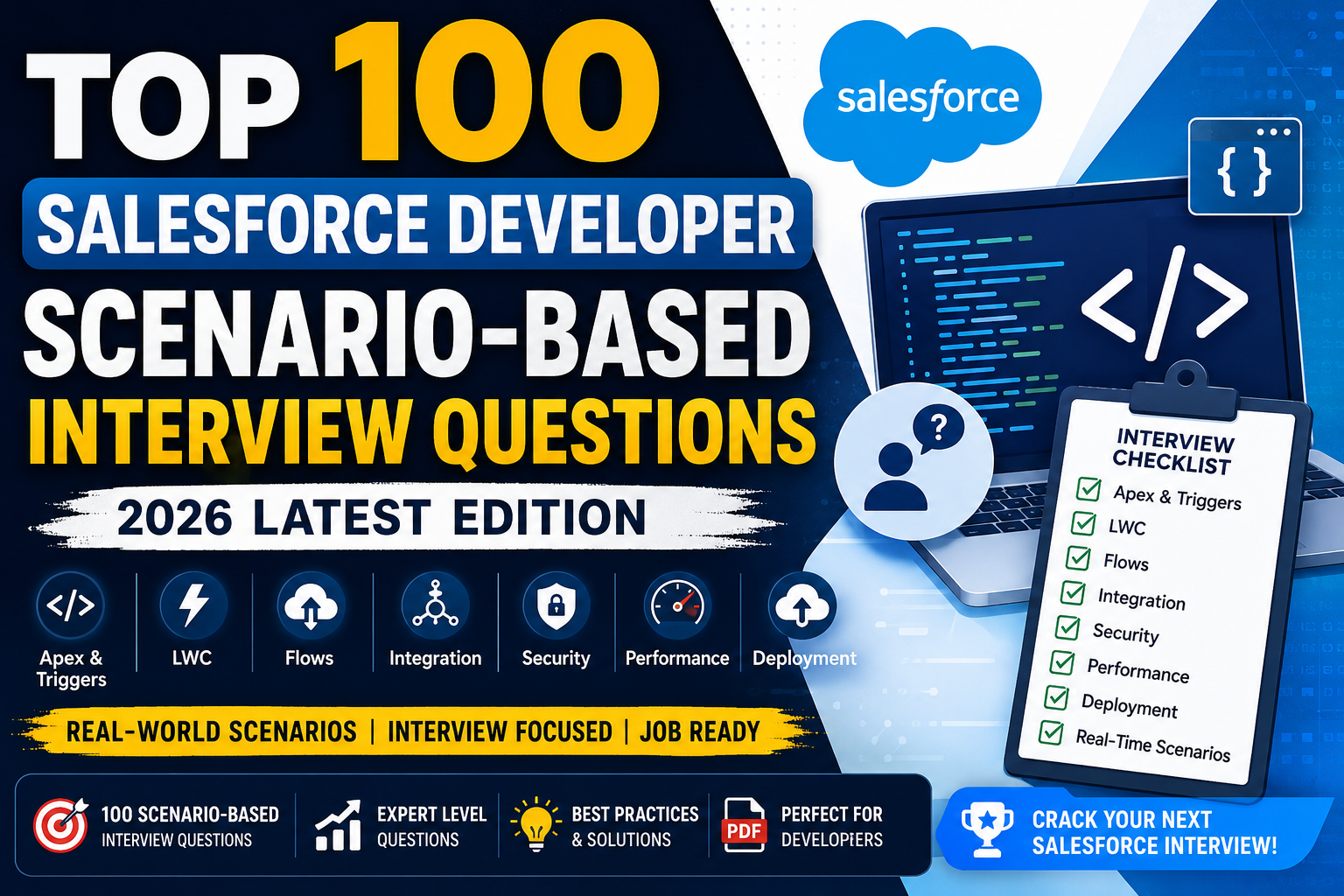
Apex & Triggers Interview Questions (2026 Edition)
1. How would you prevent recursion in Apex Triggers?
Why this question is asked
Interviewers want to know whether you understand how Salesforce executes triggers. One DML operation can fire another trigger, which can again update the same records, resulting in infinite recursion.
Example:
Trigger A
     ↓
Update Contact
     ↓
Contact Trigger
     ↓
Update Account
     ↓
Account Trigger
     ↓
Update Contact Again
This continues until Salesforce throws
Maximum Trigger Depth ExceededReal-Time Scenario
A company automatically updates the Account whenever a Contact changes.
Later another developer writes logic that updates all Contacts whenever the Account changes.
Now
Contact Trigger
→ Account Trigger
→ Contact Trigger
→ Account Trigger
→ Infinite Loop
Best Solution
Use a Static Variable.
public class TriggerHelper{

    public static Boolean isFirstRun=true;

}
Trigger
trigger ContactTrigger on Contact(after update){

    if(TriggerHelper.isFirstRun){

        TriggerHelper.isFirstRun=false;

        //Business Logic

    }

}
Better Enterprise Solution
Instead of Boolean, use Set<Id>
public class TriggerHelper{

    public static Set<Id> processedIds=new Set<Id>();

}
if(!TriggerHelper.processedIds.contains(contact.Id)){
TriggerHelper.processedIds.add(contact.Id);
}This prevents duplicate processing while allowing new records.
Interview Tip
Avoid using only Boolean when handling multiple batches because Salesforce may process more than 200 records in separate chunks.
Using Set<Id> is considered a more scalable approach.
2. A Trigger is Hitting Governor Limits. How Would You Optimize It?
Common Governor Limits
- 100 SOQL Queries
- 150 DML Statements
- 10,000 ms CPU Time
- Heap Size
- Query Rows
Bad Code
for(Account acc : Trigger.new){

    Contact c=[SELECT Id FROM Contact
               WHERE AccountId=:acc.Id];

}
200 Accounts
=
200 SOQL Queries
Governor Limit Exceeded
Optimized Code
Set<Id> accountIds=new Set<Id>();

for(Account acc:Trigger.new){

    accountIds.add(acc.Id);

}

Map<Id,List<Contact>> contactMap=new Map<Id,List<Contact>>();

for(Contact con:[SELECT Id,AccountId
                 FROM Contact
                 WHERE AccountId IN :accountIds]){

}
Only
1 SOQL QueryAdditional Optimizations
✔ Bulkify Logic
✔ Collections
✔ Maps
✔ Avoid Nested Loops
✔ Minimize DML
✔ Use Queueable if Heavy Logic
✔ Select Required Fields Only
Interview Tip
Most governor limit issues happen because developers place SOQL or DML inside loops.
3. Design a Bulkified Trigger for Processing 10,000 Records
Scenario
Data Loader imports
10,000 AccountsTrigger must
- Create Tasks
- Update Contacts
- Send Notifications
without hitting limits.
Architecture
Trigger

↓

Handler

↓

Service

↓

Helper

↓

Database
Bulkified Design
Collect IDs
Set<Id> ids=new Set<Id>();One SOQL
SELECT ...
WHERE Id IN :ids
Store in Map
Map<Id,Account>Create Records
List<Task>Single Insert
insert taskList;Why This Works
Instead of
10,000 QueriesYou perform
50 batches

Each Batch

1 Query

1 Insert
Interview Tip
Salesforce automatically processes Data Loader records in batches of 200.
Your code should always assume bulk execution.
4. How do you handle Mixed DML Exceptions?
What is Mixed DML?
Salesforce doesn’t allow setup and non-setup objects in the same transaction.
Example
User
PermissionSetAssignment
Group

↓

Cannot Mix

↓

Account
Opportunity
Contact
Lead
Example
insert new User();

insert new Account();
Error
Mixed DML OperationSolution 1
Future Method
@future

public static void createUser(){

}
Solution 2
Queueable Apex
Move User creation into Queueable.
Solution 3
Platform Events
Publish Event
Separate Transaction
Real-Time Example
When Employee joins
Create
User

Account

Contact
Create User
↓
Queueable
Create Account
↓
Current Transaction
No Mixed DML
Interview Tip
Queueable is generally preferred over Future because it supports chaining, complex data types, and monitoring.
5. Explain a Production Issue You Fixed in Apex
Example Answer
One production issue involved duplicate Tasks being created whenever an Opportunity was updated.
Problem
Every Opportunity update created multiple Tasks.
Users ended up with
20+

Duplicate Tasks
Root Cause
The trigger updated Opportunity again.
This caused recursion.
Investigation
- Checked Debug Logs
- Compared Trigger.old and Trigger.new
- Identified repeated execution
- Found missing recursion check
Solution
Implemented
Trigger Handler

+

Static Set<Id>

+

Field Change Detection
if(old.StageName!=new.StageName){
}Result
Duplicate Tasks reduced to zero.
CPU Time reduced.
Users no longer reported duplicate activities.
Interview Tip
Always answer using the STAR format:
- Situation
- Task
- Action
- Result
6. How Would You Implement a Trigger Handler Framework?
Why Use a Trigger Framework?
Instead of placing all business logic inside the trigger, keep the trigger lightweight and delegate processing to handler classes.
Trigger
trigger AccountTrigger on Account(before insert, before update, after insert, after update) {
    AccountTriggerHandler handler = new AccountTriggerHandler();

    if (Trigger.isBefore && Trigger.isInsert) {
        handler.beforeInsert(Trigger.new);
    }

    if (Trigger.isAfter && Trigger.isUpdate) {
        handler.afterUpdate(Trigger.new, Trigger.oldMap);
    }
}
Handler
public class AccountTriggerHandler {

    public void beforeInsert(List<Account> newAccounts) {
        // Validation Logic
    }

    public void afterUpdate(List<Account> newAccounts, Map<Id, Account> oldMap) {
        // Business Logic
    }
}
Benefits
- Single Responsibility
- Easy Unit Testing
- Reusable Logic
- Better Readability
- Easier Maintenance
- Supports Enterprise Design Patterns
Interview Tip
A trigger should ideally contain only routing logic. Business logic belongs in handler or service classes.
7. How Do You Avoid SOQL Inside Loops?
Bad Example
for (Account acc : Trigger.new) {
    Contact con = [
        SELECT Id
        FROM Contact
        WHERE AccountId = :acc.Id
        LIMIT 1
    ];
}
With 200 Accounts:
- 200 SOQL Queries
- Governor Limit Exceeded
Good Example
Set<Id> accountIds = new Set<Id>();

for (Account acc : Trigger.new) {
    accountIds.add(acc.Id);
}

Map<Id, List<Contact>> accountContacts = new Map<Id, List<Contact>>();

for (Contact con : [
    SELECT Id, AccountId
    FROM Contact
    WHERE AccountId IN :accountIds
]) {
    if (!accountContacts.containsKey(con.AccountId)) {
        accountContacts.put(con.AccountId, new List<Contact>());
    }
    accountContacts.get(con.AccountId).add(con);
}
Why This Is Better
- One SOQL Query
- Efficient Data Retrieval
- Supports Bulk Processing
Interview Tip
Think in terms of collect → query once → map → process.
8. How Would You Process Millions of Records?
Why Not Use a Trigger?
Triggers are limited by transaction governor limits and are unsuitable for processing very large datasets.
Recommended Approach
Use Batch Apex.
Example
global class AccountBatch implements Database.Batchable<SObject> {

    global Database.QueryLocator start(Database.BatchableContext bc) {
        return Database.getQueryLocator(
            'SELECT Id FROM Account'
        );
    }

    global void execute(Database.BatchableContext bc, List<Account> scope) {
        // Process batch
    }

    global void finish(Database.BatchableContext bc) {
        // Send notification
    }
}
Advantages
- Processes up to 50 million records using
QueryLocator - Automatically runs in manageable batches (default 200)
- Each batch has fresh governor limits
- Can be scheduled or chained
When to Use
- Data Cleanup
- Large Data Migration
- Nightly Processing
- Record Recalculation
- Integration Jobs
Interview Tip
Batch Apex is designed for large-scale asynchronous processing and is the preferred choice for millions of records.
9. Queueable vs Batch Apex—When Would You Choose Each?
| Feature | Queueable Apex | Batch Apex |
|---|---|---|
| Best For | Medium-sized asynchronous jobs | Large-volume data processing |
| Record Volume | Thousands to hundreds of thousands | Millions of records |
| Chaining | Yes | Yes (from finish method) |
| QueryLocator Support | No | Yes |
| Governor Limits | One transaction | Fresh limits per batch |
| Monitoring | Apex Jobs | Apex Jobs |
| Parallel Processing | Limited | Supported |
Real-Time Examples
Use Queueable When
- Sending Callouts
- Processing uploaded files
- Creating PDFs
- Updating related records asynchronously
- Integrating with external APIs
Use Batch Apex When
- Data Migration
- Nightly Cleanup
- Mass Updates
- Large Integrations
- Archiving Historical Data
Interview Tip
If the job can complete within a single asynchronous transaction, Queueable is often sufficient. For very large datasets requiring multiple transactions, Batch Apex is the better option.
10. Future vs Queueable vs Scheduled Apex
| Feature | Future | Queueable | Scheduled Apex |
|---|---|---|---|
| Runs Asynchronously | Yes | Yes | At a scheduled time |
| Supports Complex Objects | No | Yes | Yes |
| Chaining | No | Yes | Can start Batch or Queueable |
| Monitoring | Limited | Better | Better |
| Callouts | Yes | Yes | Yes |
| Best Use Case | Simple background tasks | Complex async processing | Time-based automation |
Decision Guide
Use Future
- Simple asynchronous updates
- Legacy implementations
- Basic callouts
Use Queueable
- Complex processing
- Chained jobs
- External integrations
- Passing custom objects or collections
Use Scheduled Apex
- Nightly jobs
- Weekly reports
- Monthly maintenance
- Time-based batch execution
Real-World Architecture
User Updates Record
        │
        ▼
Record Trigger
        │
        ▼
Queueable Apex
        │
        ▼
External API Call
        │
        ▼
Store Response
        │
        ▼
Scheduled Batch (Nightly)
        │
        ▼
Reconcile Large Dataset
Lightning Web Components (LWC) Interview Questions (2026 Edition)
1. How do you pass data from Parent to Child LWC?
Why Interviewers Ask This Question
Every LWC application consists of reusable components. Interviewers want to know how components communicate with each other while maintaining loose coupling and reusability.
The most common communication pattern is:
Parent Component
        │
        │ @api Property
        ▼
Child Component
The parent owns the data and passes it down to the child.
Real-Time Scenario
Suppose you’re building an Account Dashboard.
- Parent Component → Displays Account details.
- Child Component → Displays Account Contacts.
When a user selects an Account, the parent passes the Account Id to the child.
AccountDashboard
      │
      │ AccountId
      ▼
ContactList
Step 1: Child Component
import { LightningElement, api } from 'lwc';

export default class ContactList extends LightningElement {

    @api recordId;

}
Step 2: Parent HTML
<c-contact-list
    record-id={accountId}>
</c-contact-list>
Multiple Properties
@api accountName;
@api industry;
@api rating;
Parent
<c-child
account-name={name}
industry={industry}
rating={rating}>
</c-child>
Passing Objects
@api account;Parent
this.account={
    Id:'001...',
    Name:'Google'
}
Best Practices
✔ Use @api only for public properties
✔ Avoid modifying @api variables inside child
✔ Parent owns the data
Interview Tip
Remember:
Data always flows Parent → Child using @api.
2. How do Child Components Communicate with Parent Components?
Why This Question?
Sometimes child components need to notify parents about user actions.
Example:
- Button Click
- Save
- Delete
- Selected Record
The child sends information upward using Custom Events.
Real-Time Scenario
A Contact row has a Delete button.
When clicked
Child
↓
Parent
↓
Deletes Contact
Child
handleDelete(){

    const event=new CustomEvent(

        'deletecontact',

        {

            detail:this.recordId

        }

    );

    this.dispatchEvent(event);

}
Parent HTML
<c-contact-row

ondeletecontact={deleteContact}>

</c-contact-row>
Parent JS
deleteContact(event){

    const id=event.detail;

}
Event with Object
detail={

    Id:this.recordId,

    Name:this.name

}
Communication Flow
Parent

↓

Pass Data (@api)

↓

Child

↓

Dispatch Event

↓

Parent Receives Event
Interview Tip
Remember:
Parent → Child = @api
Child → Parent = CustomEvent
3. Wire Adapter vs Imperative Apex
Why This Question?
LWC supports two approaches to fetch server data.
Wire Adapter
Automatic
Reactive
Read Operations
Imperative Apex
Manual
Button Click
Create
Update
Delete
Wire Example
@wire(getAccounts)

accounts;
Automatically runs when component loads.
Imperative Example
getAccounts()

.then(result=>{

})

.catch(error=>{

});
Called manually.
Real-Time Scenario
Dashboard
↓
Auto Load Accounts
↓
Wire
Save Button
↓
Update Account
↓
Imperative
Comparison
| Feature | Wire | Imperative |
|---|---|---|
| Automatic | Yes | No |
| Reactive | Yes | No |
| DML Supported | No | Yes |
| Cacheable | Yes | Yes (cacheable=true) |
| Best For | Read Data | Create/Update/Delete |
Interview Tip
Use Wire for reading data and Imperative Apex for actions initiated by the user.
4. How do you Optimize LWC Performance?
Why Performance Matters
Slow components affect user experience and increase server load.
Best Practices
1. Use Lightning Data Service
Avoid unnecessary Apex calls.
2. Cache Apex
@AuraEnabled(cacheable=true)3. Use Wire When Possible
Automatic caching.
4. Lazy Loading
Load data only when required.
5. Pagination
Don’t load
10,000 RecordsLoad
20 Records/Page6. Avoid Multiple Apex Calls
Bad
5 Components

↓

5 Apex Calls
Good
1 Apex Call

↓

Share Data
7. Use Key in for:each
<template for:each={accounts}

for:item="acc">

<div key={acc.Id}>

</div>

</template>
8. Minimize Re-rendering
Only update required properties.
Interview Tip
Performance is improved through:
- Caching
- Pagination
- Lazy Loading
- Efficient Rendering
- Minimal Server Calls
5. Explain Lightning Data Service (LDS) with a Use Case
What is LDS?
Lightning Data Service provides access to Salesforce records without writing Apex.
It automatically:
- Retrieves data
- Caches records
- Handles CRUD operations
- Respects Security
Real-Time Scenario
Account Record Page
↓
Display Account
↓
Edit Account
↓
Save
No Apex Required
Example
import { getRecord } from 'lightning/uiRecordApi';@wire(getRecord,{
recordId:'$recordId',
fields:FIELDS
})
account;Benefits
✔ Respects CRUD
✔ Respects FLS
✔ Uses Cache
✔ Faster Performance
✔ Less Code
Interview Tip
Use Lightning Data Service whenever you only need Salesforce record data and don’t require custom business logic.
6. How do you Display Related Records in LWC?
Real-Time Scenario
Display all Contacts related to an Account.
Apex
@AuraEnabled(cacheable=true)

public static List<Contact>

getContacts(Id accountId){

return [

SELECT Id,

Name,

Email

FROM Contact

WHERE AccountId=:accountId

];

}
LWC
@wire(getContacts,

{

accountId:'$recordId'

})

contacts;
HTML
<template

for:each={contacts.data}

for:item="con">

<p key={con.Id}>

{con.Name}

</p>

</template>
Alternative
Use Related List components or the UI API if custom Apex is not required.
Interview Tip
Choose:
- UI API / LDS for standard related lists
- Apex when filtering, sorting, or applying custom business rules
7. How do you Upload Multiple Files Using LWC?
Real-Time Scenario
A user uploads invoices, contracts, and identity documents on an Opportunity.
HTML
<lightning-file-upload

record-id={recordId}

multiple

accept=".pdf,.jpg,.png"

onuploadfinished={handleUpload}>

</lightning-file-upload>
JavaScript
handleUpload(event){

const uploadedFiles=

event.detail.files;

console.log(uploadedFiles);

}
What Happens?
Files are stored as:
ContentVersion

↓

ContentDocument

↓

ContentDocumentLink
Interview Tip
Use the standard lightning-file-upload component unless custom validation or external storage is required.
8. How do you Implement Pagination?
Why Pagination?
Loading thousands of records at once slows down the application.
Real-Time Scenario
Display
5,000 AccountsInstead of displaying all records:
Page 1

20 Records

↓

Next

↓

20 Records
JavaScript
page = 1;
pageSize = 20;

get pagedAccounts() {

const start =

(this.page-1)

*this.pageSize;

return this.accounts.slice(

start,

start+this.pageSize

);

}
Next Button
nextPage(){

this.page++;

}
Previous
previousPage(){

this.page--;

}
Large Datasets
For very large datasets, implement server-side pagination using Apex with LIMIT and OFFSET (or keyset pagination for better scalability).
Interview Tip
Client-side pagination works well for small datasets. Server-side pagination is recommended for large datasets.
9. How do you Refresh Wired Data?
Problem
The wire service caches data.
After an update, the UI may still display old values.
Solution
Use:
refreshApex()Example
import {

refreshApex

}

from

'@salesforce/apex';
wiredAccounts;
@wire(getAccounts)
result(value){
this.wiredAccounts=value;
}refreshApex(
this.wiredAccounts
);Real-Time Scenario
Update Account
↓
Save
↓
Refresh Wire
↓
Latest Data Displayed
Interview Tip
Call refreshApex() after a successful create, update, or delete operation when using wired Apex.
10. How do you Secure Apex Methods in LWC?
Why Security Matters
Even if the UI hides fields or buttons, Apex must still enforce security.
Never rely only on the frontend.
Security Layers
1. Class Sharing
public with sharing class

AccountController{

}
2. CRUD Check
if(

Schema.sObjectType.Account

.isAccessible()

){

}
3. Field-Level Security
Schema.sObjectType.Account

.fields.Name

.isAccessible();
4. Strip Inaccessible Fields
List<Account> accounts = [
    SELECT Id, Name, AnnualRevenue
    FROM Account
];

accounts = (List<Account>) Security.stripInaccessible(
    AccessType.READABLE,
    accounts
).getRecords();
5. Cache Only Read Methods
@AuraEnabled(cacheable=true)Use only for methods that perform read-only operations.
Example Apex
public with sharing class AccountController {

    @AuraEnabled(cacheable=true)
    public static List<Account> getAccounts() {

        if (!Schema.sObjectType.Account.isAccessible()) {
            throw new AuraHandledException('Access denied');
        }

        List<Account> accounts = [
            SELECT Id, Name
            FROM Account
        ];

        return (List<Account>) Security.stripInaccessible(
            AccessType.READABLE,
            accounts
        ).getRecords();
    }
}
Interview Tip
Always mention these security best practices:
- with sharing (or
inherited sharingwhere appropriate) - CRUD checks
- Field-Level Security validation
Security.stripInaccessible()- Read-only methods with
@AuraEnabled(cacheable=true) - Never trust client-side validation alone
Salesforce Flow Interview Questions (2026 Edition)
1. When would you choose Flow over Apex?
Why Interviewers Ask This Question
Salesforce recommends using Flow whenever possible because it’s declarative (low-code), easier to maintain, and requires less development effort. Interviewers want to know whether you can choose the right tool instead of writing Apex for every requirement.
Decision Rule
Choose Flow when:
- No complex programming logic is required.
- Business users or admins may maintain the automation.
- Standard CRUD operations are sufficient.
- Approval or notification automation is needed.
- Multi-step user interaction is required.
Choose Apex when:
- Complex calculations are required.
- Large-volume processing is involved.
- Advanced integrations are needed.
- Custom algorithms or recursive logic are required.
- Governor limit optimization becomes critical.
Real-Time Scenario
Requirement
Whenever an Opportunity is Closed Won:
- Create a Follow-up Task
- Send an Email
- Update Account Status
Best Choice: Record-Triggered Flow
No Apex is needed.
Another Requirement
Whenever an Opportunity is Closed Won:
- Call SAP API
- Generate PDF
- Process 500,000 records
- Retry failed integrations
Best Choice: Apex + Queueable
Comparison
| Feature | Flow | Apex |
|---|---|---|
| Coding Required | No | Yes |
| Easy Maintenance | High | Medium |
| Complex Logic | Limited | Excellent |
| Integrations | Basic | Advanced |
| Performance | Good | Excellent |
| Bulk Processing | Moderate | Excellent |
Interview Tip
A good answer is:
“I always prefer Flow for declarative automation. I choose Apex only when the business requirement cannot be achieved efficiently using Flow.”
2. How do you avoid infinite loops in Record-Triggered Flow?
Why This Happens
Suppose Flow updates the same record that triggered it.
Account Updated
      ↓
Flow Runs
      ↓
Flow Updates Account
      ↓
Flow Runs Again
      ↓
Infinite Loop
Real-Time Scenario
When Account Industry changes
↓
Flow updates Account Rating
↓
Account updated again
↓
Flow executes repeatedly
Solution 1: Entry Criteria
Configure Entry Conditions properly.
Example
Industry = Manufacturing

AND

Rating IS NULL
Flow runs only when required.
Solution 2: Run Only When Updated to Meet Condition
Instead of
Every UpdateUse
Only when record is updated to meet the conditionThis prevents repeated execution.
Solution 3: Compare Prior Values
Decision Element
$Record.Status

≠

$Record__Prior.Status
Only continue when the value actually changed.
Solution 4: Avoid Updating Trigger Record
Instead of updating the same record,
Update
- Related Records
- Child Records
- Tasks
- Cases
Interview Tip
Most infinite Flow loops occur because developers update the same record without checking whether a field actually changed.
3. How do you debug Flow failures?
Why This Question?
Production Flows sometimes fail because of:
- Validation Rules
- Missing Fields
- Permission Issues
- Apex Errors
- DML Exceptions
Interviewers want to know how you investigate failures.
Debugging Tools
1. Flow Debug Button
Run Flow step-by-step inside Flow Builder.
2. Paused and Failed Interviews
Navigate to
Setup

↓

Paused & Failed Flow Interviews
View
- Error
- Input Values
- Failed Element
3. Debug Logs
Enable logs for the affected user.
Review
FLOW_START

↓

FLOW_ELEMENT_BEGIN

↓

FLOW_ELEMENT_END

↓

FLOW_EXCEPTION
4. Error Emails
Salesforce automatically sends Flow error emails containing:
- Flow Name
- Failed Element
- Exception
- Record Id
5. Fault Paths
Always configure Fault Paths for DML and Apex Actions.
Real-Time Scenario
Flow creates Opportunity
↓
Validation Rule fails
↓
Fault Path creates Case
↓
Admin receives Email
Interview Tip
Never leave DML elements without Fault Paths in production.
4. Build an Approval Process using Flow
Scenario
Purchase Request
Greater than
₹1,00,000
↓
Manager Approval
↓
Finance Approval
↓
Approved
Flow Design
Record Created

↓

Decision

Amount > 100000?

↓

Submit for Approval Action

↓

Wait for Approval

↓

Approved?

↓

Update Status

↓

Send Email
Flow Elements
- Record Trigger
- Decision
- Action (Submit for Approval)
- Wait Element (Optional)
- Update Records
- Email Alert
Alternative
If using the newer Flow-based approval capabilities, use Approval Actions directly inside Flow.
Interview Tip
Modern Salesforce implementations increasingly use Flow with Approval Actions instead of older Workflow-based approval automation.
5. How do you handle Fault Paths in Flow?
What is a Fault Path?
A Fault Path executes when an Action or DML element fails.
Without it
Flow Stops

↓

User Gets Generic Error
With it
Flow Error

↓

Create Log

↓

Send Email

↓

Show Friendly Message
Real-Time Scenario
Flow creates Contact
↓
Duplicate Rule blocks insert
↓
Fault Path
↓
Create Custom Error Log
↓
Notify Admin
Best Practices
✔ Create Custom Log Object
✔ Send Email Notification
✔ Display Friendly Screen Message (Screen Flow)
✔ Record Error Details
Interview Tip
Fault Paths improve supportability and make production issues easier to diagnose.
6. Schedule-Triggered Flow Use Case
What is Schedule-Triggered Flow?
Runs automatically
Daily
Weekly
Monthly
Without user interaction.
Real-Time Use Cases
Example 1
Every night
↓
Close expired Cases
Example 2
Every Monday
↓
Send Weekly Opportunity Report
Example 3
Every month
↓
Deactivate inactive customers
Flow Structure
Schedule

↓

Get Records

↓

Loop

↓

Decision

↓

Update Records
Benefits
- No Apex Required
- Easy Scheduling
- Supports Bulk Updates
- Good for periodic maintenance
Interview Tip
Use Schedule-Triggered Flow for recurring business processes that do not require immediate user interaction.
7. Before-Save vs After-Save Flow
Before-Save Flow
Runs before the record is committed to the database.
Best for updating fields on the same record.
Advantages
- Faster (up to 10x faster than Process Builder for simple updates)
- No extra DML
- Better performance
After-Save Flow
Runs after the record is saved.
Used for:
- Creating related records
- Sending Emails
- Calling Apex
- Invoking Subflows
- Updating related records
Comparison
| Feature | Before-Save | After-Save |
|---|---|---|
| Runs Before Commit | Yes | No |
| Update Same Record | Excellent | Possible but less efficient |
| Create Child Records | No | Yes |
| Send Email | No | Yes |
| Call Apex | No | Yes |
| Performance | Faster | Slightly Slower |
Real-Time Example
Customer enters Phone Number
↓
Before-Save
↓
Format Phone Number
Customer saves Opportunity
↓
After-Save
↓
Create Task
↓
Send Email
Interview Tip
Remember:
Before-Save = Update Current Record
After-Save = Everything Else
8. Screen Flow vs LWC
Screen Flow
Best for
- Guided forms
- Internal users
- Data collection
- Wizard-style processes
Example
Employee Onboarding Wizard
Lightning Web Component
Best for
- Rich UI
- Complex JavaScript
- Dynamic Charts
- Drag & Drop
- Advanced Validation
- Reusable Components
Comparison
| Feature | Screen Flow | LWC |
|---|---|---|
| Coding Required | No | Yes |
| UI Flexibility | Moderate | Excellent |
| Performance | Good | Excellent |
| Complex Logic | Limited | High |
| Mobile Support | Yes | Yes |
Real-Time Scenario
Simple Leave Request Form
↓
Screen Flow
Interactive Product Configurator
↓
LWC
Interview Tip
If the requirement is mainly process-driven, choose Screen Flow. If it demands a rich, interactive UI or complex client-side behavior, choose LWC.
9. Flow Governor Limits
Why Limits Matter
Flows execute on the Salesforce platform and share many governor limits with Apex.
Important Limits
- SOQL Queries
- DML Statements
- CPU Time
- Heap Size
- Executed Elements
- Transaction Limits
Common Mistakes
❌ Get Records inside a Loop
❌ Update Records inside a Loop
❌ Multiple Create Records inside a Loop
Optimized Design
Get Records

↓

Loop

↓

Assignment

↓

Collection

↓

Update Records (Once)
Instead of
Loop

↓

Update Record

↓

Loop

↓

Update Record
Best Practices
✔ Use Collections
✔ Use Assignment Elements
✔ Minimize Loops
✔ Avoid unnecessary Get Records
✔ Use Subflows for reusable logic
Interview Tip
Think about Flow optimization the same way you optimize Apex—reduce database operations and avoid work inside loops.
10. How do you migrate Workflow Rules to Flow?
Why Migrate?
Salesforce has shifted its automation strategy toward Flow, making it the primary declarative automation tool.
Migration Steps
Step 1
Identify existing
- Workflow Rules
- Process Builders
Step 2
Document
- Criteria
- Field Updates
- Email Alerts
- Tasks
- Outbound Messages
Step 3
Create equivalent Record-Triggered Flow.
Step 4
Test in Sandbox.
Step 5
Deploy to Production.
Step 6
Deactivate the Workflow Rule after successful validation.
Real-Time Example
Workflow Rule
Opportunity Closed Won

↓

Update Account Status

↓

Send Email
Migration
Record Triggered Flow

↓

Decision

↓

Update Account

↓

Email Alert
Best Practices
✔ Migrate one automation at a time
✔ Avoid duplicate automation running simultaneously
✔ Test with bulk data
✔ Use Flow naming standards and documentation
Interview Tip
When migrating, ensure the Workflow Rule and the new Flow are not active at the same time, otherwise duplicate actions may occur.
Salesforce Integration Interview Questions (2026 Edition)
1. REST vs SOAP Integration
Why Interviewers Ask This Question
Salesforce supports multiple integration methods, but the two most common are REST and SOAP APIs. Interviewers want to know when you would choose one over the other based on business requirements.
What is REST?
REST (Representational State Transfer) is a lightweight web service that exchanges data using JSON over HTTP.
Supported HTTP Methods:
GET     → Retrieve Data
POST    → Create Data
PUT     → Update Data
PATCH   → Partial Update
DELETE  → Delete Data
What is SOAP?
SOAP (Simple Object Access Protocol) is an XML-based protocol that follows strict standards using a WSDL (Web Services Description Language).
SOAP is more structured and includes built-in standards for:
- Security (WS-Security)
- Transactions
- Reliability
- Error Handling
Real-Time Scenario
Use REST
An e-commerce website needs to send new orders to Salesforce.
- Fast
- Lightweight
- Mobile-friendly
- JSON payload
REST is the best choice.
Use SOAP
A banking application requires:
- Strong security
- Digital signatures
- Guaranteed message delivery
- Enterprise-level contracts
SOAP is preferred.
Comparison
| Feature | REST | SOAP |
|---|---|---|
| Data Format | JSON | XML |
| Speed | Faster | Slower |
| Payload Size | Small | Large |
| Security | OAuth, HTTPS | WS-Security |
| Ease of Development | Easy | Complex |
| Mobile Friendly | Yes | Limited |
| Best For | Modern APIs | Enterprise Systems |
Interview Tip
Today, more than 90% of Salesforce integrations use REST APIs because they are lightweight, easier to consume, and well suited for cloud applications.
2. OAuth Authentication in Salesforce
What is OAuth?
OAuth is an industry-standard authorization framework that allows applications to access Salesforce without exposing usernames and passwords.
Instead of sharing credentials, Salesforce issues an Access Token.
OAuth Flow
External Application
        │
        ▼
Connected App
        │
        ▼
User Login
        │
        ▼
Authorization Code
        │
        ▼
Access Token
        │
        ▼
Salesforce APIs
Common OAuth Flows
Authorization Code Flow
Best for:
- Web Applications
JWT Bearer Flow
Best for:
- Server-to-Server Integration
No user interaction required.
Client Credentials Flow
Best for:
- Machine-to-machine integrations
Real-Time Scenario
A React application needs to access Salesforce Accounts.
User logs in once.
Salesforce returns:
Access Token

+

Refresh Token
The application uses the Access Token to call Salesforce APIs securely.
Interview Tip
Never hardcode Salesforce usernames or passwords. Use OAuth with Connected Apps and the appropriate flow for the integration type.
3. Advantages of Named Credentials
What are Named Credentials?
Named Credentials provide a secure way to store endpoint URLs and authentication details without hardcoding them in Apex.
Without Named Credentials
String endpoint =
'https://api.company.com';

String username='admin';

String password='12345';
This is insecure and difficult to maintain.
With Named Credentials
HttpRequest req = new HttpRequest();

req.setEndpoint(
'callout:SAP_API/customers'
);
Authentication is handled automatically.
Advantages
✔ No hardcoded credentials
✔ Centralized endpoint management
✔ Supports OAuth, Basic Auth, JWT, AWS Signature, etc.
✔ Easier sandbox-to-production deployments
✔ Improved security
Real-Time Scenario
Your company integrates Salesforce with SAP.
If the SAP endpoint changes, update the Named Credential instead of modifying Apex code.
Interview Tip
Always use Named Credentials for external integrations in modern Salesforce development.
4. How do you Retry Failed API Callouts?
Why Retries are Needed
External systems may fail due to:
- Network Issues
- Timeout
- Server Maintenance
- Temporary Errors
- Rate Limits
Retry Strategy
Call API

↓

Success?

↓

Yes

Finish

↓

No

↓

Retry

↓

Still Fail?

↓

Queue Retry

↓

Notify Admin
Best Practices
Retry Only Temporary Errors
Examples:
- HTTP 429
- HTTP 500
- HTTP 502
- HTTP 503
- HTTP 504
Do not retry:
- HTTP 400
- HTTP 401
- HTTP 403
- HTTP 404
Use Exponential Backoff
Instead of retrying immediately:
1 sec

↓

2 sec

↓

4 sec

↓

8 sec
Queueable Apex
Store failed requests.
Retry asynchronously.
Platform Events
Publish failed requests for later processing.
Interview Tip
Avoid infinite retries. Set a maximum retry count and log failures for support teams.
5. How do you Handle API Rate Limits?
What are API Rate Limits?
Most APIs restrict the number of requests that can be made within a given time.
Example:
100 Requests

Per Minute
Real-Time Problem
Salesforce sends:
10,000 RequestsExternal API responds:
HTTP 429

Too Many Requests
Solutions
Batch Requests
Instead of
1000 Individual CallsSend
1 Bulk RequestQueue Requests
Use Queueable Apex to spread requests over time.
Respect Retry-After Header
Some APIs return:
Retry-After: 30Wait 30 seconds before retrying.
Cache Data
Avoid repeated API calls for the same information.
Interview Tip
Monitor API consumption and implement throttling, batching, and retry logic to stay within limits.
6. Platform Events vs Change Data Capture (CDC)
Platform Events
Custom event-driven messaging.
You decide:
- When to publish
- What data to include
Change Data Capture (CDC)
Automatically publishes record changes.
Events are generated when:
- Create
- Update
- Delete
- Undelete
occurs on subscribed objects.
Comparison
| Feature | Platform Events | CDC |
|---|---|---|
| Custom Events | Yes | No |
| Automatic | No | Yes |
| Record Changes | Optional | Automatic |
| Custom Payload | Yes | No |
| Integration | Excellent | Excellent |
Real-Time Scenario
Platform Events
Order Approved
↓
Notify SAP
↓
Notify ERP
↓
Notify Warehouse
CDC
Account Updated
↓
External CRM receives change automatically
Interview Tip
Use Platform Events for business events and CDC for synchronizing record changes between systems.
7. Outbound Message vs REST API
Outbound Message
Salesforce automatically sends SOAP messages.
Characteristics:
- No Apex required
- Workflow/Flow-based
- Automatic retries
- SOAP only
REST API
Uses HTTP and JSON.
Supports:
- Create
- Read
- Update
- Delete
Requires Apex or external clients.
Comparison
| Feature | Outbound Message | REST API |
|---|---|---|
| Protocol | SOAP | REST |
| Coding | No | Usually Yes |
| Retry | Automatic | Custom |
| Payload | Fixed | Flexible |
| Best For | Simple Notifications | Modern Integrations |
Interview Tip
For new integrations, REST APIs are generally preferred due to flexibility and widespread adoption. Outbound Messages remain useful for simple SOAP-based notifications.
8. How would you Integrate SAP with Salesforce?
Common Architecture
Salesforce

↓

Named Credential

↓

Queueable Apex

↓

SAP REST API

↓

Response

↓

Update Salesforce
Real-Time Scenario
When an Opportunity becomes Closed Won:
- Create Sales Order in SAP
- Receive SAP Order Number
- Update Opportunity
Implementation Steps
- Create Connected App or Named Credential.
- Configure authentication (OAuth, Basic Auth, etc.).
- Build Apex callout.
- Parse JSON response.
- Handle errors.
- Retry failures using Queueable Apex.
- Log request and response.
Best Practices
✔ Asynchronous callouts
✔ Logging
✔ Retry mechanism
✔ Named Credentials
✔ Error notifications
Interview Tip
Always design SAP integrations to be resilient, asynchronous, and easy to monitor.
9. How do you Consume an External REST API?
Apex Example
HttpRequest req = new HttpRequest();

req.setEndpoint(
'callout:WeatherAPI/current'
);

req.setMethod('GET');

Http http = new Http();

HttpResponse res = http.send(req);
Parse JSON
Map<String,Object> response =
(Map<String,Object>)
JSON.deserializeUntyped(
res.getBody()
);
Real-Time Scenario
A logistics company wants to display shipment status from an external tracking service inside Salesforce.
Flow:
User Opens Order

↓

LWC Calls Apex

↓

Apex Calls Tracking API

↓

JSON Response

↓

Display Shipment Status
Best Practices
✔ Named Credentials
✔ Timeout Handling
✔ Exception Handling
✔ Retry Strategy
✔ Logging
Interview Tip
Always deserialize JSON carefully and validate responses before updating Salesforce records.
10. Secure Integration Best Practices
Why Security Matters
Integrations exchange sensitive business data. Security must be enforced at every layer.
Best Practices
1. Use HTTPS
Never send sensitive data over HTTP.
2. Use Named Credentials
Avoid hardcoded endpoints and credentials.
3. OAuth Authentication
Use secure token-based authentication instead of usernames and passwords.
4. Least Privilege
Grant only the permissions required by the integration user.
5. Validate Input
Never trust incoming payloads.
Validate:
- Required fields
- Data types
- Allowed values
6. Protect Secrets
Store credentials securely using Named Credentials or secure configuration.
Never commit secrets to source control.
7. Log Errors, Not Sensitive Data
Log:
- Status Codes
- Error Messages
- Correlation IDs
Avoid logging:
- Passwords
- Tokens
- Personal Information
8. Implement Timeouts and Retries
Prevent long-running requests and recover from transient failures gracefully.
9. Monitor Integrations
Track:
- Failed Requests
- API Usage
- Response Times
- Retry Counts
10. Enforce CRUD/FLS
If Apex updates Salesforce data after an integration, respect object- and field-level security where applicable.
Interview Tip
A secure Salesforce integration should include:
- HTTPS
- OAuth
- Named Credentials
- Least-Privilege Access
- Input Validation
- Error Handling
- Retry Logic
- Monitoring and Logging
Salesforce Security Interview Questions (2026 Edition)
1. A User Can’t Access Records—How Do You Troubleshoot?
Why Interviewers Ask This Question
Security is one of the most important topics in Salesforce. Interviewers want to evaluate whether you understand how record access is granted and how to systematically troubleshoot access issues instead of making random changes.
A common production issue is:
“The user says they cannot see or edit a record that another user can access.”
Real-Time Scenario
A Sales Executive reports:
“I can see my Opportunities, but I cannot view Opportunities created by my teammate.”
Your job is to identify why.
Step-by-Step Troubleshooting
Step 1: Check Object Permissions
Verify whether the user has:
- Read
- Create
- Edit
- Delete
permissions on the object.
Navigate:
Profile / Permission Set

↓

Object Settings

↓

Opportunity
Step 2: Check Organization-Wide Defaults (OWD)
Go to:
Setup

↓

Sharing Settings

↓

Organization-Wide Defaults
Example:
Opportunity

Private
If OWD is Private, users can only access their own records unless additional sharing exists.
Step 3: Check Role Hierarchy
Example:
Sales Manager

↓

Sales Executive
Managers inherit access to subordinate records.
Peers do not.
Step 4: Check Sharing Rules
Verify whether a sharing rule grants access.
Example:
Share all Manufacturing Accounts

with

Sales Team
Step 5: Check Manual Sharing
Open the record.
Click
SharingSee whether someone manually shared it.
Step 6: Check Teams
Example:
- Account Team
- Opportunity Team
- Case Team
These provide additional record access.
Step 7: Check Apex Managed Sharing
Some organizations use Apex to create custom sharing.
Example:
AccountShare share = new AccountShare();Step 8: Use “Sharing” Button
Salesforce shows exactly why the user has (or doesn’t have) access.
Interview Tip
Always troubleshoot in this order:
- Object Permissions
- Field Permissions
- OWD
- Role Hierarchy
- Sharing Rules
- Teams
- Manual Sharing
- Apex Sharing
This structured approach demonstrates strong production experience.
2. OWD vs Sharing Rules
Organization-Wide Defaults (OWD)
OWD defines the baseline access for every user.
Examples:
Public Read/Write

Private

Public Read Only
Sharing Rules
Sharing Rules open access beyond OWD.
They cannot make access more restrictive.
Real-Time Example
Company:
OWD

Opportunity

Private
Sales Manager wants:
North Team

↓

Share Opportunities

↓

North Support Team
Create a Sharing Rule.
Comparison
| Feature | OWD | Sharing Rule |
|---|---|---|
| Purpose | Baseline Access | Additional Access |
| Restrict Access | Yes | No |
| Expand Access | No | Yes |
| Configuration | Org Level | Rule Level |
| Types | Public, Private | Owner-Based, Criteria-Based |
Interview Tip
Remember:
OWD locks down access. Sharing Rules open it up.
3. Permission Sets vs Profiles
Profile
A Profile defines the minimum permissions every user of a certain type needs.
Every user has exactly one profile.
Permission Set
Permission Sets provide additional permissions without changing the profile.
A user can have multiple Permission Sets.
Real-Time Scenario
All Sales Users:
Need
Read OpportunityAssigned through Profile.
One Sales User becomes Team Lead.
Needs
Export Reports

Manage Campaigns
Assign a Permission Set.
No need to clone the Profile.
Comparison
| Feature | Profile | Permission Set |
|---|---|---|
| Required | Yes | No |
| One Per User | Yes | No |
| Multiple Allowed | No | Yes |
| Best For | Base Access | Extra Permissions |
Best Practice
Keep Profiles simple.
Grant additional permissions using Permission Sets.
Interview Tip
Salesforce recommends using minimal Profiles and Permission Sets for flexibility and easier administration.
4. Restriction Rules Use Case
What are Restriction Rules?
Restriction Rules reduce the records a user can see, even if other sharing mechanisms grant access.
Think of them as an extra filter.
Real-Time Scenario
Support Agents can access all Cases.
However:
Agents should only see Cases where:
Region = IndiaEven though they technically have access to all Cases.
Example
Case

↓

Restriction Rule

↓

Region = User.Region
Use Cases
- Regional Data Segregation
- Franchise Operations
- Dealer Networks
- Healthcare
- Financial Services
Interview Tip
Restriction Rules are useful when standard sharing grants too much access and you need an additional visibility filter.
5. Field-Level Security (FLS) Scenario
Scenario
HR users can view:
SalarySales users cannot.
Both can access the Employee record.
Solution
Configure Field-Level Security.
Navigate:
Field

↓

Set Field-Level Security
Disable visibility for Sales Profile or Permission Set.
Apex Security
Even if the UI hides the field, Apex must also enforce FLS.
Example:
Security.stripInaccessible(
AccessType.READABLE,
employees
);
Interview Tip
Object access does not automatically grant field access.
Always consider FLS separately.
6. How do you Secure Apex Classes?
Why?
Apex runs in system mode by default, so developers must explicitly enforce security.
Best Practices
1. Use with sharing
public with sharing class AccountController {

}
2. Check CRUD Permissions
if(
Schema.sObjectType.Account.isAccessible()
){

}
3. Check FLS
Schema.sObjectType.Account
.fields.Name
.isAccessible();
4. Strip Inaccessible Fields
accounts = (List<Account>) Security.stripInaccessible(
    AccessType.READABLE,
    accounts
).getRecords();
5. Validate Input
Never trust values received from:
- LWC
- Aura
- REST APIs
6. Prevent SOQL Injection
Use bind variables.
Bad:
String query =
'SELECT Id FROM Account WHERE Name = \'' + userInput + '\'';
Good:
[
SELECT Id
FROM Account
WHERE Name = :userInput
];
Interview Tip
A secure Apex class should address:
- Sharing
- CRUD
- FLS
- Input Validation
- SOQL Injection Prevention
7. Apex Sharing Keywords
with sharing
Respects the current user’s record access.
public with sharing class AccountService {

}
without sharing
Ignores record-level sharing.
Runs with full record access (subject to object permissions where applicable).
inherited sharing
Uses the sharing mode of the calling class.
Recommended for service classes exposed to multiple entry points.
Comparison
| Keyword | Sharing Enforced |
|---|---|
| with sharing | Yes |
| without sharing | No |
| inherited sharing | Depends on Caller |
Real-Time Scenario
Community User accesses Account.
Controller:
with sharingUser only sees permitted records.
Interview Tip
For controllers exposed to users (LWC, Aura, Visualforce), with sharing or inherited sharing is generally preferred unless there is a justified reason otherwise.
8. How do you Implement Row-Level Security?
What is Row-Level Security?
Controls which individual records a user can access.
Salesforce Mechanisms
- Organization-Wide Defaults
- Role Hierarchy
- Sharing Rules
- Teams
- Manual Sharing
- Apex Managed Sharing
- Restriction Rules
Real-Time Example
Company:
Sales Team A

↓

Can View

↓

Only Team A Opportunities
Configure:
OWD

Private

+

Owner-Based Sharing Rule
Interview Tip
Row-Level Security controls record visibility, while Object Permissions control access to the object itself.
9. External User Security
Who are External Users?
Users accessing Salesforce through:
- Experience Cloud
- Partner Portal
- Customer Portal
Security Considerations
1. Least Privilege
Grant only required permissions.
2. Sharing Sets
Grant access based on Account or Contact relationships.
3. Sharing Rules
Share records with external users where necessary.
4. Restriction Rules
Limit record visibility further if needed.
5. Secure Apex
Always use:
with sharing- CRUD checks
- FLS checks
Real-Time Scenario
A customer logs into a support portal.
They should only see:
- Their Cases
- Their Orders
- Their Assets
Not records belonging to other customers.
Interview Tip
External user security is typically more restrictive than internal security and should follow the principle of least privilege.
10. Shield Platform Encryption Scenario
What is Shield Platform Encryption?
Salesforce Shield encrypts sensitive data at rest while allowing authorized users to continue working with records.
Real-Time Scenario
A healthcare organization stores:
- Patient ID
- Social Security Number
- Bank Details
Compliance requires encryption.
Solution
Enable Shield Platform Encryption for sensitive fields.
Examples:
SSN

PAN Number

Bank Account

Passport Number
Benefits
✔ Data encrypted at rest
✔ Key management
✔ Compliance support (e.g., HIPAA, GDPR)
✔ Transparent to authorized users
Considerations
- Some encrypted fields have limitations for searching, filtering, or reporting depending on encryption type.
- Plan encryption carefully before enabling it in production.
Interview Tip
Shield Platform Encryption protects sensitive data while allowing users with appropriate permissions to continue using Salesforce with minimal application changes.
Salesforce SOQL & Performance Interview Questions (2026 Edition)
1. How Would You Optimize a Slow SOQL Query?
Why Interviewers Ask This Question
Every Salesforce organization eventually deals with performance issues as data grows. A query that works fine with 10,000 records may become extremely slow when the object reaches millions of records.
Interviewers want to evaluate whether you understand query optimization techniques rather than simply writing functional SOQL.
Real-Time Scenario
A Sales Manager opens the Opportunity page.
Loading time:
15 SecondsThe Apex controller executes:
SELECT Id, Name, StageName
FROM Opportunity
WHERE StageName != 'Closed Lost'
The organization has
6 Million OpportunitiesThe query times out.
Root Cause
Problems include:
- Querying millions of records
- Using non-selective filters
- Missing indexes
- Selecting unnecessary fields
- Full table scan
Optimization Strategy
Step 1: Select Only Required Fields
Bad
SELECT *
FROM Account
Good
SELECT Id, Name
FROM Account
Selecting fewer fields reduces heap usage and improves response time.
Step 2: Use Indexed Fields
Example
WHERE Id=:recordIdor
WHERE CreatedDate=TODAYIndexed fields improve query performance dramatically.
Step 3: Avoid Negative Operators
Avoid
WHERE StageName!='Closed Won'Instead
WHERE StageName IN ('Prospecting','Qualification')Negative operators often prevent index usage.
Step 4: Reduce Returned Records
Bad
SELECT Id
FROM Contact
Good
SELECT Id
FROM Contact
LIMIT 100
Step 5: Filter Early
Instead of
SELECT Id
FROM Opportunity
Use
SELECT Id
FROM Opportunity
WHERE CreatedDate=LAST_N_DAYS:30
Best Practices
✔ Select only required fields
✔ Use indexed fields
✔ Avoid NOT, !=
✔ Avoid leading wildcards
✔ Use LIMIT
✔ Optimize filters
✔ Review Query Plan
Interview Tip
When discussing optimization, mention:
- Indexes
- Query Plan Tool
- Selective Queries
- Governor Limits
- Large Data Volume
These keywords demonstrate production-level knowledge.
2. What is a Selective vs Non-Selective Query?
Selective Query
A selective query uses indexed fields and returns a small percentage of records.
Example
SELECT Id
FROM Account
WHERE Id=:accId
or
WHERE CreatedDate=TODAYSalesforce uses indexes.
Query executes quickly.
Non-Selective Query
Example
SELECT Id
FROM Account
WHERE Description__c='ABC'
Description is not indexed.
Salesforce scans every record.
Real-Time Scenario
Company has
20 Million AccountsDeveloper writes
SELECT Id

FROM Account

WHERE Industry!='IT'
Entire table scanned.
Timeout occurs.
Selectivity Threshold
For standard indexes, Salesforce generally expects filters to target only a relatively small portion of the table. As data grows, poorly selective filters can lead to full table scans and performance degradation.
Interview Tip
A selective query uses indexes and retrieves a relatively small subset of records, while a non-selective query forces Salesforce to scan many or all records.
3. What are Skinny Tables?
What is a Skinny Table?
A Skinny Table is a Salesforce-maintained physical table containing selected frequently-used fields.
It improves query performance for very large objects.
Real-Time Scenario
Account contains
450 FieldsQuery needs only
Id

Name

Phone

Industry

Rating
Instead of scanning 450 columns,
Salesforce reads the Skinny Table.
Benefits
✔ Faster Queries
✔ Faster Reports
✔ Faster List Views
✔ Better Performance
Limitations
- Created only by Salesforce Support
- Cannot include all field types (for example, some complex fields are not supported)
- Must be maintained when the schema changes
Interview Tip
Skinny Tables are typically considered only after query optimization and indexing have been evaluated.
4. Explain Indexing Strategies
What is an Index?
An index helps Salesforce locate records quickly without scanning the entire table.
Think of it like a book index.
Without an index:
Read Entire BookWith an index:
Jump Directly to PageStandard Indexed Fields
- Id
- Name (selected objects)
- OwnerId
- CreatedDate
- SystemModstamp
- RecordTypeId
- External ID
- Unique Fields
Custom Index
Salesforce Support can create custom indexes for eligible fields.
Good Example
WHERE AccountNumber__c='1001'(Custom indexed field)
Poor Example
WHERE Description__c='Testing'Not indexed.
Best Practices
✔ Filter using indexed fields
✔ Use External IDs
✔ Avoid formulas in filters where possible
✔ Avoid leading wildcards
✔ Keep queries selective
Interview Tip
Indexes improve search performance by allowing Salesforce to find matching rows without scanning the entire table.
5. What is the Query Plan Tool?
Purpose
The Query Plan Tool helps developers understand how Salesforce executes a SOQL query.
It shows whether Salesforce uses:
- Index Scan
- Table Scan
- Composite Index
Where to Find It
Developer Console
↓
Query Editor
↓
Query Plan
Information Provided
- Cost
- Cardinality
- Index Used
- Leading Operation
- Estimated Records
Real-Time Scenario
Query
SELECT Id
FROM Account
WHERE Industry='IT'
Query Plan shows
Table Scan

Cost = 15
Developer adds indexed filter
WHERE CreatedDate=LAST_N_DAYS:30

AND Industry='IT'
Now
Index Scan

Cost = 1
Performance improves significantly.
Interview Tip
Lower query cost generally indicates a more efficient execution plan.
6. Explain Aggregate Queries
What are Aggregate Queries?
Aggregate functions summarize data instead of returning individual records.
Common Functions
- COUNT()
- SUM()
- AVG()
- MIN()
- MAX()
Example
SELECT COUNT(Id)
FROM Opportunity
Group By Example
SELECT StageName,
COUNT(Id)
FROM Opportunity
GROUP BY StageName
Sum Example
SELECT SUM(Amount)
FROM Opportunity
Real-Time Scenario
Management needs:
Total Sales

By Region
Use
GROUP BY Region__cBenefits
✔ Faster than processing records in Apex
✔ Less CPU usage
✔ Reduced memory consumption
Interview Tip
Whenever possible, let the database perform aggregations instead of looping through records in Apex.
7. Explain Relationship Queries
Parent-to-Child
Uses subqueries.
Example
SELECT Name,

(

SELECT LastName

FROM Contacts

)

FROM Account
Child-to-Parent
Uses dot notation.
Example
SELECT Name,

Account.Name

FROM Contact
Real-Time Scenario
Display
Account

↓

Contacts

↓

Cases
Relationship queries retrieve related data efficiently.
Benefits
✔ Fewer SOQL queries
✔ Cleaner code
✔ Better governor limit utilization
Interview Tip
Use relationship queries instead of multiple SOQL queries whenever possible.
8. What is Dynamic SOQL?
What is Dynamic SOQL?
Dynamic SOQL builds queries at runtime.
Useful when filters depend on user input.
Example
String industry='Banking';

String query=

'SELECT Id,Name

FROM Account

WHERE Industry=:industry';

List<Account> accounts=

Database.query(query);
Real-Time Scenario
Search screen
User selects:
- Industry
- Rating
- Owner
Filters change dynamically.
Prevent SOQL Injection
Bad
String q='SELECT Id FROM Account WHERE Name=\''+userInput+'\'';Good
- Validate input
- Use bind variables where supported
- Escape user input if concatenation is unavoidable (
String.escapeSingleQuotes())
Interview Tip
Dynamic SOQL provides flexibility but must be written carefully to avoid SOQL injection vulnerabilities.
9. What are SOSL Use Cases?
What is SOSL?
SOSL searches across multiple objects simultaneously.
SOQL searches one object.
Example
FIND 'John'

IN ALL FIELDS

RETURNING

Contact(Name),

Lead(Name),

Account(Name)
Real-Time Scenario
Global Search
User types
SamsungSearches
- Accounts
- Contacts
- Leads
- Opportunities
All at once.
SOQL vs SOSL
| Feature | SOQL | SOSL |
|---|---|---|
| Objects | One (or related) | Multiple |
| Best For | Structured queries | Keyword search |
| Uses WHERE | Yes | No |
| Uses FIND | No | Yes |
Interview Tip
Use SOSL when you don’t know which object contains the information or when implementing a global search experience.
10. How Would You Optimize Large Data Volumes (LDV)?
What is LDV?
Large Data Volume typically refers to Salesforce orgs containing millions of records.
Real-Time Scenario
Company has
150 Million ContactsNightly processing takes
8 HoursOptimization Techniques
1. Batch Apex
Process records in batches.
2. Indexed Filters
Use
WHERE CreatedDate=TODAYinstead of scanning the entire table.
3. Archive Old Data
Move inactive records to reduce the active dataset.
4. Use QueryLocator
Database.getQueryLocator()Supports processing up to 50 million records in Batch Apex.
5. Avoid Full Table Scans
Always filter selectively.
6. Use Skinny Tables (when appropriate)
Improve read performance for frequently accessed fields.
7. Optimize Sharing Model
Complex sharing calculations can slow performance in very large orgs.
8. Use Async Processing
- Batch Apex
- Queueable Apex
- Platform Events
Interview Tip
Large Data Volume optimization combines good data modeling, selective SOQL, indexing, asynchronous processing, and efficient sharing design.
Salesforce Data Migration Interview Questions (2026 Edition)
1. How Would You Migrate 5 Million Records into Salesforce?
Why Interviewers Ask This Question
Migrating millions of records is completely different from loading a few thousand records.
A successful answer should demonstrate knowledge of:
- Large Data Volumes (LDV)
- Bulk API
- Parallel Processing
- Data Validation
- Error Handling
- Performance Optimization
Real-Time Scenario
A company is migrating from Oracle CRM.
Data includes:
Accounts        800,000

Contacts      2,500,000

Opportunities 1,200,000

Cases          500,000
Total:
5 Million RecordsMigration must finish during a weekend cutover.
Recommended Migration Architecture
Legacy Database

↓

ETL Tool

↓

Data Cleansing

↓

CSV Files

↓

Bulk API 2.0

↓

Salesforce

↓

Validation Reports

↓

Business Sign-off
Migration Strategy
Step 1: Analyze Data
Understand:
- Object Relationships
- Mandatory Fields
- Lookup Fields
- Validation Rules
- Duplicate Rules
Step 2: Clean Data
Remove:
- Duplicate Records
- Invalid Emails
- Blank Required Fields
- Incorrect Date Formats
Step 3: Disable Automation (Temporarily)
During migration:
Disable
- Workflow Rules
- Record-Triggered Flows
- Process Builder
- Apex Triggers (if business allows)
- Validation Rules (where appropriate)
This reduces processing time.
Step 4: Load Parent Objects First
Correct sequence:
Account

↓

Contact

↓

Opportunity

↓

Case
Never migrate child records before parents.
Step 5: Use Bulk API 2.0
Bulk API automatically processes millions of records efficiently.
Step 6: Validate Data
Compare:
- Record Counts
- Totals
- Random Samples
- Reports
Interview Tip
Mention:
- Bulk API 2.0
- Parallel Processing
- Batch Size
- External IDs
- Validation Strategy
These are keywords interviewers expect.
2. How Do You Handle Duplicate Records?
Real-Time Scenario
Legacy CRM contains:
John Smith

John Smith

JOHN SMITH

John S.
All represent the same customer.
Step 1: Data Profiling
Identify duplicates using:
- Phone
- External ID
- Customer Number
Step 2: Duplicate Rules
Enable Salesforce Duplicate Rules.
Example
Email

Exact Match
Step 3: Matching Rules
Configure
- Exact Match
- Fuzzy Match
- Custom Matching
Step 4: Merge Records
Keep
Master Record
↓
Merge Duplicates
ETL Example
Before loading:
100,000 CustomersAfter cleansing:
97,500 CustomersInterview Tip
Always clean duplicates before migration rather than relying solely on Salesforce duplicate management after import.
3. How Would You Perform an Incremental Data Load?
What is Incremental Loading?
Instead of loading all data repeatedly,
Load only records that changed.
Real-Time Example
Day 1
1 Million RecordsDay 2
Only
15,000 Updated RecordsNeed migration.
Common Strategy
Filter by
LastModifiedDateExample
WHERE LastModifiedDate >

Yesterday
ETL Flow
Source Database

↓

Changed Records

↓

CSV

↓

Bulk API

↓

Upsert
Benefits
✔ Faster
✔ Less API Usage
✔ Smaller Files
✔ Better Performance
Interview Tip
Incremental loads are commonly implemented using timestamps, change tracking, or Change Data Capture (CDC), depending on the source system.
4. Data Loader vs Bulk API
Data Loader
Desktop tool.
Suitable for:
- Small to medium data loads
- Manual operations
- Exporting records
Bulk API
Designed for:
- Millions of records
- High-performance processing
- Parallel execution
Comparison
| Feature | Data Loader | Bulk API |
|---|---|---|
| Record Volume | Up to a few million (manual) | Millions+ |
| Speed | Moderate | Very Fast |
| Parallel Processing | Limited | Yes |
| Automation | Manual/Scripted | Excellent |
| Best Use | Admin Tasks | Enterprise Migration |
Real-Time Scenario
Import
20,000 ContactsUse
Data Loader.
Import
10 Million ContactsUse
Bulk API.
Interview Tip
Bulk API is the preferred choice for enterprise-scale migrations due to its ability to process large datasets efficiently.
5. What is Your Upsert Strategy?
What is Upsert?
Upsert means:
If Record Exists

↓

Update

Else

↓

Insert
External ID
Example
Customer_Number__cExternal ID
Data Loader
Choose
Upsert

↓

External ID
Benefits
✔ No Duplicates
✔ Incremental Loads
✔ Easy Synchronization
Real-Time Scenario
Customer already exists.
Instead of
Insert

↓

Duplicate
Use
Upsert

↓

Update Existing Record
Interview Tip
Always use stable External IDs instead of Salesforce Record IDs when integrating with external systems.
6. ETL Best Practices
ETL
Extract
↓
Transform
↓
Load
Best Practices
Extract
✔ Retrieve only required data
Transform
✔ Standardize formats
✔ Remove duplicates
✔ Validate mandatory fields
✔ Normalize values
Load
✔ Bulk API
✔ External IDs
✔ Parent First
✔ Child Later
Validate
✔ Record Count
✔ Reports
✔ Spot Checks
Logging
Maintain:
- Success Records
- Failed Records
- Retry Files
ETL Architecture
Source

↓

Extract

↓

Transform

↓

Validate

↓

Bulk API

↓

Salesforce

↓

Audit Reports
Interview Tip
A migration is successful only when the loaded data is accurate, complete, and validated—not simply because the import finished.
7. How Do You Handle Parent-Child Migration?
Why Order Matters
Example:
Contact requires
AccountIdIf Account does not exist,
Contact import fails.
Correct Order
Account

↓

Contact

↓

Opportunity

↓

Case

↓

Task
External IDs
Legacy
Account Code

A100
Load
Account
↓
External ID
↓
Load Contact
↓
Reference External ID
Benefits
No need to know Salesforce IDs before loading child records.
Interview Tip
External IDs are the standard approach for preserving parent-child relationships during migration.
8. How Would You Roll Back a Failed Migration?
Real-Time Scenario
500,000 Opportunities imported.
Later discovered:
Wrong CurrencyNeed rollback.
Rollback Options
Option 1
Export inserted record IDs.
Delete imported records.
Option 2
Use Savepoints (only for small Apex transactions).
Not applicable to large Bulk API jobs.
Option 3
Maintain Backup CSV.
Reload corrected data.
Option 4
Sandbox Validation
Always test before Production.
Best Practice
Keep:
Original CSV

↓

Success File

↓

Failure File

↓

Rollback File
Interview Tip
For enterprise migrations, rollback is usually achieved through backup datasets and delete/reload strategies rather than Apex savepoints.
9. How Do You Optimize CSV Imports?
Common Problems
Large CSV
5 GBImport becomes slow.
Optimization
Split Files
Instead of
5 Million

One File
Use
100 Files

50,000 Each
(or another size appropriate for the migration strategy)
Remove Unused Columns
Keep only required fields.
Use UTF-8 Encoding
Avoid character issues.
Validate Data Types
Example
Date
YYYY-MM-DDRemove Blank Rows
Improves processing.
Sort Parent Records
Load parents before children.
Interview Tip
Smaller, clean CSV files are easier to process, troubleshoot, and retry.
10. How Do You Validate Migrated Data?
Why Validation is Critical
Migration isn’t complete until the business confirms the data is accurate.
Validation Checklist
Record Count
Source
250,000 AccountsTarget
250,000 AccountsSpot Check
Randomly verify records.
Financial Totals
Example
Opportunity Amount

Total

Must Match
Reports
Generate reports in:
- Legacy System
- Salesforce
Compare results.
Relationship Validation
Verify:
- Contacts linked to Accounts
- Opportunities linked to Accounts
- Cases linked correctly
Business User Acceptance
Functional users validate:
- Data accuracy
- Reports
- Dashboards
- Search
- Business Processes
Validation Matrix
| Validation | Example |
|---|---|
| Record Count | Accounts = 250,000 |
| Field Values | Email, Phone |
| Relationships | Contact → Account |
| Totals | Opportunity Amount |
| Reports | Legacy vs Salesforce |
| Random Sampling | 100 Records |
Interview Tip
A migration should include both technical validation (counts, relationships, logs) and business validation (user acceptance testing).
Salesforce Deployment & DevOps Interview Questions (2026 Edition)
1. Explain the CI/CD Pipeline in Salesforce
Why Interviewers Ask This Question
Companies deploy changes frequently—sometimes multiple times a day. Manual deployments are slow, error-prone, and difficult to track.
Interviewers want to know if you understand how Salesforce automates software delivery using Continuous Integration (CI) and Continuous Delivery/Deployment (CD).
What is CI/CD?
Continuous Integration (CI)
Developers frequently merge code into a shared Git repository.
Each commit automatically triggers:
- Build
- Static Code Analysis
- Apex Tests
- Validation
Continuous Delivery (CD)
Validated code is automatically prepared for deployment to higher environments.
Continuous Deployment
Approved changes are automatically deployed to production with minimal manual intervention.
Typical Salesforce CI/CD Pipeline
Developer
      │
      ▼
Git Feature Branch
      │
      ▼
Pull Request
      │
      ▼
Code Review
      │
      ▼
GitHub / Azure DevOps
      │
      ▼
CI Pipeline
 ├── Salesforce CLI Authentication
 ├── Static Code Analysis (PMD, Code Analyzer)
 ├── Metadata Validation
 ├── Apex Unit Tests
 └── Package Validation
      │
      ▼
Integration Sandbox
      │
      ▼
UAT Sandbox
      │
      ▼
Production Deployment
Real-Time Scenario
Developer fixes a bug.
Commits code.
GitHub Actions automatically:
- Retrieves metadata
- Runs PMD
- Executes Apex Tests
- Deploys to Integration Sandbox
If all checks pass,
Release Manager approves Production deployment.
Benefits
✔ Faster Releases
✔ Automated Testing
✔ Reduced Human Errors
✔ Version Control
✔ Better Collaboration
✔ Easier Rollback
Interview Tip
Always mention:
- Git
- Salesforce CLI (SFDX)
- Automated Testing
- Static Code Analysis
- Deployment Automation
These are key CI/CD concepts interviewers expect.
2. What Git Branching Strategy Do You Follow?
Why Git Matters
Multiple developers work on the same Salesforce project.
Without a branching strategy,
developers overwrite each other’s changes.
Common Git Flow
main
 │
 ├── develop
 │      │
 │      ├── feature/account-trigger
 │      ├── feature/lwc-dashboard
 │      ├── feature/api-integration
 │
 ├── release/v1.5
 │
 └── hotfix/login-issue
Branch Types
Main
Production-ready code.
Develop
Latest integrated development.
Feature Branch
One feature per branch.
Example
feature/lwc-dashboardRelease Branch
Used before Production deployment.
Hotfix Branch
Critical Production bug fixes.
Real-Time Scenario
Developer A
Creates
feature/opportunity-triggerDeveloper B
Creates
feature/account-lwcBoth merge into Develop after code review.
Best Practices
✔ Small Pull Requests
✔ Frequent Commits
✔ Peer Reviews
✔ Protected Main Branch
✔ Resolve Conflicts Early
Interview Tip
Most Salesforce teams follow GitFlow or a simplified trunk-based development model, depending on team size and release frequency.
3. How Would You Resolve Deployment Failures?
Common Deployment Errors
- Apex Test Failures
- Missing Dependencies
- Validation Rule Failures
- Metadata Conflicts
- Profile Issues
- Permission Errors
Real-Time Scenario
Deployment fails.
Error:
Missing Custom Field

Account.Customer_Type__c
The field was never deployed.
Troubleshooting Process
Step 1
Read the deployment error carefully.
Step 2
Identify missing metadata.
Step 3
Deploy dependencies first.
Step 4
Run Apex Tests.
Step 5
Retry deployment.
Common Causes
| Problem | Solution |
|---|---|
| Missing Field | Deploy dependency |
| Test Failure | Fix Apex Test |
| Validation Rule | Update test data |
| Permission Error | Deploy Profile or Permission Set |
| API Version Mismatch | Align component versions |
Interview Tip
Never guess.
Always start with the deployment logs and resolve the first blocking error before addressing subsequent issues.
4. How Do You Validate Deployment Before Production?
Why Validation Matters
Production deployments should never be the first time your changes are tested.
Validation Process
Step 1
Deploy to Integration Sandbox.
Step 2
Execute Apex Tests.
Step 3
Run User Acceptance Testing (UAT).
Step 4
Validate Deployment
Using Salesforce CLI:
sf project deploy start --dry-run(or the equivalent validation option in your deployment tool)
Step 5
Review
- Test Coverage
- Deployment Report
- Static Analysis
- Security Scan
Production Checklist
✔ All Tests Passed
✔ Minimum Apex Coverage Met
✔ No PMD Issues
✔ Business Approval
✔ Backup Available
Interview Tip
Validation reduces deployment risk and helps ensure production stability.
5. Change Sets vs DevOps Center
Change Sets
Traditional deployment tool.
Works only between related Salesforce orgs.
Advantages
✔ Easy
✔ No Coding
Limitations
- Manual
- No Version Control
- Difficult to Track
- Limited Automation
DevOps Center
Modern Salesforce release management solution.
Supports:
- Git Integration
- Pipelines
- Work Items
- Automated Promotion
Comparison
| Feature | Change Sets | DevOps Center |
|---|---|---|
| Git | No | Yes |
| Version Control | No | Yes |
| CI/CD | No | Yes |
| Automation | Limited | Better |
| Team Collaboration | Limited | Excellent |
Interview Tip
DevOps Center is generally recommended for modern Salesforce projects because it integrates with Git and supports structured release management.
6. How Would You Use GitHub Actions for Salesforce?
What is GitHub Actions?
GitHub Actions automates builds, testing, and deployments whenever code changes are pushed to GitHub.
Workflow
Developer Pushes Code
        │
        ▼
GitHub Actions
 ├── Install Salesforce CLI
 ├── Authenticate Org
 ├── Run Static Code Analysis
 ├── Execute Apex Tests
 ├── Validate Deployment
 └── Deploy to Sandbox
Sample Workflow
name: Salesforce CI

on:
  pull_request:

jobs:
  validate:
    runs-on: ubuntu-latest

    steps:
      - uses: actions/checkout@v4

      - name: Install Salesforce CLI
        run: npm install --global @salesforce/cli

      - name: Validate Deployment
        run: sf project deploy start --dry-run
Benefits
✔ Automated Testing
✔ Fast Feedback
✔ Repeatable Deployments
✔ Reduced Manual Effort
Interview Tip
GitHub Actions is often used with Salesforce CLI, secure authentication, and automated validation to implement CI/CD.
7. What is Package Deployment?
Types
Unlocked Packages
Recommended for custom application development.
Managed Packages
Used by ISVs for AppExchange products.
Unmanaged Packages
Typically used for sharing sample metadata.
Real-Time Scenario
Company builds reusable components.
Instead of deploying metadata individually,
Create
Unlocked PackageDeploy across environments.
Benefits
✔ Versioning
✔ Modular Development
✔ Easier Rollback
✔ Dependency Management
Interview Tip
Unlocked Packages are commonly used in enterprise Salesforce DevOps because they support versioning and modular deployments.
8. How Would You Roll Back a Production Deployment?
Why Rollback Matters
Even after successful deployment,
unexpected issues may occur.
Rollback Strategy
Option 1
Redeploy the previous Git release.
Option 2
Install the previous package version (if using packages).
Option 3
Restore metadata from source control.
Option 4
Correct the issue and deploy a hotfix.
Real-Time Scenario
Deployment breaks Opportunity creation.
Solution:
Hotfix Branch

↓

Fix

↓

Validate

↓

Deploy
Best Practices
✔ Git Tags
✔ Backup Metadata
✔ Release Notes
✔ Rollback Plan
Interview Tip
Salesforce does not provide a one-click rollback for metadata. A rollback strategy relies on version control, package versioning, or redeploying previously known-good metadata.
9. What Sandbox Strategy Would You Recommend?
Typical Environment Flow
Developer Sandbox
        │
        ▼
Integration Sandbox
        │
        ▼
UAT Sandbox
        │
        ▼
Full Sandbox
        │
        ▼
Production
Sandbox Types
Developer Sandbox
Small metadata changes.
Developer Pro
More storage.
Suitable for individual development.
Partial Copy
Metadata plus sample production data.
Useful for integration and testing.
Full Sandbox
Complete production copy.
Used for:
- Performance Testing
- UAT
- Dress Rehearsal
- Final Validation
Interview Tip
Each environment should have a clear purpose. Avoid developing directly in higher environments.
10. What is Static Code Analysis?
What is Static Code Analysis?
It analyzes source code without executing it.
Purpose:
- Detect bugs
- Improve code quality
- Identify security issues
- Enforce coding standards
Common Tools
- Salesforce Code Analyzer
- PMD
- ESLint (for LWC JavaScript)
- Prettier (formatting)
Issues Detected
✔ SOQL inside loops
✔ DML inside loops
✔ Hardcoded IDs
✔ Unused Variables
✔ Security Vulnerabilities
✔ Code Complexity
Real-Time Scenario
Developer commits Apex.
Pipeline runs static analysis.
Tool reports:
SOQL Inside Loop

High Severity
Deployment is blocked until fixed.
Best Practices
✔ Run analysis on every Pull Request
✔ Define quality gates
✔ Fix critical issues before merging
Interview Tip
Static code analysis should be integrated into the CI pipeline to catch issues early and maintain consistent code quality.
Enterprise Salesforce DevOps Lifecycle
Requirement
      │
      ▼
Development
      │
      ▼
Git Feature Branch
      │
      ▼
Pull Request
      │
      ▼
Code Review
      │
      ▼
CI Pipeline
 ├── Static Analysis
 ├── Apex Tests
 ├── Validation
 └── Security Checks
      │
      ▼
Integration Sandbox
      │
      ▼
UAT
      │
      ▼
Production Approval
      │
      ▼
Production Deployment
      │
      ▼
Monitoring
      │
      ▼
Hotfix (If Required)
Production Deployment Checklist
✔ User stories completed
✔ Code reviewed
✔ Git merged
✔ Static analysis passed
✔ Apex tests passed
✔ Deployment validated
✔ UAT completed
✔ Backup available
✔ Rollback plan documented
✔ Business approval received
✔ Release notes prepared
Common Deployment Mistakes
❌ Deploying without validation
❌ No rollback strategy
❌ Direct commits to the main branch
❌ Ignoring static analysis warnings
❌ Missing metadata dependencies
❌ Low Apex test quality
❌ Skipping UAT
❌ Deploying directly from a developer sandbox to production
❌ Hardcoding environment-specific values
Salesforce Platform Events & Async Processing Interview Questions (2026 Edition)
1. What are Platform Events? Explain with a Real-Time Use Case.
Why Interviewers Ask This Question
Many enterprise systems communicate asynchronously. Instead of waiting for one system to finish processing before another begins, they exchange events.
Platform Events enable event-driven communication within Salesforce and with external systems.
What are Platform Events?
Platform Events are custom event messages that allow publishers and subscribers to communicate asynchronously.
Instead of directly calling another system, Salesforce publishes an event.
Subscribers react whenever the event is received.
Event Flow
Opportunity Closed Won

        │

        ▼

Publish Platform Event

        │

 ┌──────┼─────────┐
 ▼      ▼         ▼

SAP     ERP     Billing System
Real-Time Scenario
A company sells products online.
When an Opportunity becomes Closed Won:
- SAP should create an invoice.
- ERP should update inventory.
- Finance should generate a payment schedule.
- Customer should receive a welcome email.
Instead of calling all systems directly,
Salesforce publishes:
Order_Completed__eEach subscriber processes the event independently.
Publisher Example
Order_Completed__e eventRecord = new Order_Completed__e(
    Opportunity_Id__c = opp.Id,
    Amount__c = opp.Amount
);

EventBus.publish(eventRecord);
Subscriber
Subscribers may include:
- Apex Trigger
- Flow
- External Middleware
- MuleSoft
- SAP
- AWS Lambda
Benefits
✔ Loose coupling
✔ Scalable
✔ Multiple subscribers
✔ Asynchronous
✔ Near real-time processing
Interview Tip
Platform Events are best for business events, not simply record updates.
2. CDC vs Platform Events
Change Data Capture (CDC)
CDC automatically publishes events whenever records change.
Events include:
- Create
- Update
- Delete
- Undelete
No custom Apex is required to publish them.
Platform Events
Platform Events are published only when your application decides.
You control:
- When
- What
- Why
Comparison
| Feature | CDC | Platform Events |
|---|---|---|
| Automatic | Yes | No |
| Record Changes | Yes | Optional |
| Custom Payload | No | Yes |
| Business Events | No | Yes |
| Custom Publish Logic | No | Yes |
Real-Time Example
CDC
Account Updated
↓
ERP receives updated Account automatically.
Platform Event
Order Approved
↓
Notify
- Warehouse
- Finance
- Shipping
Interview Tip
Use CDC to synchronize record changes.
Use Platform Events for business processes and event-driven workflows.
3. Explain Queueable Chaining
What is Queueable Apex?
Queueable Apex allows asynchronous processing with support for:
- Complex Objects
- Monitoring
- Chaining
What is Chaining?
One Queueable job starts another Queueable job.
Real-Time Scenario
Customer places an order.
Step 1
↓
Create Invoice
↓
Step 2
↓
Call SAP
↓
Step 3
↓
Send Email
Instead of one large transaction,
each step becomes a Queueable job.
Example
public class InvoiceJob implements Queueable {

    public void execute(QueueableContext qc) {

        // Create Invoice

        System.enqueueJob(new SAPJob());

    }

}
Benefits
✔ Modular
✔ Easier Error Handling
✔ Smaller Transactions
✔ Better Governor Limits
Best Practices
- Keep each Queueable focused on a single responsibility.
- Handle failures gracefully.
- Avoid unnecessarily long chains.
Interview Tip
Queueable chaining helps break large business processes into manageable asynchronous steps.
4. How Would You Optimize Batch Apex?
Why Optimization Matters
Poorly designed Batch Apex can consume excessive CPU time and slow down the entire organization.
Real-Time Scenario
Nightly batch processes
12 Million ContactsJob takes
9 HoursOptimization Techniques
Use QueryLocator
Database.getQueryLocator(
'SELECT Id FROM Contact'
);
Supports up to 50 million records.
Select Only Required Fields
Bad
SELECT *Good
SELECT Id,EmailOptimize Batch Size
Common sizes:
100

200

500
Choose based on processing complexity.
Avoid SOQL Inside Loops
Query once.
Process many.
Use Collections
Maps
Sets
Lists
Chain Batches Carefully
Process related work sequentially when appropriate.
Interview Tip
Batch Apex performance depends on efficient queries, appropriate batch size, and minimizing database operations.
5. How Do You Monitor Scheduled Jobs?
Monitoring Location
Navigate to
Setup

↓

Scheduled Jobs
View:
- Job Name
- Next Run
- Frequency
- Status
Real-Time Scenario
Nightly Data Cleanup
Runs
2 AMAdmin checks Scheduled Jobs every morning.
Apex Example
System.schedule(
'NightlyCleanup',
'0 0 2 * * ?',
new CleanupJob()
);
Interview Tip
Scheduled jobs should be monitored regularly to ensure they continue executing successfully after deployments or metadata changes.
6. How Do You Monitor Async Apex?
Monitoring Tools
Navigate to
Setup

↓

Apex Jobs
Displays:
- Queueable
- Batch
- Future
- Scheduled Apex
Information Available
- Status
- Progress
- Errors
- Completion Time
Common Status Values
Queued

Preparing

Processing

Completed

Failed

Aborted
Real-Time Scenario
A Batch Apex job fails.
Admin reviews:
Apex Jobs

↓

Error

↓

Debug Logs
Then corrects the issue.
Interview Tip
Use Apex Jobs, Debug Logs, and custom logging to monitor asynchronous processing.
7. What are Transaction Finalizers?
What is a Transaction Finalizer?
A Transaction Finalizer executes after a Queueable Apex job finishes, regardless of whether it succeeds or fails.
It allows you to perform cleanup or follow-up processing.
Real-Time Scenario
Queueable calls SAP.
Network timeout occurs.
Instead of losing the request,
Transaction Finalizer:
- Logs the error.
- Publishes a Platform Event.
- Schedules a retry.
- Sends an email.
Benefits
✔ Centralized cleanup
✔ Retry handling
✔ Error logging
✔ Better observability
Flow
Queueable

↓

Success?

↓

Yes

↓

Finalizer

↓

Cleanup

────────────

No

↓

Finalizer

↓

Retry

↓

Notify Admin
Interview Tip
Transaction Finalizers are useful for handling post-processing tasks consistently after Queueable execution.
8. Explain Event-Driven Architecture
What is Event-Driven Architecture?
Instead of applications calling each other directly,
systems communicate using events.
Traditional Architecture
Salesforce

↓

SAP

↓

ERP

↓

Warehouse
Every dependency is tightly coupled.
Event-Driven Architecture
Salesforce

↓

Platform Event

↓

SAP

ERP

Warehouse

Marketing

Finance
Each system subscribes independently.
Benefits
✔ Loose Coupling
✔ Scalability
✔ Fault Isolation
✔ Easier Integration
✔ Multiple Subscribers
Real-Time Scenario
Customer registers.
Salesforce publishes
CustomerRegisteredSubscribers:
- CRM
- Marketing Cloud
- Billing
- Analytics
All process independently.
Interview Tip
Platform Events are a key building block for event-driven architectures in Salesforce.
9. How Would You Retry Failed Async Jobs?
Why Retry?
Failures happen because of:
- API Timeout
- Temporary Server Error
- Network Failure
- Record Lock
- External System Downtime
Retry Strategy
Queueable

↓

Success?

↓

No

↓

Log Failure

↓

Retry

↓

Still Fail

↓

Notify Admin
Best Practices
Retry Only Temporary Errors
Retry
- HTTP 429
- HTTP 500
- HTTP 503
Do not retry:
- Validation Errors
- Missing Required Fields
- Invalid Credentials (until corrected)
Exponential Backoff
Retry:
1 min

↓

2 min

↓

4 min

↓

8 min
Maximum Retry Count
Avoid infinite retry loops.
Store Failed Requests
Persist:
- Request Payload
- Error
- Retry Count
- Timestamp
Interview Tip
Implement retry logic only for transient failures and always log unsuccessful attempts for operational visibility.
10. What is the Apex Flex Queue?
What is the Flex Queue?
Salesforce allows multiple Batch Apex jobs.
If many jobs are submitted,
they enter the Flex Queue.
Flow
Batch Submitted

↓

Flex Queue

↓

Processing Queue

↓

Execute

↓

Completed
Why It Exists
Suppose:
20 Batch Jobsare submitted simultaneously.
The Flex Queue stores waiting jobs until processing capacity is available.
Monitoring
Navigate to
Setup

↓

Apex Flex Queue
Benefits
✔ Queue Management
✔ Reordering Jobs
✔ Better Scheduling
Real-Time Scenario
Nightly Jobs:
- Data Cleanup
- Territory Update
- Customer Sync
- Archive
Flex Queue manages execution order.
Interview Tip
The Apex Flex Queue allows administrators to monitor and reorder queued Batch Apex jobs before execution begins.
Enterprise Async Processing Architecture
User Action
      │
      ▼
Record Triggered Flow
      │
      ▼
Queueable Apex
      │
      ▼
Platform Event
      │
      ▼
External Systems
      │
      ▼
Batch Apex (Nightly)
      │
      ▼
Scheduled Apex
      │
      ▼
Reports & Monitoring
Common Production Mistakes
❌ Running long synchronous transactions
❌ Creating unnecessary Queueable chains
❌ SOQL inside Batch loops
❌ No retry strategy
❌ Ignoring failed Apex Jobs
❌ No Transaction Finalizer for cleanup
❌ Publishing Platform Events for simple field updates when CDC is more appropriate
❌ Oversized batch scopes causing CPU timeouts
❌ No monitoring or alerting for asynchronous failures
Best Practices
✔ Use Queueable Apex for medium-sized asynchronous jobs and callouts.
✔ Use Batch Apex for processing large data volumes.
✔ Use Scheduled Apex for recurring jobs.
✔ Use Platform Events for business-driven asynchronous communication.
✔ Use CDC for automatic record synchronization.
✔ Monitor jobs regularly through Apex Jobs, Scheduled Jobs, and the Apex Flex Queue.
✔ Implement Transaction Finalizers for cleanup, retries, and logging.
✔ Apply retry logic only for transient failures with exponential backoff.
✔ Design event-driven integrations using loosely coupled publishers and subscribers.
Salesforce Scenario-Based Architecture Interview Questions (2026 Edition)
1. How Would You Design Salesforce for 1 Million Users?
Why Interviewers Ask This Question
Supporting one million users requires careful planning around:
- Authentication
- Record Sharing
- Performance
- Data Partitioning
- Scalability
Real-Time Scenario
A multinational retail company has:
Countries          45

Employees      250,000

Partners       400,000

Customers      350,000

Total Users  1 Million+
Users access Salesforce daily from mobile apps, web portals, and APIs.
High-Level Architecture
                 Internet
                     │
        ┌────────────┴────────────┐
        │                         │
   Experience Cloud          Internal Users
        │                         │
        └────────────┬────────────┘
                     ▼
              Salesforce Platform
     ┌─────────────────────────────────┐
     │ Sales Cloud                     │
     │ Service Cloud                   │
     │ Platform Events                 │
     │ Flow + Apex                     │
     └─────────────────────────────────┘
                     │
         MuleSoft / API Gateway
                     │
       SAP • ERP • CRM • Data Lake
Design Strategy
Identity Management
Use:
- SAML SSO
- OAuth
- Identity Provider (Azure AD, Okta)
Avoid multiple logins.
Security
Implement:
- OWD
- Role Hierarchy
- Permission Sets
- Restriction Rules
Sharing
Avoid extremely deep role hierarchies.
Use:
- Criteria-Based Sharing
- Apex Sharing
- Teams
Performance
- Indexed Fields
- Selective SOQL
- Platform Cache
- Lightning Data Service
Asynchronous Processing
- Queueable Apex
- Batch Apex
- Platform Events
Monitoring
- Event Monitoring
- Apex Jobs
- Health Check
- Custom Logging
Interview Tip
At this scale, always discuss identity, sharing, caching, asynchronous processing, monitoring, and integration.
2. How Would You Handle 20 Million Records?
Problem
An Insurance company stores:
Policies

Claims

Customers

Payments
Total:
20 Million RecordsUsers complain that searches and reports are slow.
Solution
Use Selective Queries
SELECT Id

FROM Policy__c

WHERE Status__c='Active'
Avoid full table scans.
Index Frequently Queried Fields
Examples:
- Policy Number
- Customer Number
- External IDs
- Status
Batch Apex
Instead of synchronous processing,
process records asynchronously.
Archive Historical Data
Move inactive records to:
- Big Objects
- External Data Warehouse
- Data Lake
Skinny Tables
Request Salesforce Support to create Skinny Tables for heavily queried fields.
Query Plan Tool
Validate query selectivity before production deployment.
Interview Tip
Large Data Volume optimization combines indexing, archiving, asynchronous processing, and selective queries.
3. Multi-Org vs Single-Org
Single Org
One Salesforce org for the entire company.
Advantages
✔ Easier maintenance
✔ Lower licensing costs
✔ Unified reporting
✔ Shared metadata
Challenges
- Complex sharing
- More customizations
- Release coordination
Multi-Org
Separate Salesforce orgs.
Example:
USA

Europe

Asia
Each has its own Salesforce org.
Advantages
✔ Data isolation
✔ Independent releases
✔ Regional compliance
Challenges
- Integration complexity
- Duplicate metadata
- Higher administration effort
Decision Matrix
| Scenario | Recommended |
|---|---|
| Global company with common business processes | Single Org |
| Separate legal entities with different processes or regulatory requirements | Multi-Org |
Interview Tip
Start with a Single Org whenever feasible. Choose Multi-Org only when strong business, regulatory, or operational requirements justify it.
4. How Would You Design a Reusable Apex Framework?
Goal
Avoid business logic inside triggers.
Architecture
Trigger

↓

Trigger Handler

↓

Service Layer

↓

Domain Layer

↓

Selector Layer

↓

Utility Layer
Example Structure
AccountTrigger

↓

AccountTriggerHandler

↓

AccountService

↓

AccountSelector

↓

Utility Classes
Benefits
✔ Reusable
✔ Testable
✔ Maintainable
✔ Bulkified
Best Practices
- One Trigger Per Object
- Handler Pattern
- Dependency Injection (where appropriate)
- Utility Classes
- Service Layer
Interview Tip
Separate business logic from trigger logic to improve maintainability and testability.
5. How Would You Implement a Logging Framework?
Why Logging Matters
Production issues cannot always be reproduced in a sandbox.
Logging provides visibility into failures.
Architecture
Apex

↓

Logger Service

↓

Custom Log Object

↓

Dashboard

↓

Email Alerts
Log Object
Example fields:
- Timestamp
- User
- Class
- Method
- Error
- Stack Trace
- Record Id
Example
Logger.log(
'AccountService',
'updateCustomer',
exception
);
Benefits
✔ Easier Debugging
✔ Audit Trail
✔ Faster Production Support
Interview Tip
Avoid relying solely on Debug Logs in production. Implement structured application logging.
6. What is Your Exception Handling Strategy?
Multi-Level Exception Handling
UI

↓

Service

↓

Repository

↓

Database
Each layer handles exceptions appropriately.
Best Practices
Catch Specific Exceptions
Bad
catch(Exception e)Good
catch(DmlException e)Log Errors
Store:
- Message
- Stack Trace
- User
- Context
Friendly Messages
Never expose raw exceptions to users.
Retry Temporary Failures
Examples:
- API Timeout
- HTTP 503
Interview Tip
Good exception handling balances user experience, diagnostics, and recoverability.
7. Explain a Caching Strategy in Salesforce
Why Cache?
Repeated database queries increase:
- CPU Time
- SOQL Usage
- Page Load Time
Types of Caching
Platform Cache
Best for frequently accessed data.
Lightning Data Service
Caches record data automatically.
Browser Cache
Static Resources
Images
JavaScript
Custom Metadata
Cache configuration instead of querying custom objects repeatedly.
Real-Time Scenario
Every user loads:
Country ListInstead of querying every request,
store it in Platform Cache.
Benefits
✔ Faster UI
✔ Lower SOQL
✔ Better Scalability
Interview Tip
Cache data that changes infrequently but is read frequently.
8. Explain a Real Production Issue You Resolved
Example Answer (STAR Format)
Situation
Users reported duplicate invoices after Opportunities were marked Closed Won.
Task
Identify the root cause and prevent duplicate invoice creation.
Action
Investigation revealed:
- Trigger recursion
- Queueable job executed twice
- No idempotency check
Solution:
- Added Trigger Handler Framework
- Used a static
Set<Id>to prevent recursion - Added an External ID on Invoice for idempotent processing
- Improved logging and monitoring
Result
- Duplicate invoices eliminated
- CPU time reduced
- Support tickets dropped significantly
- Deployment completed without regression
Interview Tip
Use the STAR (Situation, Task, Action, Result) framework and include measurable business outcomes where possible.
9. Explain an End-to-End Sales Cloud Implementation
Business Requirement
Automate the complete Lead-to-Cash process.
Solution Architecture
Lead

↓

Lead Assignment Rule

↓

Sales Rep

↓

Opportunity

↓

Approval Process

↓

Quote

↓

Closed Won

↓

Platform Event

↓

SAP

↓

Invoice

↓

Payment
Components Used
- Sales Cloud
- Record-Triggered Flows
- Apex
- Platform Events
- Queueable Apex
- Reports
- Dashboards
- Experience Cloud (optional)
- Integration Layer
Security
- OWD
- Sharing Rules
- Permission Sets
- Field-Level Security
Deployment
Git
↓
CI/CD
↓
Integration
↓
UAT
↓
Production
Interview Tip
Mention automation, integration, security, reporting, and deployment to demonstrate a complete implementation approach.
10. Design a Scalable Enterprise Salesforce Application for a Global Organization
Scenario
A Fortune 500 company operates in:
North America

Europe

Asia-Pacific

Middle East

Latin America
Requirements:
- Millions of customers
- Multi-currency
- Multi-language
- 24×7 availability
- SAP integration
- Data warehouse integration
- Mobile access
- Experience Cloud
High-Level Architecture
                 Users
     ┌────────────┼─────────────┐
     ▼            ▼             ▼
 Internal      Partners     Customers
     │            │             │
     └────────────┼─────────────┘
                  ▼
         Salesforce Platform
 ┌──────────────────────────────────┐
 │ Sales Cloud                      │
 │ Service Cloud                    │
 │ Experience Cloud                 │
 │ Platform Events                  │
 │ Flow + Apex                      │
 │ Platform Cache                   │
 └──────────────────────────────────┘
                  │
        API Gateway / MuleSoft
                  │
     ┌────────────┼─────────────┐
     ▼            ▼             ▼
    SAP        Data Lake     Analytics
Design Principles
Scalability
- Queueable Apex
- Batch Apex
- Platform Events
- CDC
Security
- SSO
- OAuth
- Shield Platform Encryption
- Permission Sets
- Restriction Rules
Performance
- Indexed Fields
- Selective Queries
- Platform Cache
- Skinny Tables (when justified)
DevOps
- Git
- CI/CD
- Automated Testing
- Static Code Analysis
Monitoring
- Event Monitoring
- Custom Logging
- Apex Jobs
- Health Dashboards
Disaster Recovery
- Backup Strategy
- Metadata Version Control
- Rollback Plan
Interview Tip
When designing enterprise architecture, discuss:
- Scalability
- Security
- Performance
- Integration
- Monitoring
- DevOps
- Maintainability
These are the pillars of a successful Salesforce architecture.
Enterprise Salesforce Architecture
                    Users
                      │
                      ▼
          Experience Cloud / Internal UI
                      │
                      ▼
              Lightning Components
                      │
          ┌───────────┴───────────┐
          ▼                       ▼
   Record-Triggered Flow     Apex Services
          │                       │
          └───────────┬───────────┘
                      ▼
             Platform Events / CDC
                      │
        ┌─────────────┼─────────────┐
        ▼             ▼             ▼
      SAP           ERP        Data Warehouse
                      │
                      ▼
            Monitoring & Logging
                      │
                      ▼
             DevOps CI/CD Pipeline
Enterprise Architecture Checklist
✔ One Trigger per Object
✔ Trigger Handler Framework
✔ Service Layer Pattern
✔ Selector Layer
✔ Platform Events for asynchronous integration
✔ Queueable and Batch Apex for scalability
✔ Platform Cache for frequently accessed data
✔ Centralized logging framework
✔ Structured exception handling
✔ Git-based CI/CD
✔ Automated testing and static code analysis
✔ Comprehensive monitoring and alerting
✔ Security by design (sharing, CRUD, FLS, encryption)
Common Architecture Mistakes
❌ Business logic inside triggers
❌ SOQL or DML inside loops
❌ Synchronous processing of long-running tasks
❌ Tight coupling between systems
❌ No centralized logging
❌ No retry strategy for integrations
❌ Ignoring large data volume considerations
❌ No caching strategy
❌ Weak DevOps process
❌ No disaster recovery or rollback plan
📚 Best Salesforce Interview Preparation Resources (2026)
Trusted by 2000+ learners preparing for Salesforce interviews
🔗 1–4 Years Experience (Juniors & Freshers)
👉 https://trailheadtitanshub.com/100-real-salesforce-scenario-based-interview-questions-2025-edition-for-1-4-years-experience/
🔗 4–8 Years Experience (Mid / Senior Roles)
👉 https://trailheadtitanshub.com/100-real-time-salesforce-scenario-based-interview-questions-2025-edition-for-4-8-years-experience/
🔗 Mixed Roles (Admin + Apex + SOQL + LWC + Integration)
👉 https://trailheadtitanshub.com/100-real-time-salesforce-interview-questions-scenarios-2025-edition-admin-apex-soql-lwc-vf-integration/
🚀 Mega Interview Pack — 2000+ Recruiter Questions
👉 https://trailheadtitanshub.com/salesforce-interview-mega-pack-600-real-questions-from-recruiter-calls-with-my-best-performing-answers/
💼 1000+ Real Dev/Admin Interview Q&A (Infosys, EY, Dell, TCS)
👉 https://trailheadtitanshub.com/500-real-interview-questions-answers-from-top-tech-companies-ey-infosys-tcs-dell-salesforce-more/
📊 Salesforce Project Guide — Sales Cloud
👉 https://trailheadtitanshub.com/salesforce-project-sales-cloud/
🔥 34-Day Salesforce Interview Battle Plan
👉 https://trailheadtitanshub.com/crack-the-interview-real-questions-real-struggles-my-students-34-day-journey/