If you’re preparing for a Salesforce developer interview, Apex is not just another topic—it’s the core language that proves you understand how the platform truly works. Many candidates learn syntax, but interviews are rarely about syntax alone. They’re about how you think, how you design, and how well you respect the platform’s limits.
This guide is designed to take you beyond memorization and into real understanding—so you can walk into your interview with clarity, confidence, and control.
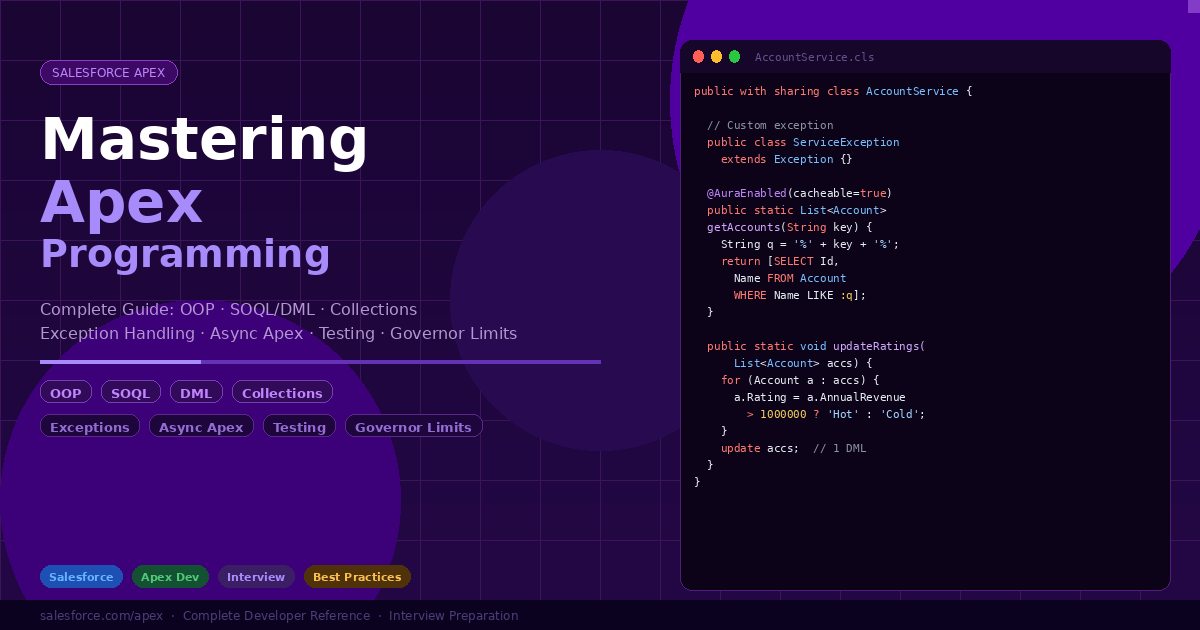
Apex Programming — Complete Deep Dive
Every concept explained in detail: data types, OOP, SOQL, DML, collections, exception handling, async Apex, testing, governor limits, and scenario-based interview questions with full code.
Apex is a strongly typed, object-oriented language that runs on the Salesforce platform. Understanding primitive types, collections, and OOP concepts is the foundation of every Apex developer interview.
// ── Primitive types ───────────────────────────────────────────
Integer  count    = 42;
Long     bigNum   = 9876543210L;
Double   pi       = 3.14159;
Decimal  revenue  = 99999.99;
String   name     = 'Salesforce';
Boolean  isActive = true;
Date     today    = Date.today();
DateTime now      = DateTime.now();
Id       recordId = '001xx000003GYkl';

// ── String utility methods ────────────────────────────────────
String s = '  Hello World  ';
s.trim();                          // 'Hello World'
s.toLowerCase();                   // '  hello world  '
s.contains('World');               // true
s.startsWith('Hello');             // false (has leading space)
s.replace('World', 'Apex');       // '  Hello Apex  '
s.split(' ');                      // List of words
String.isBlank(s);                  // false
String.isEmpty('');               // true
String.valueOf(123);               // '123' — convert Integer to String
Integer.valueOf('42');             // 42 — parse String to Integer

// ── Date/DateTime operations ──────────────────────────────────
Date d = Date.today();
d.addDays(7);           // 7 days from now
d.addMonths(1);         // next month
d.daysBetween(Date.today().addDays(30)); // 30
d.format();             // 'M/d/yyyy' locale format

// ── Type casting ─────────────────────────────────────────────
Object obj = 'hello';
String str = (String) obj;    // explicit cast
if (obj instanceof String) { // safe type check before cast
    str = (String) obj;
}
Apex supports all four OOP pillars: Encapsulation, Inheritance, Polymorphism, and Abstraction. These are tested heavily in senior Salesforce developer interviews.
// ── Encapsulation: access modifiers ──────────────────────────
public class BankAccount {
    private Decimal balance;          // hidden from outside
    public  String  accountNumber;     // accessible from outside
    protected String ownerName;        // accessible in subclasses
    global  String  bankName;          // accessible across namespaces

    public BankAccount(Decimal initialBalance) {
        this.balance = initialBalance;
    }

    public Decimal getBalance() { return this.balance; }

    public void deposit(Decimal amount) {
        if (amount <= 0) throw new IllegalArgumentException('Amount must be positive');
        this.balance += amount;
    }
}

// ── Inheritance: extends ──────────────────────────────────────
public virtual class Animal {
    public String name;

    public Animal(String name) { this.name = name; }

    public virtual String speak() { return '...'; }

    public String describe() {
        return name + ' says: ' + speak();
    }
}

public class Dog extends Animal {
    public Dog(String name) { super(name); }

    public override String speak() { return 'Woof!'; }
}

public class Cat extends Animal {
    public Cat(String name) { super(name); }

    public override String speak() { return 'Meow!'; }
}

// Polymorphism in action:
List<Animal> animals = new List<Animal>{
    new Dog('Rex'), new Cat('Luna')
};
for (Animal a : animals) {
    System.debug(a.describe()); // Rex says: Woof! / Luna says: Meow!
}

// ── Abstract class — cannot be instantiated ───────────────────
public abstract class Shape {
    public String color;

    public abstract Double area();      // subclasses MUST implement
    public abstract Double perimeter();

    public String describe() {         // concrete method in abstract class
        return color + ' shape: area=' + area() + ' perimeter=' + perimeter();
    }
}

public class Circle extends Shape {
    private Double radius;
    public Circle(Double r) { this.radius = r; color = 'Red'; }
    public override Double area()      { return Math.PI * radius * radius; }
    public override Double perimeter() { return 2 * Math.PI * radius; }
}

// ── Interface — contract that any class can implement ─────────
public interface Discountable {
    Decimal applyDiscount(Decimal price);
    String  getDiscountType();
}

public interface Taxable {
    Decimal calculateTax(Decimal price);
}

// Class implementing multiple interfaces
public class PremiumProduct implements Discountable, Taxable {
    public Decimal applyDiscount(Decimal price) { return price * 0.85; }
    public String  getDiscountType()                { return '15% Premium'; }
    public Decimal calculateTax(Decimal price)    { return price * 0.18; }
}

// ── Static vs Instance members ────────────────────────────────
public class MathHelper {
    public static Integer callCount = 0;  // shared across all instances

    public static Integer square(Integer n) {
        callCount++;
        return n * n;
    }
    public static Double sqrt(Double n) { return Math.sqrt(n); }
}

// Usage: no instantiation needed
Integer result = MathHelper.square(5); // 25

// ── Inner classes ─────────────────────────────────────────────
public class OuterClass {
    private String secret = 'hidden';

    public class InnerClass {        // inner class — can access outer members
        public String getSecret() { return 'no direct access in Apex'; }
    }
}
Salesforce Object Query Language (SOQL) is used to read data. DML statements (insert, update, delete, upsert, merge, undelete) are used to write data. Mastering both is essential for every Apex developer.
// ── Basic SELECT ──────────────────────────────────────────────
List<Account> accounts = [
    SELECT Id, Name, Industry, AnnualRevenue, Phone
    FROM Account
    WHERE Industry = 'Technology'
      AND AnnualRevenue > 1000000
    ORDER BY Name ASC
    LIMIT 100
];

// ── Bind variables (prevent SOQL injection) ───────────────────
String industry = 'Technology';
Decimal minRevenue = 500000;
List<Account> filtered = [
    SELECT Id, Name FROM Account
    WHERE Industry = :industry
      AND AnnualRevenue >= :minRevenue
];

// ── LIKE operator (wildcard search) ───────────────────────────
String key = '%Salesforce%';
List<Account> matched = [SELECT Id, Name FROM Account WHERE Name LIKE :key];

// ── IN operator with collections ──────────────────────────────
Set<String> industries = new Set<String>{'Technology', 'Finance'};
List<Account> byIndustry = [
    SELECT Id, Name FROM Account WHERE Industry IN :industries
];

// ── Relationship queries ───────────────────────────────────────
// Child-to-parent (dot notation)
List<Contact> contacts = [
    SELECT Id, FirstName, LastName, Account.Name, Account.Industry
    FROM Contact
    WHERE Account.Industry = 'Technology'
];

// Parent-to-child (subquery)
List<Account> withContacts = [
    SELECT Id, Name,
        (SELECT Id, FirstName, LastName, Email
         FROM Contacts
         ORDER BY LastName)
    FROM Account
    WHERE Id IN :accountIds
];
for (Account acc : withContacts) {
    for (Contact c : acc.Contacts) {
        System.debug(c.FirstName + ' works at ' + acc.Name);
    }
}

// ── Aggregate functions ───────────────────────────────────────
AggregateResult[] results = [
    SELECT Industry,
           COUNT(Id) total,
           SUM(AnnualRevenue) totalRevenue,
           AVG(AnnualRevenue) avgRevenue,
           MAX(AnnualRevenue) maxRevenue,
           MIN(AnnualRevenue) minRevenue
    FROM Account
    WHERE AnnualRevenue != null
    GROUP BY Industry
    HAVING COUNT(Id) > 5
    ORDER BY COUNT(Id) DESC
];
for (AggregateResult ar : results) {
    String  ind   = (String)  ar.get('Industry');
    Integer total = (Integer) ar.get('total');
    Decimal sum   = (Decimal) ar.get('totalRevenue');
}

// ── NULL handling ─────────────────────────────────────────────
[SELECT Id FROM Account WHERE Phone  = null]   // no phone set
[SELECT Id FROM Account WHERE Phone != null]   // has phone

// ── FOR UPDATE (row locking) ──────────────────────────────────
List<Account> locked = [SELECT Id, Name FROM Account WHERE Id = :accId FOR UPDATE];

// ── Dynamic SOQL (Database.query) ────────────────────────────
String query = 'SELECT Id, Name FROM Account WHERE Industry = \'' + String.escapeSingleQuotes(industry) + '\' LIMIT 50';
List<Account> dynamic = Database.query(query);
// ── Direct DML — all or nothing (throws on any failure) ───────
Account acc = new Account(Name = 'Acme', Phone = '555-1234');
insert acc;                    // Id is populated after insert

acc.AnnualRevenue = 500000;
update acc;

delete acc;
undelete acc;                  // restores from recycle bin

// ── Upsert — insert if not exists, update if exists ──────────
Account upsertAcc = new Account(
    External_Id__c = 'EXT-001',
    Name = 'External Account'
);
upsert upsertAcc External_Id__c;  // match on external ID field

// ── Database class — partial success (doesn't throw) ─────────
List<Account> accs = new List<Account>{
    new Account(Name = 'Valid Account'),
    new Account()  // missing required Name — will fail
};

List<Database.SaveResult> results = Database.insert(accs, false); // allOrNone=false

for (Integer i = 0; i < results.size(); i++) {
    Database.SaveResult sr = results[i];
    if (sr.isSuccess()) {
        System.debug('Inserted: ' + sr.getId());
    } else {
        for (Database.Error err : sr.getErrors()) {
            System.debug('Error on record ' + i + ': ' + err.getMessage());
            System.debug('Fields: ' + err.getFields());
        }
    }
}

// ── Database.UpsertResult ─────────────────────────────────────
Database.UpsertResult ur = Database.upsert(upsertAcc, External_Id__c, false);
if (ur.isSuccess()) {
    if (ur.isCreated()) System.debug('New record: ' + ur.getId());
    else                System.debug('Updated: '    + ur.getId());
}

// ── Mixed DML error — avoid combining setup and non-setup DML ─
// WRONG: User (setup object) + Account (non-setup) in same context
// insert user; insert account; // throws MixedDmlException
// CORRECT: Use @future or System.runAs() in tests
@future
public static void insertUserAsync(String username) {
    User u = new User(Username = username);
    insert u;
}
Collections are the backbone of bulkified Apex. Mastering List, Set, and Map — including their methods, use cases, and performance characteristics — is mandatory for production-quality code.
// ── List declaration and initialization ───────────────────────
List<String>  names  = new List<String>();
List<Integer> nums   = new List<Integer>{1, 2, 3, 4, 5};
List<Account> accs   = [SELECT Id, Name FROM Account LIMIT 10];

// ── Core methods ──────────────────────────────────────────────
names.add('Alice');              // append to end
names.add(0, 'Bob');             // insert at index 0
names.addAll(new List<String>{'Charlie', 'Diana'}); // add multiple
names.remove(0);                 // remove by index
names.set(0, 'Eve');              // replace at index
String first = names.get(0);     // get by index — O(1)
Integer size = names.size();     // count
Boolean has  = names.contains('Alice'); // O(n) — use Set for membership
names.sort();                     // ascending sort in place
names.clear();                    // remove all

// ── List of SObjects — critical for DML ───────────────────────
List<Account> toUpdate = new List<Account>();
for (Account acc : [SELECT Id, Rating FROM Account]) {
    if (acc.Rating == null) {
        acc.Rating = 'Cold';
        toUpdate.add(acc);
    }
}
if (!toUpdate.isEmpty()) update toUpdate; // 1 DML

// ── Sorting with Comparable interface ────────────────────────
public class Employee implements Comparable {
    public String  name;
    public Integer salary;
    public Integer compareTo(Object other) {
        Employee e = (Employee) other;
        return this.salary - e.salary; // ascending by salary
    }
}
List<Employee> employees = ...;
employees.sort(); // uses compareTo()
// ── Set — unordered, NO duplicates, O(1) membership check ─────
Set<String> unique = new Set<String>{'a', 'b', 'c'};
unique.add('a');              // no duplicate added — size stays 3
unique.addAll(new List<String>{'d', 'e'});
Boolean has = unique.contains('b'); // O(1) — much faster than List.contains()
unique.remove('a');
Set<String> copy = unique.clone();

// Convert Set ↔ List
List<String> fromSet = new List<String>(unique);
Set<String>  fromList = new Set<String>(fromSet);

// ── Best practice: collect IDs into Set for SOQL ─────────────
Set<Id> accountIds = new Set<Id>();
for (Contact c : Trigger.new) {
    if (c.AccountId != null) accountIds.add(c.AccountId);
}
Map<Id, Account> accMap = new Map<Id, Account>(
    [SELECT Id, Name FROM Account WHERE Id IN :accountIds]
);

// ── Map — key-value pairs, O(1) lookup by key ─────────────────
Map<String, Integer> scores = new Map<String, Integer>{
    'Alice' => 95,
    'Bob'   => 87,
    'Carol' => 92
};

scores.put('Dave', 78);         // add/replace entry
scores.putAll(anotherMap);       // merge maps
Integer alice = scores.get('Alice');  // 95 — O(1)
Boolean hasKey = scores.containsKey('Dave'); // true
scores.remove('Bob');
Set<String> keys   = scores.keySet();   // all keys
List<Integer> vals = scores.values();   // all values
Integer sz        = scores.size();

// ── Map<Id, SObject> — most common pattern ────────────────────
Map<Id, Account> accountMap = new Map<Id, Account>(
    [SELECT Id, Name, Industry FROM Account]
); // constructor from List automatically maps by Id

// O(1) lookup — much better than looping through List
Account found = accountMap.get(someId);

// ── Map of Lists — grouping pattern ──────────────────────────
Map<String, List<Contact>> byLastName = new Map<String, List<Contact>>();
for (Contact c : contacts) {
    if (!byLastName.containsKey(c.LastName)) {
        byLastName.put(c.LastName, new List<Contact>());
    }
    byLastName.get(c.LastName).add(c);
}
Proper exception handling prevents data corruption, provides meaningful error messages to users, and enables graceful recovery. Understanding exception types and patterns is critical for production Apex.
// ── try-catch-finally ─────────────────────────────────────────
try {
    Account acc = [SELECT Id FROM Account WHERE Name = 'NoSuchAccount'];
    update acc;
} catch (QueryException e) {
    // Query returned 0 or 2+ rows for single-record assignment
    System.debug('Query error: ' + e.getMessage());
    System.debug('Line: '        + e.getLineNumber());
    System.debug('Stack: '       + e.getStackTraceString());
} catch (DmlException e) {
    // DML failed
    for (Integer i = 0; i < e.getNumDml(); i++) {
        System.debug('DML error: '   + e.getDmlMessage(i));
        System.debug('Status code: '  + e.getDmlStatusCode(i));
        System.debug('Field names: '  + e.getDmlFieldNames(i));
    }
} catch (Exception e) {
    // Catch-all — catches any exception type not caught above
    System.debug('Unexpected: ' + e.getTypeName() + ': ' + e.getMessage());
} finally {
    // Always runs — even if exception was thrown
    // Use for: cleanup, logging, resetting flags
    System.debug('Operation complete');
}

// ── Custom exception classes ──────────────────────────────────
public class AccountServiceException extends Exception {}
public class ValidationException     extends Exception {}
public class IntegrationException     extends Exception {}

// Throwing with message
throw new AccountServiceException('Account not found for Id: ' + recordId);

// Throwing with cause (wrapping another exception)
try {
    insert acc;
} catch (DmlException e) {
    throw new AccountServiceException('Failed to create account: ' + e.getMessage(), e);
}

// ── AuraHandledException — for LWC/Aura error messages ───────
@AuraEnabled
public static Account getAccount(Id recordId) {
    try {
        return [SELECT Id, Name FROM Account WHERE Id = :recordId LIMIT 1];
    } catch (Exception e) {
        throw new AuraHandledException('Could not load account: ' + e.getMessage());
    }
}

// ── Exception hierarchy ───────────────────────────────────────
// Exception (base)
//   ├── DmlException
//   ├── QueryException
//   ├── NullPointerException
//   ├── MathException
//   ├── ListException (index out of bounds)
//   ├── TypeException  (invalid cast)
//   ├── CalloutException
//   ├── JSONException
//   ├── AuraHandledException
//   └── [YourCustomException] extends Exception

// ── Savepoint and rollback ────────────────────────────────────
Savepoint sp = Database.setSavepoint();
try {
    insert accountList;
    insert contactList;
} catch (Exception e) {
    Database.rollback(sp);   // undo all DML since setSavepoint()
    throw e;                 // re-throw for caller to handle
}
Async Apex runs in a separate transaction with higher governor limits. Choosing the right async mechanism is one of the most tested senior developer topics.
| Type | Use When | Governor Limits | Key Feature |
|---|---|---|---|
| @future | Simple async, callouts from triggers | Higher than sync | Cannot be chained, primitive params only |
| Queueable | Complex async, callouts, chaining | Higher than sync | Chain jobs, pass SObject params |
| Batch | Process millions of records | 50M rows query | start/execute/finish, Database.Batchable |
| Scheduled | Run at specific time/recurring | Sync limits | Cron expression, Schedulable interface |
// ── @future — simplest async, primitive params only ───────────
public class FutureExample {

    // callout=true allows HTTP callouts from trigger context
    @future(callout=true)
    public static void sendToExternalSystem(
        List<Id> recordIds  // must be primitives or List/Set of primitives
    ) {
        List<Account> accounts = [
            SELECT Id, Name FROM Account WHERE Id IN :recordIds
        ];
        // HTTP callout logic here
        Http h = new Http();
        HttpRequest req = new HttpRequest();
        req.setEndpoint('callout:My_Named_Credential/api/sync');
        req.setMethod('POST');
        req.setBody(JSON.serialize(accounts));
        HttpResponse res = h.send(req);
        if (res.getStatusCode() != 200) {
            System.debug('Callout failed: ' + res.getStatus());
        }
    }
}

// ── Queueable — recommended over @future for new code ─────────
public class AccountSyncQueueable implements Queueable, Database.AllowsCallouts {

    private final List<Account> accounts;
    private final Integer batchNumber;

    public AccountSyncQueueable(List<Account> accs, Integer batch) {
        this.accounts    = accs;
        this.batchNumber = batch;
    }

    public void execute(QueueableContext ctx) {
        try {
            // Process accounts, make callout
            Http h = new Http();
            HttpRequest req = new HttpRequest();
            req.setEndpoint('callout:ERP/accounts');
            req.setMethod('POST');
            req.setBody(JSON.serialize(accounts));
            HttpResponse res = h.send(req);

            // Chain: enqueue next job if more data exists
            if (batchNumber < 10) {
                System.enqueueJob(
                    new AccountSyncQueueable(nextBatch, batchNumber + 1)
                );
            }
        } catch (Exception e) {
            System.debug('Queueable error: ' + e.getMessage());
        }
    }
}
// Usage:
Id jobId = System.enqueueJob(new AccountSyncQueueable(accounts, 1));

// ── Batch Apex — for processing millions of records ───────────
public class AccountRatingBatch
    implements Database.Batchable<SObject>, Database.Stateful {

    private Integer processedCount = 0;  // Database.Stateful — persist state
    private List<String> errors = new List<String>();

    // start(): defines the scope (query or Iterable)
    public Database.QueryLocator start(Database.BatchableContext bc) {
        return Database.getQueryLocator([
            SELECT Id, AnnualRevenue, Rating
            FROM Account
            WHERE Rating = null
        ]); // can query up to 50M rows
    }

    // execute(): called once per batch (default 200 records)
    public void execute(Database.BatchableContext bc, List<Account> scope) {
        List<Account> toUpdate = new List<Account>();
        for (Account acc : scope) {
            acc.Rating = acc.AnnualRevenue > 1000000 ? 'Hot' : 'Cold';
            toUpdate.add(acc);
            processedCount++;
        }
        List<Database.SaveResult> results = Database.update(toUpdate, false);
        for (Database.SaveResult sr : results) {
            if (!sr.isSuccess()) {
                errors.add(sr.getErrors()[0].getMessage());
            }
        }
    }

    // finish(): called once after all batches complete
    public void finish(Database.BatchableContext bc) {
        AsyncApexJob job = [
            SELECT Status, JobItemsProcessed, TotalJobItems, NumberOfErrors
            FROM AsyncApexJob
            WHERE Id = :bc.getJobId()
        ];
        // Send completion email with stats
        if (!errors.isEmpty()) {
            System.debug('Errors: ' + errors);
        }
        System.debug('Processed: ' + processedCount + ' accounts');
    }
}
// Execute batch:
Id batchJobId = Database.executeBatch(new AccountRatingBatch(), 200);

// ── Scheduled Apex — run at specific times ────────────────────
public class DailyAccountCleanup implements Schedulable {
    public void execute(SchedulableContext ctx) {
        // Schedule batch from scheduled job
        Database.executeBatch(new AccountRatingBatch(), 200);
    }
}
// Schedule via Apex (cron: seconds minutes hours day month weekday year)
String cronExpr = '0 0 2 * * ?'; // every day at 2:00 AM
System.schedule('Daily Account Cleanup', cronExpr, new DailyAccountCleanup());
Salesforce requires 75% code coverage to deploy. Great test classes test behavior, edge cases, and bulk scenarios — not just coverage. These are the exact patterns used in production orgs.
@IsTest
public class AccountServiceTest {

    /**
     * @TestSetup — runs once before ALL test methods in this class.
     * Data is rolled back after each test but @TestSetup data is
     * re-inserted fresh before each test method runs.
     * Use for: shared master data (Record Types, Users, base Accounts)
     */
    @TestSetup
    static void makeData() {
        // Create test accounts
        List<Account> accounts = new List<Account>();
        for (Integer i = 0; i < 200; i++) {
            accounts.add(new Account(
                Name           = 'Test Account ' + i,
                Industry       = (i < 100) ? 'Technology' : 'Finance',
                AnnualRevenue  = i * 10000,
                Phone          = '555-0' + String.valueOf(i).leftPad(3, '0')
            ));
        }
        insert accounts;
    }

    // ── Test positive path ────────────────────────────────────────
    @IsTest
    static void testGetAccountsByIndustry_Technology_returnsCorrectCount() {
        List<Account> accounts = [SELECT Id FROM Account];
        System.assertEquals(200, accounts.size(), 'Should have 200 accounts');

        Test.startTest();
            List<Account> result = AccountService.getByIndustry('Technology');
        Test.stopTest();

        System.assertEquals(100, result.size(),
            'Should return exactly 100 Technology accounts');
        for (Account a : result) {
            System.assertEquals('Technology', a.Industry,
                'All results must be Technology industry');
        }
    }

    // ── Test bulk scenario (200 records) ─────────────────────────
    @IsTest
    static void testUpdateRatings_bulk200Records_noLimitException() {
        List<Account> accounts = [SELECT Id, AnnualRevenue FROM Account];

        Test.startTest();
            AccountService.updateRatings(accounts);
        Test.stopTest();

        List<Account> updated = [SELECT Id, Rating FROM Account];
        for (Account a : updated) {
            System.assertNotEquals(null, a.Rating, 'Rating should be set');
        }
    }

    // ── Test negative/exception path ──────────────────────────────
    @IsTest
    static void testSaveAccount_nullName_throwsException() {
        Account badAcc = new Account(); // missing required Name
        Boolean exceptionThrown = false;

        Test.startTest();
        try {
            AccountService.saveAccount(badAcc);
        } catch (AccountService.AccountServiceException e) {
            exceptionThrown = true;
            System.assert(e.getMessage().contains('Name'),
                'Error message should mention Name field');
        }
        Test.stopTest();

        System.assert(exceptionThrown, 'Expected exception was not thrown');
    }

    // ── Test with Mock HTTP Callout ───────────────────────────────
    @IsTest
    static void testCallout_successResponse_updatesRecord() {
        // Set up mock before Test.startTest()
        Test.setMock(HttpCalloutMock.class, new MockHttpSuccess());

        Test.startTest();
            AccountSyncQueueable.syncAccounts([SELECT Id FROM Account LIMIT 1]);
        Test.stopTest();

        Account a = [SELECT Sync_Status__c FROM Account LIMIT 1];
        System.assertEquals('Synced', a.Sync_Status__c);
    }

    // ── Mock HTTP class ───────────────────────────────────────────
    private class MockHttpSuccess implements HttpCalloutMock {
        public HttpResponse respond(HttpRequest req) {
            HttpResponse res = new HttpResponse();
            res.setStatusCode(200);
            res.setBody('{"status":"ok"}');
            res.setHeader('Content-Type', 'application/json');
            return res;
        }
    }

    // ── Test with System.runAs() — user context testing ───────────
    @IsTest
    static void testWithStandardUser_noAdminAccess() {
        User stdUser = TestDataFactory.createStandardUser();

        System.runAs(stdUser) {
            Test.startTest();
            try {
                AccountService.adminOnlyMethod();
                System.assert(false, 'Should have thrown security exception');
            } catch (SecurityException e) {
                System.assert(true);
            }
            Test.stopTest();
        }
    }
}
Governor limits are Salesforce’s multi-tenant safeguards. Every Apex developer must know the key limits and design patterns to avoid hitting them.
| Limit | Sync (per transaction) | Async (@future/Batch/Queue) | Check with |
|---|---|---|---|
| SOQL queries | 100 | 200 | Limits.getQueries() |
| SOQL rows returned | 50,000 | 50,000 | Limits.getQueryRows() |
| DML statements | 150 | 150 | Limits.getDMLStatements() |
| DML rows | 10,000 | 10,000 | Limits.getDMLRows() |
| CPU time | 10,000ms | 60,000ms | Limits.getCpuTime() |
| Heap size | 6MB | 12MB | Limits.getHeapSize() |
| Callouts | 100 | 100 | Limits.getCallouts() |
| Email invocations | 10 | 10 | Limits.getEmailInvocations() |
| Future calls | 50 | 0 (cannot nest) | Limits.getFutureCalls() |
| Queueable jobs enqueued | 50 | 1 (chaining) | Limits.getQueueableJobs() |
// ── Limits class — check remaining limits at runtime ─────────
System.debug('SOQL used: '    + Limits.getQueries()        + '/' + Limits.getLimitQueries());
System.debug('DML used: '     + Limits.getDMLStatements()  + '/' + Limits.getLimitDMLStatements());
System.debug('CPU used: '     + Limits.getCpuTime()         + '/' + Limits.getLimitCpuTime() + 'ms');
System.debug('Heap used: '    + Limits.getHeapSize()        + '/' + Limits.getLimitHeapSize() + ' bytes');
System.debug('SOQL rows: '   + Limits.getQueryRows()       + '/' + Limits.getLimitQueryRows());

// ── Guard pattern: abort before hitting limit ─────────────────
public static void processWithGuard(List<Account> batch) {
    if (Limits.getDMLStatements() >= Limits.getLimitDMLStatements() - 5) {
        System.debug('WARNING: Approaching DML limit, offloading to async');
        System.enqueueJob(new AccountSyncQueueable(batch, 1));
        return;
    }
    update batch;
}

// ── SOQL for loops — process large datasets without heap issues
for (List<Account> batch : [
    SELECT Id, Rating FROM Account WHERE Rating = null
]) {
    for (Account acc : batch) {
        acc.Rating = 'Cold';
    }
    update batch; // update per inner batch (200 records)
    // Objects garbage collected after each batch — prevents heap overflow
}
Tap any question to reveal the complete answer. Covers fundamentals through senior-level Apex topics.
Real-world scenarios from Salesforce Apex developer interviews. Each includes the complete solution with full code, comments, and test class.
Best of Luck
Trusted by 2000+ learners to crack interviews at TCS, Infosys, Wipro, EY, and more.
Want more Real Salesforce Interview Q&As?
- For Beginners (1–4 Yrs Experience) → https://trailheadtitanshub.com/100-real-salesforce-scenario-based-interview-questions-2025-edition-for-1-4-years-experience/
- For Intermediate Developers (4–8 Yrs Experience) → https://trailheadtitanshub.com/100-real-time-salesforce-scenario-based-interview-questions-2025-edition-for-4-8-years-experience/
For All Job Seekers – 500+ Questions from Top Tech Companies → https://trailheadtitanshub.com/500-real-interview-questions-answers-from-top-tech-companies-ey-infosys-tcs-dell-salesforce-more/
- Student Journey – 34 Days to Crack Salesforce Interview → https://trailheadtitanshub.com/crack-the-interview-real-questions-real-struggles-my-students-34-day-journey/
Mega Interview Packs:
- 600 Real Q&A (Recruiter Calls) → https://trailheadtitanshub.com/salesforce-interview-mega-pack-600-real-questions-from-recruiter-calls-with-my-best-performing-answers/
- 100 Real-Time Scenarios (Admin + Apex + LWC + Integration) → 100 Real-Time Salesforce Interview Questions & Scenarios (2026 Edition) – Admin, Apex, SOQL, LWC, VF, Integration – Trailhead Titans Hub
Career Boosters:
- Salesforce Project (Sales Cloud) → https://trailheadtitanshub.com/salesforce-project-sales-cloud/
- Resume Templates (ATS-Friendly) → https://trailheadtitanshub.com/salesforce-resume-templates-that-work-beat-ats-impress-recruiters/
Visit us On→ www.trailheadtitanshub.com