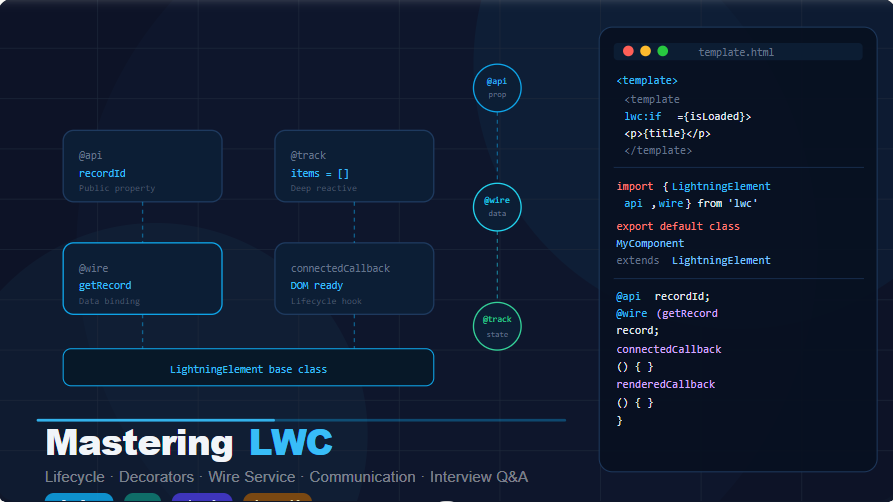
Salesforce interviews are becoming more practical and scenario-based, especially for Lightning Web Components (LWC).
Many developers know the theory, but when the interviewer asks questions like:
- “How do you communicate between components?”
- “How do you call Apex from LWC?”
- “How do you optimize LWC performance?”
they often struggle to explain clearly.
To help you prepare better, this guide covers 20 important Lightning Web Component interview questions that are commonly asked in Salesforce Developer interviews (2–6 years experience).
If you understand these questions well, you will walk into your next interview with much more confidence.
1. What is Lightning Web Component and how is it different from Aura?
Interviewer
What is Lightning Web Component and how is it different from Aura Components?
Candidate
Lightning Web Components (LWC) is a modern programming model introduced by Salesforce that uses standard web technologies such as:
- HTML
- JavaScript (ES6+)
- CSS
- Web Components
Unlike Aura, LWC is built on native browser standards, making it faster, lightweight, and more secure.
Key Differences
| Feature | LWC | Aura |
|---|---|---|
| Framework | Standard Web Components | Proprietary framework |
| Performance | Faster | Slower |
| JavaScript | Modern ES6+ | Custom framework JS |
| DOM | Shadow DOM | Aura Virtual DOM |
| Learning Curve | Easier | More complex |
Tips
Interviewers want to hear performance benefits and modern web standards.
2. How do you pass data from Parent to Child Component?
Interviewer
Suppose you have a parent component sending data to a child component. How will you implement it?
Candidate
In LWC, we pass data from parent to child using public properties with @api decorator`.
Parent Component HTML
<template>
    <c-child-component message="Hello from Parent"></c-child-component>
</template>What is this?
Child Component JS
import { LightningElement, api } from 'lwc';export default class ChildComponent extends LightningElement {    @api message;
}
Child Component HTML
<template>
    <p>{message}</p>
</template>What is this?
Explanation
- Parent sends value through attribute.
- Child receives it using
@api. - Property becomes public and reactive.
Tips
Interviewer expects you to say:
@apiis required- Data flows downwards (Parent → Child).
3. How do you communicate from Child to Parent in LWC?
Interviewer
How will a child component send data back to a parent component?
Candidate
In LWC we use Custom Events.
The child dispatches an event and the parent listens to it.
Child Component JS
import { LightningElement } from 'lwc';

export default class ChildComponent extends LightningElement {

    handleClick(){

        const event = new CustomEvent('senddata',{
            detail : 'Hello Parent'
        });

        this.dispatchEvent(event);
    }
}
Child HTML
<template>
    <lightning-button label="Send Data" onclick={handleClick}></lightning-button>
</template>
Parent HTML
<c-child-component onsenddata={handleData}></c-child-component>
Parent JS
handleData(event){

   console.log(event.detail);
}
Explanation
- Child creates CustomEvent
- Uses dispatchEvent
- Parent listens using on + event name
Tips
Mention:
LWC uses DOM event bubbling.
4. How do you call Apex from LWC?
Interviewer
How do you call an Apex method from LWC?
Candidate
There are two ways
1️⃣ Wire Service (Reactive)
2️⃣ Imperative Apex (Manual call)
Apex Class
public with sharing class AccountController {

    @AuraEnabled(cacheable=true)
    public static List<Account> getAccounts(){

        return [SELECT Id, Name FROM Account LIMIT 10];
    }
}
Using Wire Service
JS
import { LightningElement, wire } from 'lwc';
import getAccounts from '@salesforce/apex/AccountController.getAccounts';

export default class AccountList extends LightningElement {

    @wire(getAccounts)
    accounts;
}
HTML
<template>
    <template for:each={accounts.data} for:item="acc">

        <p key={acc.Id}>{acc.Name}</p>

    </template>
</template>
Explanation
Wire Service
- Automatically fetches data
- Reactive
- Cached
Tips
Mention:
@AuraEnabled(cacheable=true)is required for wire.
5. What is @track decorator?
Interviewer
What is @track in LWC?
Candidate
@track makes object and array properties reactive.
If we modify an object property without @track, UI may not update.
Example
import { LightningElement, track } from 'lwc';

export default class TrackExample extends LightningElement {

   @track employee = {
       name : 'John',
       age : 30
   };

   updateName(){

       this.employee.name = 'Mike';
   }
}
Explanation
Without @track, UI would not refresh when object fields change.
But in modern LWC versions:
@trackis not required for primitive values.
6. What are Lifecycle Hooks in LWC?
Interviewer
Explain Lifecycle Hooks in Lightning Web Components.
Candidate
Lifecycle hooks control component creation, rendering, and destruction.
Common Lifecycle Hooks
| Hook | Purpose |
|---|---|
| constructor() | Component initialization |
| connectedCallback() | Component inserted in DOM |
| renderedCallback() | After render |
| disconnectedCallback() | Removed from DOM |
| errorCallback() | Error handling |
Example
connectedCallback(){

   console.log('Component inserted into DOM');
}
Tips
Most used hooks in projects:
- connectedCallback
- renderedCallback
7. How do you iterate data in LWC?
Interviewer
How do you display a list of records in LWC?
Candidate
We use for:each directive.
HTML
<template>

 <template for:each={accounts} for:item="acc">

     <p key={acc.Id}>{acc.Name}</p>

 </template>

</template>
JS
accounts = [
    {Id:'1', Name:'Google'},
    {Id:'2', Name:'Amazon'}
];
Explanation
for:eachiterates arraykeyattribute improves rendering performance
8. How do you show conditional rendering in LWC?
Interviewer
How will you display content based on a condition?
Candidate
We use
if:trueif:false
Example
<template>

 <template if:true={isVisible}>

      <p>Data is visible</p>

 </template>

</template>
JS
isVisible = true;
Explanation
LWC evaluates condition dynamically.
9. How do you handle events in LWC?
Interviewer
How do you handle button click events?
Candidate
We use onclick handler.
HTML
<lightning-button label="Click" onclick={handleClick}></lightning-button>
JS
handleClick(){

   console.log('Button clicked');
}
Explanation
Event binding is done using {handler} syntax.
10. What is Lightning Data Service?
Interviewer
What is Lightning Data Service in LWC?
Candidate
Lightning Data Service (LDS) allows components to interact with Salesforce records without Apex.
Benefits
- No Apex required
- Automatic caching
- Security enforcement
- CRUD operations
Example
<lightning-record-form
object-api-name="Account"
fields={fields}>
</lightning-record-form>
Explanation
LDS handles:
- Data retrieval
- Validation
- Sharing rules
- CRUD operations
11. How do you call Apex Imperatively in LWC?
Interviewer
In which scenario would you use Imperative Apex instead of Wire Service?
Candidate
Imperative Apex is used when:
- We need manual control over when the Apex method executes
- The call depends on user action like button click
- We need DML operations (insert/update/delete)
Wire service cannot perform DML operations.
Apex Class
public with sharing class AccountController {

    @AuraEnabled
    public static List<Account> searchAccounts(String searchKey){

        return [SELECT Id, Name FROM Account WHERE Name LIKE :('%'+searchKey+'%')];
    }
}
LWC JS
import { LightningElement } from 'lwc';
import searchAccounts from '@salesforce/apex/AccountController.searchAccounts';

export default class AccountSearch extends LightningElement {

    searchKey = '';
    accounts;

    handleChange(event){
        this.searchKey = event.target.value;
    }

    handleSearch(){

        searchAccounts({searchKey : this.searchKey})
        .then(result => {

            this.accounts = result;

        })
        .catch(error => {

            console.error(error);

        });
    }
}
LWC HTML
<template>

<lightning-input label="Search Account" onchange={handleChange}></lightning-input>

<lightning-button label="Search" onclick={handleSearch}></lightning-button>

<template for:each={accounts} for:item="acc">

<p key={acc.Id}>{acc.Name}</p>

</template>

</template>
Explanation
Flow:
User Input → Button Click → Imperative Apex → Return Data → UI Update
Interview Tip
Mention this key point:
Wire Service is reactive, Imperative Apex is manually controlled.
12. How do you use Lightning Message Service (LMS)?
Interviewer
How will you communicate between two unrelated LWC components?
Candidate
For communication between components that are not in parent-child hierarchy, we use Lightning Message Service (LMS).
Step 1: Create Message Channel
<?xml version="1.0" encoding="UTF-8"?>
<LightningMessageChannel xmlns="http://soap.sforce.com/2006/04/metadata">
<masterLabel>RecordMessageChannel</masterLabel>
<isExposed>true</isExposed>
</LightningMessageChannel>
Publisher JS
import { LightningElement, wire } from 'lwc';
import { publish, MessageContext } from 'lightning/messageService';
import RECORD_CHANNEL from '@salesforce/messageChannel/RecordMessageChannel__c';

export default class Publisher extends LightningElement {

@wire(MessageContext)
messageContext;

sendMessage(){

publish(this.messageContext, RECORD_CHANNEL, {

recordId : '001XYZ'

});

}
}
Subscriber JS
import { LightningElement, wire } from 'lwc';
import { subscribe, MessageContext } from 'lightning/messageService';
import RECORD_CHANNEL from '@salesforce/messageChannel/RecordMessageChannel__c';

export default class Subscriber extends LightningElement {

@wire(MessageContext)
messageContext;

connectedCallback(){

subscribe(this.messageContext, RECORD_CHANNEL, (message)=>{

console.log(message.recordId);

});

}
}
Explanation
Publisher → Message Channel → Subscriber
This works across:
- LWC
- Aura
- Visualforce
Interview Tip
Mention that LMS replaced pubsub pattern.
13. How do you navigate between pages in LWC?
Interviewer
How will you navigate to record page from LWC?
Candidate
We use NavigationMixin from lightning/navigation.
JS
import { LightningElement } from 'lwc';
import { NavigationMixin } from 'lightning/navigation';

export default class NavigateExample extends NavigationMixin(LightningElement) {

navigateToRecord(){

this[NavigationMixin.Navigate]({

type: 'standard__recordPage',

attributes: {

recordId: '001XXXXXXXX',

objectApiName: 'Account',

actionName: 'view'

}

});

}
}
HTML
<lightning-button label="View Record" onclick={navigateToRecord}></lightning-button>
Explanation
NavigationMixin allows navigation to:
- Record Page
- Object Page
- Web Page
- App Page
- List View
14. What is Lightning Datatable?
Interviewer
How do you display Salesforce records in tabular format in LWC?
Candidate
We use lightning-datatable component.
JS
import { LightningElement } from 'lwc';

export default class DatatableExample extends LightningElement {

columns = [

{ label: 'Name', fieldName: 'Name' },

{ label: 'Industry', fieldName: 'Industry' }

];

data = [

{ Id:'1', Name:'Google', Industry:'Technology' },

{ Id:'2', Name:'Amazon', Industry:'Ecommerce' }

];

}
HTML
<lightning-datatable
key-field="Id"
data={data}
columns={columns}>
</lightning-datatable>
Explanation
Lightning Datatable supports:
- Sorting
- Pagination
- Inline editing
- Row actions
15. How do you create a Modal Popup in LWC?
Interviewer
Suppose you want to show a modal popup in LWC. How would you implement it?
Candidate
We use conditional rendering and SLDS modal structure.
JS
import { LightningElement } from 'lwc';

export default class ModalExample extends LightningElement {

isModalOpen = false;

openModal(){

this.isModalOpen = true;

}

closeModal(){

this.isModalOpen = false;

}

}
HTML
<template>

<lightning-button label="Open Modal" onclick={openModal}></lightning-button>

<template if:true={isModalOpen}>

<section role="dialog" class="slds-modal slds-fade-in-open">

<div class="slds-modal__container">

<header class="slds-modal__header">

<h2>Modal Title</h2>

</header>

<div class="slds-modal__content">

<p>Hello from modal</p>

</div>

<footer class="slds-modal__footer">

<lightning-button label="Close" onclick={closeModal}></lightning-button>

</footer>

</div>

</section>

</template>

</template>
Explanation
Flow:
Button → Open Modal → Conditional Render → Close Modal
16. How do you upload files in LWC?
Interviewer
How do you upload files in Lightning Web Component?
Candidate
We use lightning-file-upload component.
HTML
<lightning-file-upload
record-id={recordId}
accept=".pdf,.png,.jpg"
multiple>

</lightning-file-upload>
Explanation
Features:
- Upload multiple files
- Automatically attaches to record
- Supports ContentVersion
17. How do you refresh data in LWC?
Interviewer
Suppose you update a record. How will you refresh the data in LWC?
Candidate
We use refreshApex().
Example
import { refreshApex } from '@salesforce/apex';

refreshApex(this.wiredAccounts);
Explanation
refreshApex re-executes the wire method and updates UI.
18. What is reactive property in LWC?
Interviewer
What does reactivity mean in LWC?
Candidate
Reactivity means UI automatically updates when property value changes.
Example
count = 0;

increment(){

this.count++;

}
HTML
<p>{count}</p>

<lightning-button label="Add" onclick={increment}></lightning-button>
Explanation
When count changes → UI automatically updates.
19. What is Shadow DOM in LWC?
Interviewer
What is Shadow DOM in LWC?
Candidate
Shadow DOM provides component encapsulation.
It prevents:
- CSS conflicts
- DOM manipulation outside component
Benefits
- Style isolation
- Better performance
- Secure component structure
20. What are the files in LWC component?
Interviewer
What are the mandatory files in Lightning Web Component?
Candidate
Each LWC contains these files:
| File | Purpose |
|---|---|
| HTML | UI structure |
| JavaScript | Logic |
| CSS | Styling |
| Meta XML | Configuration |
Example Structure
accountList
│
├── accountList.html
├── accountList.js
├── accountList.css
└── accountList.js-meta.xml
Best of Luck
Trusted by 2000+ learners to crack interviews at TCS, Infosys, Wipro, EY, and more.
Want more Real Salesforce Interview Q&As?
- For Beginners (1–4 Yrs Experience) → https://trailheadtitanshub.com/100-real-salesforce-scenario-based-interview-questions-2025-edition-for-1-4-years-experience/
- For Intermediate Developers (4–8 Yrs Experience) → https://trailheadtitanshub.com/100-real-time-salesforce-scenario-based-interview-questions-2025-edition-for-4-8-years-experience/
For All Job Seekers – 500+ Questions from Top Tech Companies → https://trailheadtitanshub.com/500-real-interview-questions-answers-from-top-tech-companies-ey-infosys-tcs-dell-salesforce-more/
- Student Journey – 34 Days to Crack Salesforce Interview → https://trailheadtitanshub.com/crack-the-interview-real-questions-real-struggles-my-students-34-day-journey/
Mega Interview Packs:
- 600 Real Q&A (Recruiter Calls) → https://trailheadtitanshub.com/salesforce-interview-mega-pack-600-real-questions-from-recruiter-calls-with-my-best-performing-answers/
- 100 Real-Time Scenarios (Admin + Apex + LWC + Integration) → 100 Real-Time Salesforce Interview Questions & Scenarios (2026 Edition) – Admin, Apex, SOQL, LWC, VF, Integration – Trailhead Titans Hub
Career Boosters:
- Salesforce Project (Sales Cloud) → https://trailheadtitanshub.com/salesforce-project-sales-cloud/
- Resume Templates (ATS-Friendly) → https://trailheadtitanshub.com/salesforce-resume-templates-that-work-beat-ats-impress-recruiters/
Visit us On→ www.trailheadtitanshub.com