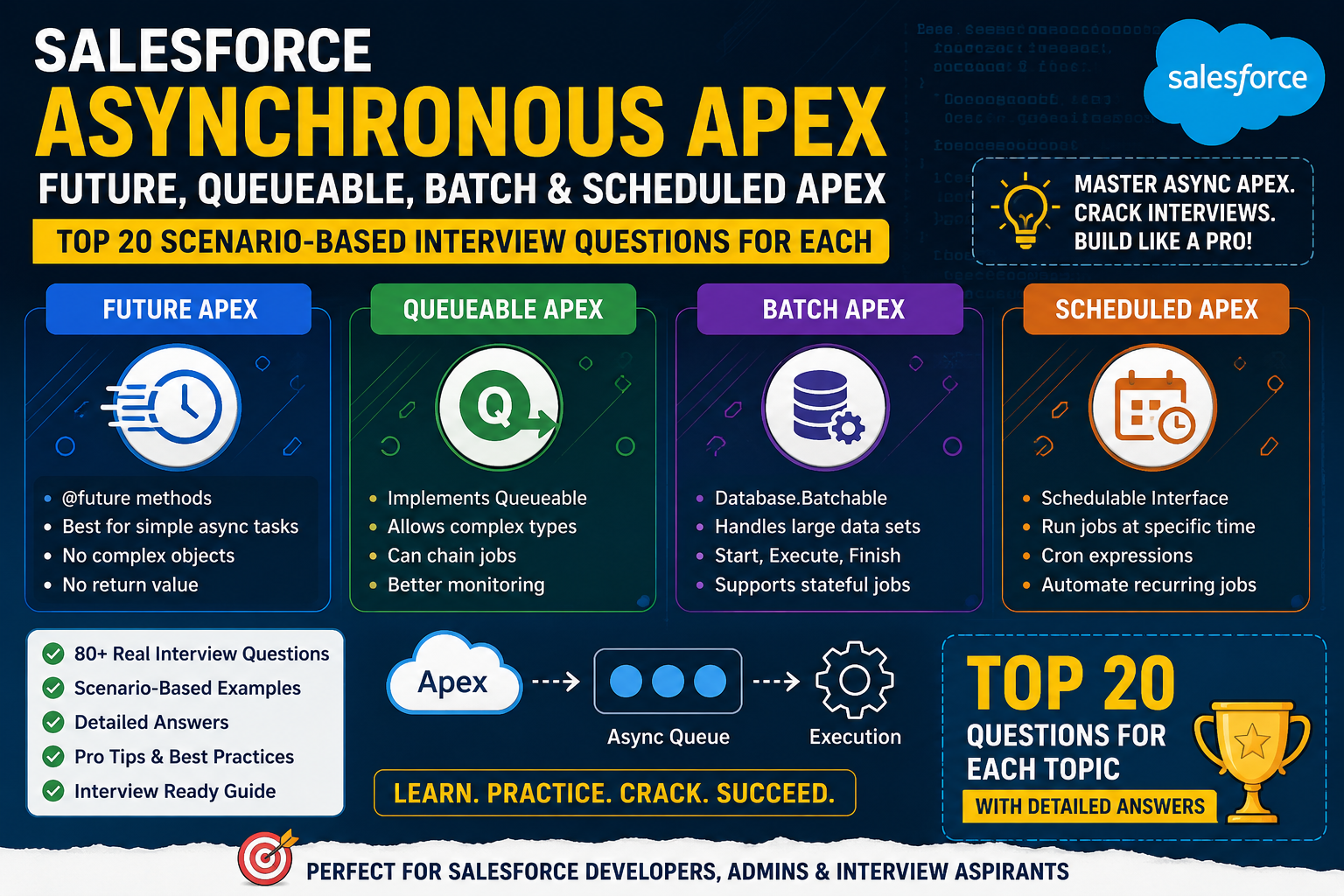
Salesforce Asynchronous Apex — Future Methods
1. Scenario: Call an external API after Account update
Question:
An Account is updated, and you need to send the Account data to an external REST API. The API callout should not block the Salesforce transaction. What would you use?
Answer:
I would use a @future(callout=true) method.
public class AccountIntegration {

    @future(callout=true)
    public static void sendAccountToExternalSystem(Id accountId) {

        Account acc = [
            SELECT Id, Name, Phone
            FROM Account
            WHERE Id = :accountId
        ];

        HttpRequest req = new HttpRequest();
        req.setEndpoint('https://example.com/api/accounts');
        req.setMethod('POST');
        req.setHeader('Content-Type', 'application/json');
        req.setBody(JSON.serialize(acc));

        Http http = new Http();
        HttpResponse res = http.send(req);
    }
}
Why Future?
- Executes asynchronously.
- Allows HTTP callouts when
callout=true. - The original transaction doesn’t have to wait for the API response.
Interview Tip:
Don’t pass the entire Account record to a future method. Pass the Id, then query the latest data inside the asynchronous transaction.
2. Scenario: Trigger needs a callout
Question:
Can you make a callout directly from an Apex trigger?
Answer:
No. A trigger cannot perform a synchronous HTTP callout directly.
Instead, the trigger can invoke asynchronous Apex such as:
@future(callout=true)
public static void makeCallout(Set<Id> accountIds) {
    // Callout logic
}
Trigger:
trigger AccountTrigger on Account (after update) {

    Set<Id> accountIds = new Set<Id>();

    for (Account acc : Trigger.new) {
        accountIds.add(acc.Id);
    }

    AccountIntegration.makeCallout(accountIds);
}
Important:
The trigger should only collect IDs and delegate the work to asynchronous Apex.
3. Scenario: Why can’t we pass an Account object to Future?
Question:
Why is this invalid?
@future
public static void processAccount(Account acc) {
}
Answer:
Future methods support only primitive data types, arrays/collections of primitive types, or collections of IDs as parameters.
Instead:
@future
public static void processAccount(Id accountId) {
    Account acc = [
        SELECT Id, Name
        FROM Account
        WHERE Id = :accountId
    ];
}
Or:
@future
public static void processAccounts(Set<Id> accountIds) {
}
Why?
Future execution happens later in a separate transaction. Passing an sObject could mean passing a stale snapshot of data.
4. Scenario: Need to process 200 Accounts
Question:
An Account trigger receives 200 Accounts. You need to process all of them asynchronously. How would you design it?
Answer:
@future
public static void processAccounts(Set<Id> accountIds) {

    List<Account> accounts = [
        SELECT Id, Name
        FROM Account
        WHERE Id IN :accountIds
    ];

    // Processing
}
Trigger:
Set<Id> accountIds = new Set<Id>();

for (Account acc : Trigger.new) {
    accountIds.add(acc.Id);
}

AccountProcessor.processAccounts(accountIds);
Best practice:
Use one future invocation for the entire collection, rather than calling the future method once per record.
Bad:
for (Account acc : Trigger.new) {
    processAccount(acc.Id);
}
This can quickly hit asynchronous Apex limits.
5. Scenario: Can Future call another Future?
Question:
Can one future method invoke another future method?
Answer:
Generally, no. A future method cannot directly call another future method.
For example:
@future
public static void methodOne() {
    methodTwo(); // methodTwo is @future
}
This isn’t a valid design.
Better approach:
If the process requires multiple asynchronous steps, consider:
- Queueable Apex
- Batch Apex
- Platform Events
Interview Tip:
If the interviewer asks, “What should I use instead of chaining Future methods?” a strong answer is Queueable Apex, because Queueable supports chaining.
6. Scenario: Need to know whether Future succeeded
Question:
You submit a Future method and want to know whether it completed successfully immediately. Can you do that?
Answer:
No.
Future Apex is asynchronous.
MyClass.processData();
System.debug('Completed');
The second line does not mean that the future method has completed.
The future job executes later.
If you need better job management, monitoring, or chaining, Queueable Apex is usually a better option.
7. Scenario: Future method needs callout
Question:
What is the difference between these two declarations?
@futureand
@future(callout=true)Answer:
@future:
@future
public static void processData() {
}
Used for asynchronous processing without callouts.
For an HTTP/SOAP callout:
@future(callout=true)
public static void processData() {
    Http http = new Http();
    HttpRequest req = new HttpRequest();

    // Callout
}
Interview rule:
If a Future method makes an HTTP callout, use:
@future(callout=true)8. Scenario: Future method updates the same Account
Question:
An Account trigger calls a Future method, and the Future method updates the same Account. What problem can occur?
Answer:
This can potentially create recursion.
Example:
Account Update
      ↓
Trigger
      ↓
Future Method
      ↓
Update Account
      ↓
Trigger executes again
      ↓
Future Method
You need proper recursion prevention and should carefully evaluate whether asynchronous processing is actually necessary.
Possible approaches include:
- Static recursion control where applicable
- Custom permissions/settings for bypass logic
- Checking whether the relevant field actually changed
- Moving complex processing to Queueable/Flow architecture
9. Scenario: Future method performs DML after callout
Question:
Can a Future method perform both a callout and DML?
Answer:
Yes, but remember the Salesforce transaction rule:
Callout before DML is generally the safe sequence.
Example:
@future(callout=true)
public static void syncAccount(Id accountId) {

    // 1. Query
    Account acc = [
        SELECT Id, Name
        FROM Account
        WHERE Id = :accountId
    ];

    // 2. Callout
    HttpResponse response = makeCallout(acc);

    // 3. DML
    if (response.getStatusCode() == 200) {
        acc.External_Sync__c = true;
        update acc;
    }
}
Avoid doing DML before a callout in the same transaction unless your design specifically handles the resulting callout restrictions.
10. Scenario: Future method is called 100 times
Question:
A trigger processes 100 records and calls a Future method inside a loop. Is that a good approach?
Answer:
No.
Bad:
for (Account acc : Trigger.new) {
    MyFuture.process(acc.Id);
}
This creates many asynchronous jobs.
Better:
Set<Id> accountIds = new Set<Id>();

for (Account acc : Trigger.new) {
    accountIds.add(acc.Id);
}

MyFuture.process(accountIds);
Future:
@future
public static void process(Set<Id> accountIds) {
    // Process all IDs
}
Key interview point:
Always bulkify the invocation.
11. Scenario: Need to pass a List of IDs
Question:
Can a Future method accept a collection of IDs?
Answer:
Yes.
For example:
@future
public static void processAccounts(Set<Id> accountIds) {

    List<Account> accounts = [
        SELECT Id, Name
        FROM Account
        WHERE Id IN :accountIds
    ];
}
This is a common and recommended pattern.
12. Scenario: Need to process millions of records
Question:
You have 5 million records to process asynchronously. Would you choose Future Apex?
Answer:
No.
Future Apex isn’t designed for large-volume processing.
I would consider Batch Apex.
global class AccountBatch
    implements Database.Batchable<SObject> {

    global Database.QueryLocator start(
        Database.BatchableContext bc
    ) {
        return Database.getQueryLocator(
            'SELECT Id, Name FROM Account'
        );
    }

    global void execute(
        Database.BatchableContext bc,
        List<Account> scope
    ) {
        // Process batch
    }

    global void finish(
        Database.BatchableContext bc
    ) {
        // Completion logic
    }
}
Rule of thumb:
| Requirement | Preferred Apex |
|---|---|
| Simple async operation | Future |
| Callout from trigger | Future / Queueable |
| Complex async job | Queueable |
| Millions of records | Batch |
| Scheduled processing | Scheduled Apex |
13. Scenario: Need to chain asynchronous operations
Question:
You need:
Step 1 → Step 2 → Step 3Can you use Future methods?
Answer:
Future is not the best choice.
I would use Queueable Apex.
public class FirstJob implements Queueable {

    public void execute(QueueableContext context) {

        // Step 1

        System.enqueueJob(new SecondJob());
    }
}
Queueable is better because it supports job chaining.
14. Scenario: Need to query data inside Future
Question:
Should we query the Account before passing it to the Future method?
Answer:
Usually no.
Instead of:
Account acc = [
    SELECT Id, Name
    FROM Account
    WHERE Id = :accountId
];

MyFuture.process(acc);
Pass the ID:
MyFuture.process(accountId);Then:
@future
public static void process(Id accountId) {

    Account acc = [
        SELECT Id, Name
        FROM Account
        WHERE Id = :accountId
    ];
}
Why?
Because the Future transaction executes later, so querying inside the Future method gives you the current committed state at that time.
15. Scenario: Future method fails with an exception
Question:
What happens if a Future method throws an unhandled exception?
Answer:
The asynchronous transaction fails and its DML operations are rolled back.
For example:
@future
public static void process(Id accountId) {

    Account acc = [
        SELECT Id, Name
        FROM Account
        WHERE Id = :accountId
    ];

    acc.Name = null;

    update acc;
}
If the update causes an unhandled exception, the transaction fails.
For production integrations, I would implement proper error handling and logging.
16. Scenario: Need to test Future Apex
Question:
How do you test a Future method?
Answer:
Use:
Test.startTest();
MyFuture.process(accountId);
Test.stopTest();
Example:
@isTest
private class AccountFutureTest {

    @isTest
    static void testFuture() {

        Account acc = new Account(
            Name = 'Test Account'
        );

        insert acc;

        Test.startTest();

        AccountFuture.process(acc.Id);

        Test.stopTest();

        Account result = [
            SELECT Id, Name
            FROM Account
            WHERE Id = :acc.Id
        ];

        System.assertEquals(
            'Updated Account',
            result.Name
        );
    }
}Important:Test.stopTest() causes asynchronous Apex queued during the test to execute before the test continues.
17. Scenario: Future method performs an HTTP callout
Question:
How do you test a Future method containing an HTTP callout?
Answer:
Use HttpCalloutMock.
Test.setMock(
    HttpCalloutMock.class,
    new MyHttpMock()
);

Test.startTest();

MyFuture.sendData(accountId);

Test.stopTest();
Mock:
@isTest
global class MyHttpMock
    implements HttpCalloutMock {

    global HTTPResponse respond(
        HTTPRequest request
    ) {

        HttpResponse response = new HttpResponse();

        response.setStatusCode(200);
        response.setBody('Success');

        return response;
    }
}
This prevents the test from making a real external callout.
18. Scenario: User expects the Future result immediately
Question:
A business user clicks a button and expects the external API result immediately. Would Future Apex be suitable?
Answer:
Probably not.
Future Apex is asynchronous, so the user doesn’t get the result immediately.
If the UI requires immediate response, synchronous processing may be more appropriate.
If asynchronous processing is acceptable, Queueable or Future can be considered.
Interview answer:
“I would first clarify whether the result is required synchronously. If the UI needs the response immediately, I wouldn’t use Future Apex.”
19. Scenario: Need to monitor asynchronous job status
Question:
How can you monitor a Future job?
Answer:
Salesforce creates an asynchronous Apex job that can be monitored using AsyncApexJob.
For example:
List<AsyncApexJob> jobs = [
    SELECT Id,
           Status,
           JobType,
           NumberOfErrors,
           CreatedDate,
           CompletedDate
    FROM AsyncApexJob
    WHERE JobType = 'Future'
];
Useful fields include:
StatusNumberOfErrorsCreatedDateCompletedDateJobItemsProcessedTotalJobItems
This is useful when troubleshooting asynchronous processing.
20. Scenario: Future vs Queueable — which would you choose?
Question:
Your interviewer asks:
“Why would you use Queueable instead of Future?”
Strong answer:
I would use Future Apex for a relatively simple asynchronous operation, especially a straightforward callout from a trigger.
I would choose Queueable Apex when I need more flexibility, such as:
- Passing complex Apex types
- Job IDs
- Chaining jobs
- More structured asynchronous processing
- Better control over the asynchronous workflow
Example Future:
@future(callout=true)
public static void syncAccount(Id accountId) {
    // Simple async callout
}
Queueable:
public class AccountSyncJob implements Queueable, Database.AllowsCallouts {

    private Id accountId;

    public AccountSyncJob(Id accountId) {
        this.accountId = accountId;
    }

    public void execute(QueueableContext context) {

        Account acc = [
            SELECT Id, Name
            FROM Account
            WHERE Id = :accountId
        ];

        // Callout / processing
    }
}
Then:
System.enqueueJob(
    new AccountSyncJob(accountId)
);
🔥 Quick Interview Revision — Future Apex
| Interview Point | Future Apex |
|---|---|
| Execution | Asynchronous |
| Annotation | @future |
| Callout | @future(callout=true) |
| Return type | void |
| Parameters | Primitive / collections of primitives / IDs |
| sObject parameter | ❌ Not supported |
| Direct Future chaining | ❌ |
| Queueable chaining | ✅ |
| Job monitoring | AsyncApexJob |
| Testing | Test.startTest() / Test.stopTest() |
| Callout testing | HttpCalloutMock |
| Large data volumes | Prefer Batch Apex |
| Complex async logic | Prefer Queueable |
| Trigger callout | Future/Queueable with callout support |
| Bulkification | Essential |
Salesforce Asynchronous Apex: Batch Apex
1. Scenario: Process 5 Million Accounts
Question
You have 5 million Accounts that need to be processed. You cannot process them all in a single Apex transaction. What would you use?
Answer
I would use Batch Apex because it divides a large dataset into smaller chunks and processes each chunk in a separate transaction.
global class AccountBatch implements Database.Batchable<SObject> {

    global Database.QueryLocator start(
        Database.BatchableContext bc
    ) {
        return Database.getQueryLocator(
            'SELECT Id, Name FROM Account'
        );
    }

    global void execute(
        Database.BatchableContext bc,
        List<Account> scope
    ) {
        for (Account acc : scope) {
            // Business logic
        }
    }

    global void finish(
        Database.BatchableContext bc
    ) {
        // Completion logic
    }
}
Execute it:
Database.executeBatch(
    new AccountBatch(),
    200
);
Why Batch Apex?
Because Salesforce processes records in separate transactions, helping reset governor limits for each batch execution.
Interview Tip:
Whenever you hear:
“Millions of records”, “large data volume”, or “process records in chunks”
think Batch Apex.
2. Scenario: Explain the Three Methods of Batch Apex
Question
What are the three mandatory methods in Batch Apex?
Answer
Batch Apex implements:
Database.Batchable<SObject>which requires:
1. start()
Identifies the records that need to be processed.
global Database.QueryLocator start(
    Database.BatchableContext bc
) {
    return Database.getQueryLocator(
        'SELECT Id FROM Account'
    );
}
2. execute()
Processes one batch of records.
global void execute(
    Database.BatchableContext bc,
    List<Account> scope
) {
    // Process records
}
3. finish()
Runs after all batches are completed.
global void finish(
    Database.BatchableContext bc
) {
    // Send email
    // Start another job
    // Log completion
}
Simple flow
start()
   ↓
Batch 1 → execute()
   ↓
Batch 2 → execute()
   ↓
Batch 3 → execute()
   ↓
...
   ↓
finish()
3. Scenario: Query 10 Million Records
Question
You need to process 10 million records. Should you return a normal List from start()?
Answer
No.
For very large datasets, I would use:
Database.QueryLocatorExample:
global Database.QueryLocator start(
    Database.BatchableContext bc
) {
    return Database.getQueryLocator(
        'SELECT Id, Name FROM Account'
    );
}
QueryLocator is specifically designed for Batch Apex and can handle very large result sets.
Alternative
You can also return an Iterable, but that is generally useful when the data source or processing logic cannot be represented by a straightforward SOQL query.
4. Scenario: Process only Accounts created this year
Question
How would you process only Accounts created in the current year?
Answer
I would filter the query in start().
global Database.QueryLocator start(
    Database.BatchableContext bc
) {

    return Database.getQueryLocator([
        SELECT Id, Name, CreatedDate
        FROM Account
        WHERE CreatedDate = THIS_YEAR
    ]);
}
This is better than querying all Accounts and filtering them inside execute().
Best practice
Filter as early as possible.
Instead of:
All Accounts
     ↓
Batch
     ↓
Check date
     ↓
Process some
Prefer:
SOQL Filter
     ↓
Only required records
     ↓
Batch Processing
5. Scenario: Batch size should be 200
Question
How do you specify the batch size?
Answer
Use:
Database.executeBatch(
    new AccountBatch(),
    200
);
The second parameter controls the batch size.
For example:
Database.executeBatch(
    new AccountBatch(),
    100
);
means Salesforce processes approximately 100 records per execution scope.
Important
Batch size should be selected based on the processing requirements.
If each record requires:
- many SOQL queries
- many DML operations
- callouts
- complex calculations
a smaller batch size may be appropriate.
6. Scenario: Batch needs to remember a total count
Question
You need to count how many Accounts were successfully processed across all execute() calls. How would you do it?
Answer
I would use:
Database.StatefulExample:
global class AccountBatch
    implements Database.Batchable<SObject>,
               Database.Stateful {

    global Integer totalProcessed = 0;

    global Database.QueryLocator start(
        Database.BatchableContext bc
    ) {
        return Database.getQueryLocator(
            'SELECT Id FROM Account'
        );
    }

    global void execute(
        Database.BatchableContext bc,
        List<Account> scope
    ) {

        totalProcessed += scope.size();
    }

    global void finish(
        Database.BatchableContext bc
    ) {
        System.debug(
            'Total: ' + totalProcessed
        );
    }
}
Why Database.Stateful?
Without Database.Stateful, instance variables are not maintained between batch transactions.
With it, Salesforce preserves instance variable values between executions.
7. Scenario: Batch performs an external API callout
Question
Your Batch Apex needs to send each Account to an external REST API. How do you implement it?
Answer
Implement:
Database.AllowsCalloutsExample:
global class AccountIntegrationBatch
    implements Database.Batchable<SObject>,
               Database.AllowsCallouts {

    global Database.QueryLocator start(
        Database.BatchableContext bc
    ) {
        return Database.getQueryLocator([
            SELECT Id, Name
            FROM Account
        ]);
    }

    global void execute(
        Database.BatchableContext bc,
        List<Account> scope
    ) {

        Http http = new Http();

        for (Account acc : scope) {

            HttpRequest req = new HttpRequest();

            req.setEndpoint(
                'https://example.com/accounts'
            );

            req.setMethod('POST');

            req.setBody(
                JSON.serialize(acc)
            );

            HttpResponse response =
                http.send(req);
        }
    }

    global void finish(
        Database.BatchableContext bc
    ) {
    }
}
Key point
Use:
Database.AllowsCalloutswhen Batch Apex performs HTTP callouts.
8. Scenario: Batch fails for 5 records
Question
You have 200 records in a batch and 5 records fail during DML. Do all 200 records have to fail?
Answer
Not necessarily.
For partial-success processing, use:
Database.update(
    records,
    false
);
Example:
Database.SaveResult[] results =
    Database.update(accounts, false);

for (Database.SaveResult result : results) {

    if (!result.isSuccess()) {

        for (Database.Error error :
             result.getErrors()) {

            System.debug(
                error.getMessage()
            );
        }
    }
}
The false parameter allows partial success.
Interview Tip
Know the difference:
update accounts;versus:
Database.update(accounts, false);The second allows individual records to fail without automatically rolling back all records in that DML operation.
9. Scenario: Need to send email after Batch completes
Question
You need to send an email after all batch processing is finished. Where would you put the email logic?
Answer
In the finish() method.
global void finish(
    Database.BatchableContext bc
) {

    Messaging.SingleEmailMessage email =
        new Messaging.SingleEmailMessage();

    email.setToAddresses(
        new String[] {'admin@example.com'}
    );

    email.setSubject(
        'Batch Completed'
    );

    email.setPlainTextBody(
        'Account batch processing completed.'
    );

    Messaging.sendEmail(
        new Messaging.SingleEmailMessage[] {
            email
        }
    );
}
Why finish()?
Because it executes after all execute() transactions have completed successfully from the Batch Apex perspective.
10. Scenario: Need to start another Batch after completion
Question
You have:
Batch A
   ↓
Batch B
How would you implement this?
Answer
Start Batch B from the finish() method of Batch A.
global void finish(
    Database.BatchableContext bc
) {

    Database.executeBatch(
        new AccountCleanupBatch(),
        200
    );
}
This creates a batch sequence.
Important
Be careful with excessive batch chaining. The overall design should be intentional and should not create an infinite chain.
11. Scenario: Batch Apex vs Queueable Apex
Question
When would you choose Batch Apex instead of Queueable Apex?
Answer
I would choose Batch Apex when I need to process a large number of records in manageable chunks.
I would choose Queueable Apex when I need a more flexible asynchronous job with complex parameters or job chaining.
Example
Batch:
5 million Accounts
       ↓
Batch
       ↓
200 records
       ↓
200 records
       ↓
...
Queueable:
Job 1
 ↓
Job 2
 ↓
Job 3
Interview answer
“For large-volume record processing, I prefer Batch Apex. For complex asynchronous workflows and chaining, Queueable is generally a better fit.”
12. Scenario: Batch Apex vs Future Apex
Question
When would you use Batch instead of Future?
Answer
Future Apex is better for relatively simple asynchronous operations.
Batch Apex is designed for large-volume processing.
| Requirement | Choice |
|---|---|
| Simple async operation | Future |
| Trigger callout | Future/Queueable |
| Millions of records | Batch |
| Chunked processing | Batch |
| Stateful processing | Batch |
| Complex async chain | Queueable |
Example
Update one Account
      ↓
Future
versus:
Process 5 million Accounts
      ↓
Batch Apex
13. Scenario: Can Batch Apex process records in parallel?
Question
Can Batch Apex execute multiple batches simultaneously?
Answer
By default, Batch Apex jobs are processed sequentially.
Salesforce manages asynchronous execution, and you should not design your business logic assuming that batch scopes will execute in a particular order.
This is particularly important when different batch scopes could update the same records or shared resources.
Interview Tip
Never rely on:
Batch 1 always finishes before Batch 2for business logic unless your architecture explicitly guarantees the required sequencing.
14. Scenario: Need to process records in a specific order
Question
Can you use ORDER BY in Batch Apex?
Answer
Yes, when using a SOQL query in start().
For example:
return Database.getQueryLocator([
    SELECT Id, Name, CreatedDate
    FROM Account
    ORDER BY CreatedDate ASC
]);
However, don’t confuse query ordering with a guarantee that asynchronous processing will provide business-level sequencing between batch executions.
If your business logic depends on strict ordering, design carefully.
15. Scenario: Need to know Batch Job status
Question
How can you monitor a Batch Apex job?
Answer
Use:
AsyncApexJobExample:
AsyncApexJob job = [
    SELECT Id,
           Status,
           JobItemsProcessed,
           TotalJobItems,
           NumberOfErrors
    FROM AsyncApexJob
    WHERE Id = :jobId
];
When starting the batch:
Id jobId = Database.executeBatch(
    new AccountBatch(),
    200
);
You can then use the returned job ID to monitor the asynchronous job.
16. Scenario: Batch has 100,000 records and batch size is 200
Question
Approximately how many execute() invocations will occur?
Answer
The calculation is:
100,000 / 200 = 500So approximately 500 execute transactions will be required.
The overall structure becomes:
start()
   ↓
500 execute() transactions
   ↓
finish()
Important interview concept
Each execute() invocation is a separate transaction, so governor limits are reset between executions.
17. Scenario: Need to update Accounts and Contacts
Question
A Batch Apex job needs to process Accounts and then update related Contacts. How would you approach it?
Answer
I would avoid SOQL inside a loop.
For example:
global void execute(
    Database.BatchableContext bc,
    List<Account> scope
) {

    Set<Id> accountIds = new Set<Id>();

    for (Account acc : scope) {
        accountIds.add(acc.Id);
    }

    List<Contact> contacts = [
        SELECT Id, AccountId
        FROM Contact
        WHERE AccountId IN :accountIds
    ];

    for (Contact con : contacts) {
        // Business logic
    }

    update contacts;
}
Key principle
Always bulkify the execute logic.
Avoid:
for (Account acc : scope) {

    List<Contact> contacts = [
        SELECT Id
        FROM Contact
        WHERE AccountId = :acc.Id
    ];
}
That’s a classic governor-limit problem.
18. Scenario: Need to prevent duplicate Batch jobs
Question
A scheduled process runs every day, but you don’t want another copy of the same Batch Apex job to run if one is already processing. What would you do?
Answer
I would query AsyncApexJob and check the current job status before starting another batch.
Conceptually:
List<AsyncApexJob> jobs = [
    SELECT Id, Status
    FROM AsyncApexJob
    WHERE ApexClass.Name = 'AccountBatch'
    AND Status IN (
        'Holding',
        'Queued',
        'Preparing',
        'Processing'
    )
];
If an active job exists, don’t enqueue another one.
Why?
Otherwise you may end up with:
Batch A → Processing
Batch B → Processing
Batch C → Queued
which could cause duplicate processing or record-locking problems.
19. Scenario: Batch encounters record locking
Question
Your Batch Apex is updating Accounts and you receive UNABLE_TO_LOCK_ROW. What could cause it?
Answer
A common cause is multiple transactions attempting to update the same records or related records at the same time.
Possible causes include:
- Multiple batch jobs
- Flows
- Triggers
- Integrations
- Other asynchronous jobs
- Parent/child record locking
Possible solutions
1. Reduce batch size
Database.executeBatch(
    new AccountBatch(),
    50
);
2. Avoid overlapping jobs
3. Process records in a logical order
4. Avoid multiple processes updating the same records simultaneously
5. Review automation triggered by the batch
Interview Tip
Don’t immediately say:
“Increase the batch size.”
For record-locking issues, a smaller batch size may actually help.
20. Scenario: Design a Real-World Batch Integration
Question
You have 2 million Accounts. Every night, Salesforce needs to send Accounts modified during the day to an external ERP system.
How would you design this?
Strong Interview Answer
I would use Scheduled Apex + Batch Apex + callout support.
Architecture:
Scheduled Apex
      ↓
Start Batch
      ↓
Query Accounts
      ↓
Modified Today
      ↓
Execute()
      ↓
Call ERP API
      ↓
Process Response
      ↓
Update Sync Status
      ↓
finish()
      ↓
Logging / Notification
Batch:
global class AccountERPBatch
    implements Database.Batchable<SObject>,
               Database.AllowsCallouts {

    global Database.QueryLocator start(
        Database.BatchableContext bc
    ) {

        return Database.getQueryLocator([
            SELECT Id,
                   Name,
                   Phone,
                   LastModifiedDate
            FROM Account
            WHERE LastModifiedDate = TODAY
        ]);
    }

    global void execute(
        Database.BatchableContext bc,
        List<Account> scope
    ) {

        for (Account acc : scope) {

            // Build ERP request
            // Make callout
            // Process response
        }
    }

    global void finish(
        Database.BatchableContext bc
    ) {

        // Logging
        // Notification
    }
}
Then Scheduled Apex starts it:
global class AccountERPScheduler
    implements Schedulable {

    global void execute(
        SchedulableContext sc
    ) {

        Database.executeBatch(
            new AccountERPBatch(),
            100
        );
    }
}
Why this architecture?
Because:
- Scheduled Apex controls when the process starts.
- Batch Apex handles large data volume.
- AllowsCallouts allows external API communication.
execute()processes records in manageable chunks.finish()handles completion activities.
🔥 Batch Apex Interview Cheat Sheet
| Concept | Key Point |
|---|---|
| Interface | Database.Batchable<SObject> |
| Methods | start(), execute(), finish() |
| Start return type | Database.QueryLocator or Iterable |
| Large data | Best suited |
| Batch size | Passed to Database.executeBatch() |
| Default batch size | 200 |
| Stateful | Database.Stateful |
| Callouts | Database.AllowsCallouts |
| Job monitoring | AsyncApexJob |
| Start Batch | Database.executeBatch() |
| Completion logic | finish() |
| Chain next Batch | Commonly from finish() |
| Large-volume processing | ✅ |
| Future chaining | ❌ |
| Queueable chaining | ✅ |
| Partial DML | Database.update(records, false) |
| Common issue | UNABLE_TO_LOCK_ROW |
| Bulkification | Mandatory |
⭐ 10 Follow-Up Questions Interviewers Commonly Ask
- What is Batch Apex and why do we need it?
- Explain
start(),execute(), andfinish(). - What is the difference between
QueryLocatorandIterable? - What is
Database.Stateful? - When do you use
Database.AllowsCallouts? - How do you handle errors in Batch Apex?
- How do you monitor a Batch Apex job?
- How do you chain Batch Apex jobs?
- Batch Apex vs Queueable Apex?
- Design a Batch Apex solution for millions of records + external API integration.
Salesforce Asynchronous Apex: Scheduled Apex
1. Scenario: Run Apex Every Night at 12 AM
Question
The business wants an Apex process to run every night at midnight. How would you implement it?
Answer
I would implement the Schedulable interface.
global class AccountScheduler implements Schedulable {

    global void execute(SchedulableContext sc) {

        // Business logic
        System.debug('Scheduled job executed');
    }
}
Then schedule it using:
AccountScheduler scheduler = new AccountScheduler();

String cronExpression = '0 0 0 * * ?';

System.schedule(
    'Nightly Account Process',
    cronExpression,
    scheduler
);
Cron Breakdown
0 0 0 * * ?
│ │ │ │ │ │
│ │ │ │ │ └── Day of week
│ │ │ │ └──── Month
│ │ │ └────── Day of month
│ │ └──────── Hour
│ └────────── Minute
└──────────── Second
This runs every day at 12:00 AM.
2. Scenario: Explain the Schedulable Interface
Question
What is the purpose of the Schedulable interface?
Answer
The Schedulable interface allows Apex code to execute at a specific future time or recurring schedule.
The class must implement:
Schedulableand provide:
execute(SchedulableContext sc)Example:
global class OpportunityScheduler
    implements Schedulable {

    global void execute(
        SchedulableContext sc
    ) {

        List<Opportunity> opportunities = [
            SELECT Id, StageName
            FROM Opportunity
            WHERE CloseDate < TODAY
            AND IsClosed = false
        ];

        // Process opportunities
    }
}
Interview Answer
“Scheduled Apex is used when I need Apex logic to execute at a specific time or on a recurring schedule.”
3. Scenario: Run Every Monday at 9 AM
Question
How would you schedule Apex to run every Monday at 9 AM?
Answer
Use a Cron expression:
String cronExpression = '0 0 9 ? * MON';

System.schedule(
    'Monday Opportunity Job',
    cronExpression,
    new OpportunityScheduler()
);
Meaning
0   → Seconds
0   → Minutes
9   → Hour
?   → Day of month
*   → Every month
MON → Monday
So it runs:
Every Monday at 9:00 AM.
4. Scenario: Scheduled Apex should start Batch Apex
Question
You need to process 1 million Accounts every night. How would you design the solution?
Answer
I would combine:
Scheduled Apex
       ↓
Batch Apex
       ↓
Large-volume processing
Scheduled class:
global class AccountScheduler
    implements Schedulable {

    global void execute(
        SchedulableContext sc
    ) {

        Database.executeBatch(
            new AccountBatch(),
            200
        );
    }
}
Batch:
global class AccountBatch
    implements Database.Batchable<SObject> {

    global Database.QueryLocator start(
        Database.BatchableContext bc
    ) {
        return Database.getQueryLocator([
            SELECT Id, Name
            FROM Account
        ]);
    }

    global void execute(
        Database.BatchableContext bc,
        List<Account> scope
    ) {
        // Process Accounts
    }

    global void finish(
        Database.BatchableContext bc
    ) {
        // Completion logic
    }
}
Why this architecture?
Scheduled Apex answers:
When should it run?
Batch Apex answers:
How should millions of records be processed?
5. Scenario: Run Apex Every 15 Minutes
Question
The business wants an Apex process to run every 15 minutes. Can Scheduled Apex do this?
Answer
Scheduled Apex uses Cron expressions, but Salesforce imposes limits on scheduled jobs and scheduling patterns.
For frequent execution, I would carefully evaluate whether Scheduled Apex is appropriate rather than creating many independent scheduled jobs.
For example, scheduling multiple recurring jobs to simulate frequent execution can consume scheduled-job capacity.
Interview Tip
Don’t simply say:
“Create 96 scheduled jobs per day.”
That’s a poor design.
For high-frequency processing, consider alternatives such as:
- Platform Events
- Queueable Apex
- Event-driven architecture
- External scheduling systems
- Scheduled Apex triggering asynchronous processing at an appropriate frequency
6. Scenario: Schedule Apex from Developer Console
Question
How can you schedule a Schedulable Apex class from Anonymous Apex?
Answer
Use:
String cronExpression = '0 0 22 * * ?';

System.schedule(
    'Daily Account Scheduler',
    cronExpression,
    new AccountScheduler()
);
This schedules the job to execute daily at 10 PM.
The System.schedule() method returns the scheduled job ID.
String jobId = System.schedule(
    'Daily Account Scheduler',
    cronExpression,
    new AccountScheduler()
);

System.debug(jobId);
7. Scenario: Need to monitor Scheduled Apex
Question
How do you check whether a scheduled job is running, completed, or failed?
Answer
Use:
CronTriggerExample:
List<CronTrigger> jobs = [
    SELECT Id,
           CronJobDetail.Name,
           State,
           NextFireTime,
           PreviousFireTime,
           TimesTriggered
    FROM CronTrigger
];
Important fields include:
StateNextFireTimePreviousFireTimeTimesTriggered
You can also inspect:
CronJobDetailfor job information.
8. Scenario: Scheduled Job is Creating Duplicate Jobs
Question
A developer accidentally schedules the same Apex class multiple times. How can you identify duplicate scheduled jobs?
Answer
Query CronTrigger and inspect scheduled jobs.
List<CronTrigger> jobs = [
    SELECT Id,
           CronJobDetail.Name,
           State,
           NextFireTime
    FROM CronTrigger
];
You can look for multiple active jobs with the same logical purpose.
Better Design
Before creating a recurring schedule, check whether an active schedule already exists.
This prevents:
Account Scheduler #1
Account Scheduler #2
Account Scheduler #3
Account Scheduler #4
from running the same business logic multiple times.
9. Scenario: Scheduled Apex Updates 100,000 Records
Question
Can you directly update 100,000 records inside Scheduled Apex?
Answer
I would not recommend doing that in a single scheduled transaction.
Scheduled Apex itself executes as a transaction and is subject to normal governor limits.
Instead:
Scheduled Apex
      ↓
Batch Apex
      ↓
100,000 records
      ↓
Multiple batch transactions
Example:
global void execute(
    SchedulableContext sc
) {

    Database.executeBatch(
        new AccountBatch(),
        200
    );
}
Key Interview Concept
Scheduled Apex is primarily about timing.
Batch Apex is designed for large-volume processing.
10. Scenario: Scheduled Apex Needs an HTTP Callout
Question
Can Scheduled Apex perform an HTTP callout directly?
Answer
Scheduled Apex can participate in asynchronous processing, but for a robust integration design I would usually separate scheduling from callout processing.
For example:
Scheduled Apex
      ↓
Queueable Apex
      ↓
HTTP Callout
Queueable:
public class AccountIntegrationJob
    implements Queueable, Database.AllowsCallouts {

    public void execute(
        QueueableContext context
    ) {

        HttpRequest req = new HttpRequest();

        req.setEndpoint(
            'https://example.com/api'
        );

        req.setMethod('GET');

        Http http = new Http();

        HttpResponse response =
            http.send(req);
    }
}
Scheduled class:
global class IntegrationScheduler
    implements Schedulable {

    global void execute(
        SchedulableContext sc
    ) {

        System.enqueueJob(
            new AccountIntegrationJob()
        );
    }
}
Why?
This separates:
Scheduling responsibility from integration responsibility.
11. Scenario: Need to run logic every Sunday
Question
How would you schedule Apex every Sunday at 11 PM?
Answer
Use:
String cronExpression = '0 0 23 ? * SUN';

System.schedule(
    'Sunday Cleanup',
    cronExpression,
    new CleanupScheduler()
);
The Cron expression means:
Second      = 0
Minute      = 0
Hour        = 23
Day Month   = ?
Month       = *
Day Week    = SUN
Therefore:
Every Sunday at 11:00 PM.
12. Scenario: Need to cancel a Scheduled Job
Question
How do you abort a scheduled Apex job?
Answer
Use:
System.abortJob(jobId);Example:
System.abortJob(
    '08eXXXXXXXXXXXX'
);
You typically obtain the scheduled job ID from System.schedule() or from CronTrigger.
Example:
String jobId = System.schedule(
    'My Scheduled Job',
    '0 0 22 * * ?',
    new AccountScheduler()
);

System.abortJob(jobId);
13. Scenario: Difference Between Scheduled Apex and Batch Apex
Question
What is the difference between Scheduled Apex and Batch Apex?
Answer
The easiest way to remember it is:
Scheduled Apex = WHEN
Batch Apex = HOW MANY / HOW
Scheduled Apex
Used to run Apex at a particular time.
Every day at 10 PMBatch Apex
Used to process large datasets in chunks.
5 million records
↓
200
↓
200
↓
200
They can work together:
Scheduler
    ↓
Batch
    ↓
Large Data Processing
14. Scenario: Scheduled Apex vs Queueable Apex
Question
When would you choose Scheduled Apex versus Queueable Apex?
Answer
I would use Scheduled Apex when the key requirement is:
“Run this process at a particular time.”
I would use Queueable Apex when the requirement is:
“Run this process asynchronously and possibly chain additional jobs.”
Example:
Scheduled Apex
      ↓
Queueable Job
      ↓
Queueable Job 2
This is useful when scheduling and processing are separate concerns.
15. Scenario: Need to pass parameters to Scheduled Apex
Question
Can you pass parameters to a Schedulable class?
Answer
Yes.
You can use a constructor to initialize instance variables.
global class AccountScheduler
    implements Schedulable {

    private String accountType;

    global AccountScheduler(String accountType) {
        this.accountType = accountType;
    }

    global void execute(
        SchedulableContext sc
    ) {

        System.debug(
            'Account Type: ' + accountType
        );
    }
}
Schedule it:
System.schedule(
    'Customer Scheduler',
    '0 0 22 * * ?',
    new AccountScheduler('Customer')
);
Interview Tip
For more complex asynchronous processing, Queueable can provide a cleaner architecture for passing richer state into the asynchronous job.
16. Scenario: How do you test Scheduled Apex?
Question
How do you write a test class for Scheduled Apex?
Answer
Use:
Test.startTest();Schedule the class:
System.schedule(
    'Test Scheduler',
    '0 0 0 * * ?',
    new AccountScheduler()
);
Then:
Test.stopTest();Example:
@isTest
private class AccountSchedulerTest {

    @isTest
    static void testScheduler() {

        Test.startTest();

        String jobId = System.schedule(
            'Test Account Scheduler',
            '0 0 0 * * ?',
            new AccountScheduler()
        );

        Test.stopTest();

        System.assertNotEquals(
            null,
            jobId
        );
    }
}
Important
Test.stopTest() causes asynchronous work queued during the test to execute synchronously within the test context.
17. Scenario: Scheduled Apex starts Batch Apex — how do you test it?
Question
Your Scheduler starts a Batch job. How would you test the complete flow?
Answer
Use:
Test.startTest();

System.schedule(
    'Test Scheduler',
    '0 0 0 * * ?',
    new AccountScheduler()
);

Test.stopTest();
If the scheduled execute() method starts Batch Apex, the asynchronous work is executed within the Test.stopTest() boundary.
Then query the database and verify the expected results.
Example:
Account result = [
    SELECT Id, Name
    FROM Account
    WHERE Id = :accountId
];

System.assertEquals(
    'Processed',
    result.Name
);
18. Scenario: Scheduled Job Runs Twice
Question
A scheduled process appears to execute twice. What would you investigate?
Answer
I would check:
1. Duplicate CronTrigger jobs
SELECT Id,
       CronJobDetail.Name,
       State,
       NextFireTime
FROM CronTrigger
2. Duplicate scheduling code
Search for multiple calls to:
System.schedule()3. Multiple deployment/configuration paths
Check whether the job was created manually and also by deployment or setup automation.
4. Multiple asynchronous processes
Check whether another Scheduled, Batch, Flow, or integration process is performing the same operation.
Interview Tip
Don’t assume the Scheduler itself executed twice. First verify the scheduled jobs and downstream asynchronous jobs.
19. Scenario: Scheduled Apex and Time Zones
Question
A company wants a job to run at 9 AM local business time. What should you consider?
Answer
Time zones are important in Salesforce scheduling.
The schedule should be created in the appropriate Salesforce user’s context, and the resulting execution needs to be validated against the intended business timezone.
For multinational organizations, I would explicitly clarify:
- Which timezone?
- Which users?
- Does daylight saving time matter?
- Should the job run at a fixed UTC time or local business time?
Interview Tip
Don’t simply say:
“9 AM means 9 AM everywhere.”
Scheduling requirements should explicitly define the timezone.
20. Scenario: Design a Real-World Scheduled Salesforce Process
Question
Every night at 11 PM, the company wants to:
- Find Opportunities that have been open for more than 90 days.
- Process potentially 500,000 records.
- Update a custom field.
- Send an email when processing finishes.
How would you design it?
Strong Interview Answer
I would use:
Scheduled Apex
       ↓
Batch Apex
       ↓
Query Opportunities
       ↓
Process in chunks
       ↓
Update records
       ↓
finish()
       ↓
Send completion email
Scheduler
global class OpportunityScheduler
    implements Schedulable {

    global void execute(
        SchedulableContext sc
    ) {

        Database.executeBatch(
            new OpportunityBatch(),
            200
        );
    }
}
Batch
global class OpportunityBatch
    implements Database.Batchable<SObject> {

    global Database.QueryLocator start(
        Database.BatchableContext bc
    ) {

        return Database.getQueryLocator([
            SELECT Id,
                   Name,
                   StageName,
                   CreatedDate
            FROM Opportunity
            WHERE IsClosed = false
            AND CreatedDate <= :Date.today().addDays(-90)
        ]);
    }

    global void execute(
        Database.BatchableContext bc,
        List<Opportunity> scope
    ) {

        for (Opportunity opp : scope) {
            opp.Long_Open__c = true;
        }

        update scope;
    }

    global void finish(
        Database.BatchableContext bc
    ) {

        System.debug(
            'Opportunity batch completed.'
        );

        // Send notification/email
    }
}
Schedule:
String cronExpression = '0 0 23 * * ?';

System.schedule(
    'Nightly Opportunity Processing',
    cronExpression,
    new OpportunityScheduler()
);
Why this design?
Scheduled Apex handles when the process runs.
Batch Apex handles large-volume processing.
Batch finish() handles the completion notification.
🔥 Scheduled Apex Interview Cheat Sheet
| Concept | Key Point |
|---|---|
| Interface | Schedulable |
| Required method | execute(SchedulableContext sc) |
| Schedule method | System.schedule() |
| Job monitoring | CronTrigger |
| Job details | CronJobDetail |
| Abort job | System.abortJob() |
| Large-volume processing | Use Batch Apex |
| Async workflow | Use Queueable Apex |
| Scheduling + large data | Scheduled + Batch |
| Testing | Test.startTest() / Test.stopTest() |
| Cron | Defines schedule |
| Recurring execution | Supported |
| Duplicate jobs | Check CronTrigger |
| Callout architecture | Often Scheduler → Queueable |
| Main purpose | Time-based execution |
Salesforce Asynchronous Apex: Queueable + Batch Apex
1. Scenario: Process an Account asynchronously after a trigger
Question
An Account trigger performs complex processing that should happen asynchronously. You don’t need to process millions of records. What would you use?
Answer
I would use Queueable Apex.
Queueable is a good choice when the processing is more complex than a simple Future method and doesn’t require Batch Apex’s large-volume chunking.
public class AccountQueueable implements Queueable {

    private Id accountId;

    public AccountQueueable(Id accountId) {
        this.accountId = accountId;
    }

    public void execute(QueueableContext context) {

        Account acc = [
            SELECT Id, Name
            FROM Account
            WHERE Id = :accountId
        ];

        // Business logic
    }
}
From the trigger/service:
System.enqueueJob(
    new AccountQueueable(accountId)
);
Interview Tip
A strong answer is:
“For complex asynchronous processing involving a manageable number of records, I would prefer Queueable Apex because it supports job IDs, richer parameters, and chaining.”
2. Scenario: Need to pass an Account object
Question
You need to pass an Account record to asynchronous Apex. Would Queueable be better than Future?
Answer
Yes, Queueable is more flexible because it can accept complex Apex data types as constructor parameters.
public class AccountQueueable implements Queueable {

    private Account accountRecord;

    public AccountQueueable(Account accountRecord) {
        this.accountRecord = accountRecord;
    }

    public void execute(QueueableContext context) {

        System.debug(accountRecord.Name);
    }
}
Then:
System.enqueueJob(
    new AccountQueueable(accountRecord)
);
Why Queueable?
Future methods have restrictive parameter requirements, whereas Queueable provides much more flexibility.
3. Scenario: Need to chain asynchronous jobs
Question
You have three steps:
Step 1 → Step 2 → Step 3Which asynchronous Apex feature would you choose?
Answer
I would use Queueable Apex because Queueable supports job chaining.
public class FirstJob implements Queueable {

    public void execute(QueueableContext context) {

        // Step 1

        System.enqueueJob(
            new SecondJob()
        );
    }
}
Architecture:
Queueable 1
     ↓
Queueable 2
     ↓
Queueable 3
This is one of the biggest advantages of Queueable over Future Apex.
4. Scenario: Queueable needs an external API callout
Question
Your Queueable job needs to call an external REST API. How would you implement it?
Answer
Implement:
Database.AllowsCalloutsExample:
public class AccountIntegrationJob
    implements Queueable, Database.AllowsCallouts {

    private Id accountId;

    public AccountIntegrationJob(Id accountId) {
        this.accountId = accountId;
    }

    public void execute(
        QueueableContext context
    ) {

        Account acc = [
            SELECT Id, Name
            FROM Account
            WHERE Id = :accountId
        ];

        HttpRequest req = new HttpRequest();

        req.setEndpoint(
            'https://example.com/api/accounts'
        );

        req.setMethod('POST');

        req.setHeader(
            'Content-Type',
            'application/json'
        );

        req.setBody(
            JSON.serialize(acc)
        );

        Http http = new Http();

        HttpResponse response =
            http.send(req);
    }
}
5. Scenario: Need to know whether Queueable completed
Question
How can you track a Queueable job?
Answer
System.enqueueJob() returns an AsyncApexJob ID.
Id jobId = System.enqueueJob(
    new AccountQueueable(accountId)
);
You can then query:
AsyncApexJob job = [
    SELECT Id,
           Status,
           NumberOfErrors,
           JobItemsProcessed,
           TotalJobItems
    FROM AsyncApexJob
    WHERE Id = :jobId
];
This is useful for monitoring and troubleshooting.
6. Scenario: Process 100,000 records
Question
You need to process 100,000 Accounts. Would you use one Queueable job?
Answer
I would first evaluate the processing requirements.
For true large-volume record processing, Batch Apex is generally more appropriate because it divides records into manageable execution scopes.
100,000 Accounts
       ↓
Batch Apex
       ↓
Scope 1
Scope 2
Scope 3
...
Queueable is better for a discrete asynchronous job rather than replacing Batch Apex for large-volume processing.
7. Scenario: Queueable called from a trigger
Question
How would you invoke Queueable from a trigger?
Answer
The trigger should collect IDs and enqueue one bulkified job.
trigger AccountTrigger on Account (after update) {

    Set<Id> accountIds = new Set<Id>();

    for (Account acc : Trigger.new) {
        accountIds.add(acc.Id);
    }

    System.enqueueJob(
        new AccountQueueable(accountIds)
    );
}
Queueable:
public class AccountQueueable
    implements Queueable {

    private Set<Id> accountIds;

    public AccountQueueable(
        Set<Id> accountIds
    ) {
        this.accountIds = accountIds;
    }

    public void execute(
        QueueableContext context
    ) {

        List<Account> accounts = [
            SELECT Id, Name
            FROM Account
            WHERE Id IN :accountIds
        ];

        // Process
    }
}
Key Point
Do not enqueue one job per record.
8. Scenario: Queueable job updates records and causes recursion
Question
Your Queueable updates Accounts, which fires the Account trigger again. The trigger enqueues Queueable again. What could happen?
Answer
You could create recursive asynchronous processing.
Trigger
  ↓
Queueable
  ↓
Update Account
  ↓
Trigger
  ↓
Queueable
  ↓
Update Account
  ↓
...
I would prevent this through appropriate architecture, such as:
- Only enqueue when relevant fields change.
- Use controlled recursion prevention.
- Separate integration/status fields from business-triggering fields.
- Use a custom permission/configuration mechanism where appropriate.
9. Scenario: Queueable must perform two API calls
Question
You need to:
1. Create customer in ERP
2. Get ERP customer ID
3. Update Salesforce
How would you design it?
Answer
Queueable is a strong option.
Queueable
    ↓
API Call 1
    ↓
Get External ID
    ↓
Update Salesforce
If the workflow becomes more complex, I would consider chaining Queueable jobs or using an event-driven architecture.
10. Scenario: Queueable vs Future
Question
Why would you choose Queueable instead of Future?
Answer
I would choose Queueable when I need:
- Complex constructor parameters
- Job ID
- Job monitoring
- Chaining
- Callout support
- More structured asynchronous processing
Example
Future:
@future
public static void process(Id accountId) {
}
Queueable:
public class AccountJob implements Queueable {

    private Id accountId;

    public AccountJob(Id accountId) {
        this.accountId = accountId;
    }

    public void execute(
        QueueableContext context
    ) {
    }
}
11. Scenario: Need to process a List of Accounts asynchronously
Question
You have 500 Accounts and want asynchronous processing. How would you design it?
Answer
I would pass IDs or appropriate data into a Queueable job and process them in bulk.
public class AccountQueueable
    implements Queueable {

    private Set<Id> accountIds;

    public AccountQueueable(
        Set<Id> accountIds
    ) {
        this.accountIds = accountIds;
    }

    public void execute(
        QueueableContext context
    ) {

        List<Account> accounts = [
            SELECT Id, Name
            FROM Account
            WHERE Id IN :accountIds
        ];

        // Bulk processing
    }
}
If the volume grows significantly, I would reconsider Batch Apex.
12. Scenario: Need to perform DML after callout
Question
Queueable makes an API callout and then updates Salesforce. Is this possible?
Answer
Yes.
The Queueable class should implement:
Database.AllowsCalloutsThen perform:
Query
 ↓
Callout
 ↓
Process response
 ↓
DML
Example:
HttpResponse response = http.send(request);

if (response.getStatusCode() == 200) {
    update accountRecord;
}
13. Scenario: Queueable job fails
Question
What happens when a Queueable job throws an unhandled exception?
Answer
The Queueable transaction fails and its DML changes are rolled back.
The failure can be investigated through the asynchronous job information.
AsyncApexJobI would also implement appropriate error logging for production integrations.
14. Scenario: Test Queueable Apex
Question
How do you test Queueable Apex?
Answer
Use:
Test.startTest();

System.enqueueJob(
    new AccountQueueable(accountId)
);

Test.stopTest();
Example:
@isTest
static void testQueueable() {

    Account acc = new Account(
        Name = 'Test Account'
    );

    insert acc;

    Test.startTest();

    System.enqueueJob(
        new AccountQueueable(acc.Id)
    );

    Test.stopTest();

    Account result = [
        SELECT Id, Name
        FROM Account
        WHERE Id = :acc.Id
    ];

    System.assertEquals(
        'Processed',
        result.Name
    );
}
15. Scenario: Test Queueable Callout
Question
How do you test Queueable Apex that performs an HTTP callout?
Answer
Use HttpCalloutMock.
Test.setMock(
    HttpCalloutMock.class,
    new AccountHttpMock()
);

Test.startTest();

System.enqueueJob(
    new AccountIntegrationJob(accountId)
);

Test.stopTest();
This prevents the test from making a real external API call.
16. Scenario: Queueable needs to chain another Queueable
Question
How would you chain Queueable jobs?
Answer
Inside execute():
public class FirstJob implements Queueable {

    public void execute(
        QueueableContext context
    ) {

        // First operation

        System.enqueueJob(
            new SecondJob()
        );
    }
}
This creates:
First Queueable
       ↓
Second Queueable
Interview Tip
Queueable is particularly useful when an asynchronous workflow has multiple sequential stages.
17. Scenario: Queueable vs Batch for integration
Question
You need to send 2 million Accounts to an external system. Queueable or Batch?
Answer
I would choose Batch Apex.
Architecture:
Scheduled Apex
      ↓
Batch Apex
      ↓
Scope of Accounts
      ↓
External API
      ↓
Next Scope
The Batch class can implement:
Database.Batchable<SObject>,
Database.AllowsCallouts
Queueable could still be useful for individual follow-up jobs, but Batch is better suited for processing millions of records.
18. Scenario: Queueable should start Batch
Question
Can Queueable start Batch Apex?
Answer
Yes, this can be used when the architecture requires a transition from a discrete asynchronous job into large-volume processing.
public class StartBatchJob
    implements Queueable {

    public void execute(
        QueueableContext context
    ) {

        Database.executeBatch(
            new AccountBatch(),
            200
        );
    }
}
But I would avoid unnecessary asynchronous layers.
If the requirement is simply:
Schedule → Batchthere is no reason to introduce Queueable between them.
19. Scenario: Need to choose between Queueable and Batch
Question
The interviewer gives you these requirements:
Requirement A: Process 20 records asynchronously.
Requirement B: Process 5 million records.
What would you choose?
Answer
Requirement A → Queueable
20 records
 ↓
Queueable
Requirement B → Batch
5 million records
 ↓
Batch
 ↓
Multiple scopes
Simple rule
Manageable asynchronous workload → Queueable
Large-volume data processing → Batch
20. Scenario: Real-world Queueable + Batch architecture
Question
An Account is updated. You need to:
- Immediately move processing out of the trigger.
- Call an external CRM API.
- Receive an external ID.
- Process thousands of related Contacts.
- Update Salesforce.
- Complete the entire operation asynchronously.
How would you design it?
Strong Answer
I would separate the responsibilities.
Account Trigger
      ↓
Queueable
      ↓
External CRM Callout
      ↓
Save External ID
      ↓
Batch Apex
      ↓
Process Contacts
      ↓
Update Salesforce
      ↓
Finish()
Queueable:
public class AccountIntegrationJob
    implements Queueable, Database.AllowsCallouts {

    private Id accountId;

    public AccountIntegrationJob(Id accountId) {
        this.accountId = accountId;
    }

    public void execute(
        QueueableContext context
    ) {

        Account acc = [
            SELECT Id, Name
            FROM Account
            WHERE Id = :accountId
        ];

        // External CRM callout

        // Save external ID

        // Start large-volume processing
        Database.executeBatch(
            new ContactBatch(accountId),
            200
        );
    }
}
Batch:
public class ContactBatch
    implements Database.Batchable<SObject> {

    private Id accountId;

    public ContactBatch(Id accountId) {
        this.accountId = accountId;
    }

    public Database.QueryLocator start(
        Database.BatchableContext bc
    ) {

        return Database.getQueryLocator([
            SELECT Id, FirstName, LastName
            FROM Contact
            WHERE AccountId = :accountId
        ]);
    }

    public void execute(
        Database.BatchableContext bc,
        List<Contact> scope
    ) {

        // Process Contacts
        update scope;
    }

    public void finish(
        Database.BatchableContext bc
    ) {

        // Completion logic
    }
}
Why this architecture?
Because each tool has a clear responsibility:
- Trigger → Detects the change.
- Queueable → Handles the asynchronous integration.
- Batch → Handles large-volume Contact processing.
- finish() → Handles completion activities.
🔥 Queueable vs Batch — Interview Cheat Sheet
| Requirement | Queueable Apex | Batch Apex |
|---|---|---|
| Asynchronous execution | ✅ | ✅ |
| Large data volumes | ⚠️ | ✅ |
| Millions of records | ❌ Usually not preferred | ✅ |
| Job ID | ✅ | ✅ |
| Chaining | ✅ | Can be chained from finish() |
| Complex parameters | ✅ | More limited execution model |
| Callouts | Database.AllowsCallouts | Database.AllowsCallouts |
| Stateful processing | Different approach | Database.Stateful |
start() / execute() / finish() | ❌ | ✅ |
| Process records in scopes | ❌ | ✅ |
| Trigger use | ✅ | Usually indirect |
| Simple async logic | ✅ | Overkill |
| Complex async workflow | ✅ | Sometimes |
| Large-volume data transformation | ⚠️ | ✅ |
🚀 One interview can change your career. The only question is: Will you be ready?
If you’re preparing for a Salesforce job, switching roles, or strengthening your real-world skills, these resources can help you prepare smarter—not just memorize answers.
🎯 Salesforce Interview Preparation
🔹 100 Real Salesforce Scenario-Based Questions — 1–4 Years
https://trailheadtitanshub.com/100-real-salesforce-scenario-based-interview-questions-2025-edition-for-1-4-years-experience/
🔹 100 Real-Time Scenario Questions — 4–8 Years
https://trailheadtitanshub.com/100-real-time-salesforce-scenario-based-interview-questions-2025-edition-for-4-8-years-experience/
🔹 Admin + Apex + SOQL + LWC + Integration
https://trailheadtitanshub.com/100-real-time-salesforce-interview-questions-scenarios-2025-edition-admin-apex-soql-lwc-vf-integration/
🔹 Salesforce Mega Interview Pack
https://trailheadtitanshub.com/salesforce-interview-mega-pack-600-real-questions-from-recruiter-calls-with-my-best-performing-answers/
🔹 1000+ Real Developer & Admin Interview Q&A
https://trailheadtitanshub.com/500-real-interview-questions-answers-from-top-tech-companies-ey-infosys-tcs-dell-salesforce-more/
🔥 Complete Salesforce Notes Bundle
📚 Salesforce Notes Pro 2026 Edition
Admin + Developer + LWC + Apex + Flow + Interview Preparation — all in one bundle.
📖 2026 Master Guides
📘 Apex Programming
https://trailheadtitans.com/product/salesforce-apex-programming-complete-master-guide-2026-edition-premium-printed-book/
📘 Salesforce Administrator
https://trailheadtitans.com/product/salesforce-administrator-complete-master-guide-2026-edition/
📘 Lightning Web Components (LWC)
https://trailheadtitans.com/product/salesforce-lightning-web-components-lwc-complete-master-guide-2026-edition/
📘 Salesforce Security Model
https://trailheadtitans.com/product/salesforce-security-model-complete-master-guide-2026-edition/
📘 SOQL & SOSL
https://trailheadtitans.com/product/salesforce-soql-sosl-complete-master-guide-2026-edition/
📘 Salesforce Integrations
https://trailheadtitans.com/product/salesforce-integrations-complete-master-guide-2026-edition/
💼 Build Real Skills
🔥 Salesforce Sales Cloud Project Guide
https://trailheadtitanshub.com/salesforce-project-sales-cloud/
🔥 34-Day Salesforce Interview Battle Plan
https://trailheadtitanshub.com/crack-the-interview-real-questions-real-struggles-my-students-34-day-journey/
The goal isn’t to study everything.
Pick a topic → understand the concept → practice scenarios → build projects → prepare for interviews.